EasyManua.ls Logo

West Marine VHF490 - User Manual

Default Icon
48 pages
Print Icon
To Next Page IconTo Next Page
Loading...
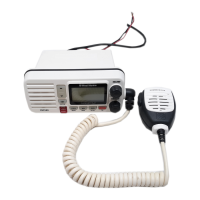
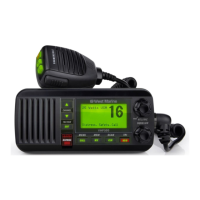
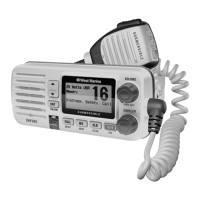
VHF490 FIXED-MOUNT MARINE RADIO
MODEL 18114496
Owner’s Manual

Table of Contents

Questions and Answers

  • B
    Brian GonzalezAug 17, 2025
    Why won't my West Marine VHF490 power on?
    • A
      ahollandAug 17, 2025
      If your West Marine Marine Radio won't power on, check the power connections, the fuse, and the master battery switch and branch circuit that connect to the radio.
  • K
    Kevin DavidsonAug 20, 2025
    What to do if my West Marine VHF490 won't transmit?
    • T
      Troy GuerreroAug 20, 2025
      If your West Marine Marine Radio won't transmit, make sure you are not in weather or scan mode. Also, ensure you are not trying to transmit on a receive-only channel, and that you are transmitting at the correct power level for that channel. Finally, make sure the duration of each transmission is less than 5 minutes.
  • K
    Kayla VelazquezAug 22, 2025
    Why I'm getting all the hazard alerts on my West Marine VHF490?
    • E
      Erika Harris MDAug 22, 2025
      If you're getting all hazard alerts on your West Marine Marine Radio, not just the ones for your area, check to make sure the FIPS codes in your radio were entered correctly. Sometimes the Weather Alert Watch may catch a hazard alert in the middle of the broadcast and miss which FIPS codes are affected; the radio triggers the alert tone and switches to the weather channel when this happens as a safety measure.
  • T
    Tracy RiceAug 26, 2025
    How to fix noise coming from the West Marine VHF490 speaker?
    • K
      Kevin JohnsonAug 26, 2025
      If noise constantly comes out of the speaker of your West Marine Marine Radio, the squelch level is probably too low. Adjust the squelch level to eliminate the noise.
  • D
    Denise JonesAug 28, 2025
    What to do if I can't hear anything from my West Marine Marine Radio speaker?
    • R
      Ryan PerkinsAug 28, 2025
      If you can't hear anything from your West Marine Marine Radio speaker, the squelch level is probably too high. Adjust the squelch level accordingly.
  • C
    Chad ClarkAug 31, 2025
    Why I'm not getting any hazard alerts on my West Marine VHF490 Marine Radio?
    • A
      Alexis McgeeAug 31, 2025
      If you're not getting any hazard alerts on your West Marine Marine Radio, make sure Weather Alert Watch is turned on. Also, check to make sure the FIPS codes in your radio include your current location.
  • S
    Sean MillerSep 3, 2025
    What to do if the West Marine VHF490 display flashes?
    • L
      lance45Sep 3, 2025
      If the display on your West Marine Marine Radio flashes, try turning off scanning, Weather Alert Watch, or Triple/Dual Watch.
  • J
    Jonathan MunozSep 5, 2025
    What to do if I can transmit but no one hears me on my West Marine Marine Radio?
    • R
      Rachel BrownSep 5, 2025
      If you can transmit on your West Marine Marine Radio, but no one can hear you, check your UIC channel settings.
  • V
    Victor BenjaminSep 8, 2025
    How to fix a blank display on West Marine VHF490 Marine Radio?
    • S
      Sarah MorenoSep 8, 2025
      To reset the radio back to the default brightness level if you can’t see any words on the display of your West Marine Marine Radio, turn off the radio, then hold the CALL- MENU button and turn it back on.
  • M
    Monique WilliamsSep 12, 2025
    How to fix unreadable display on West Marine VHF490?
    • M
      Mrs. Monica CollinsSep 12, 2025
      If you can’t read the display on your West Marine Marine Radio, adjust the contrast and backlight brightness level.

Summary

Making a Distress Call

Voice Distress Call Procedure

Step-by-step guide for making a voice distress call.

Introduction and Getting Started

Product Features and Overview

Introduces the radio and lists its key features.

Whats Included and Initial Setup

Lists package contents and initial setup steps.

Radio Components

Radio Controls and Connections

Identifies radio buttons, display, and connection ports.

Microphone Controls

Microphone Button Functions

Explains the functions of the microphone buttons.

Initial Radio Configuration

Powering On and Setting Channel Mode

Instructions for turning on the radio and setting the channel mode.

Understanding Radio Modes

Normal Mode Operation

How the radio operates in its standard mode.

Scan Mode Operation

How to monitor multiple channels efficiently.

Weather Mode Operation

How to receive weather alerts and forecasts.

Watch Modes (Triple;Dual;Alert)

Monitoring secondary channels and weather alerts.

Core Radio Functions

Volume, Squelch, and Transmission

Adjusting audio settings and performing voice transmissions.

Power Control and Weather Alerts

Managing transmission power and FIPS codes for alerts.

Digital Selective Calling (DSC) Guide

DSC Overview and MMSI Setup

Explains DSC and how to set up MMSI numbers.

Making and Receiving DSC Calls

Procedures for initiating and handling various DSC call types.

Position Requests and Test Calls

Requesting vessel positions and conducting radio tests.

Hardware Installation and Connectivity

Mounting and Electrical Connections

Steps for physical mounting and essential electrical connections.

Accessory and External Device Connections

Connecting GPS, chartplotters, and speakers.

Maintenance, Troubleshooting, and Specifications

Troubleshooting Common Issues

Solutions for frequent radio problems.

Technical Specifications

Detailed technical data for the radio.

Reference and Channel Information

Channel Descriptions and Chart

Explains channel usage and provides a frequency chart.

Weather and Emergency Alerts

Information on weather channels and the SAME alert system.

Safety, Regulations, and Warranty

Maritime Radio Operation Rules

Governing rules for using marine radio services.

FCC Compliance and RF Safety

FCC regulations, RF exposure, and product compliance.

Limited Warranty Details

Information on the product's limited warranty coverage and terms.

West Marine VHF490 Specifications

General IconGeneral
BrandWest Marine
ModelVHF490
CategoryMarine Radio
LanguageEnglish

Related product manuals