Page 7
Westek App
How-To and Feature Guide
SMARTPLUG1, SMARTPLUG2, SMARTINWALL,
SMARTPLUG2A, SMARTLAMP
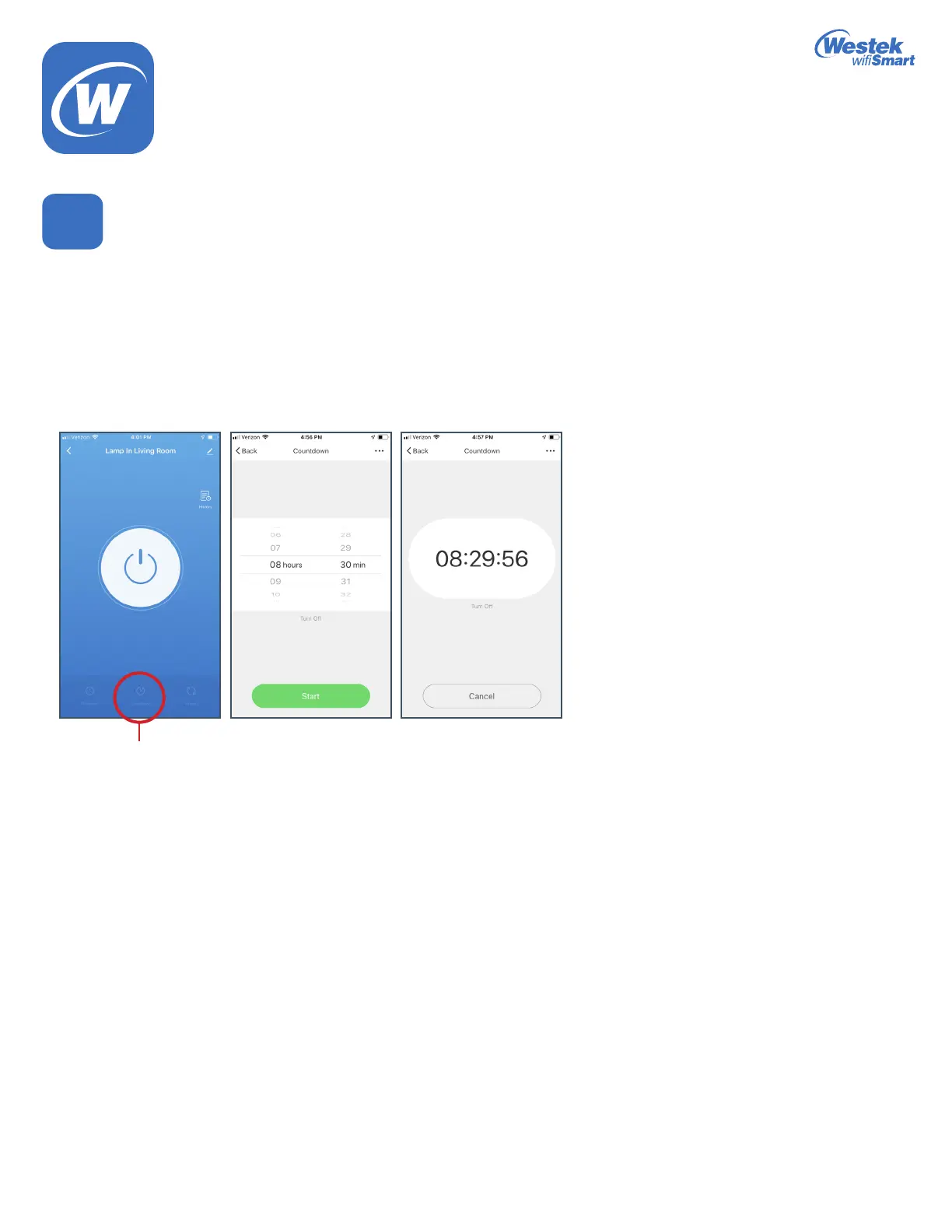
Countdown
1. When you touch the Countdown option, it will take you into a screen to choose the amount of time you want to program the
countdown from.
2. Inthisexample,wehavechosen8hoursand30minutes.
a. If your device is currently turned on, the countdown will start and then will turn the device off after 8 hours and 30 minutes.
b. If your device is currently turned off, the countdown will start and then will turn the device on after 8 hours and 30 minutes
Note: You do not need to keep the app open in order for the countdown function to keep working.
You can only do 1 countdown program at a time.
6(b)
Countdown
WiFi_TL_002_0619_How-To and Feature Guide
Rev. 2


 To Next Page