BACKING UP AND RETRIEVING FILES
76
WD MY CLOUD EX2 PERSONAL CLOUD STORAGE
USER MANUAL
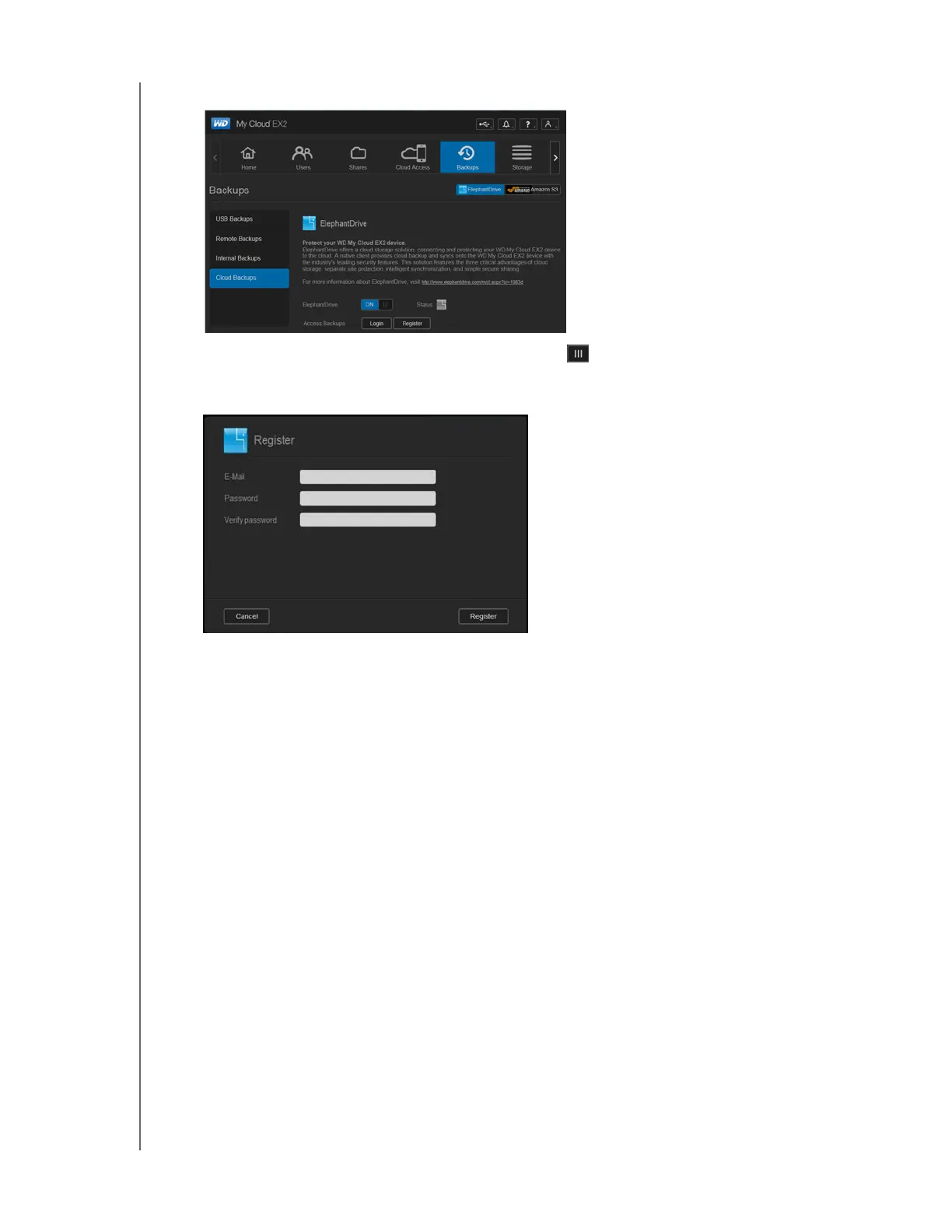
3. Click ElephantDrive at the top of the screen.
4. In the ElephantDrive field, click the toggle button to turn on your ElephantDrive
cloud backup.
5. Click Register. The Register screen displays.
6. Enter the following information, and then click Register:
Email address: Enter the email address you’ll use to receive information from
ElephantDrive.
Password: Enter a password for your new account
Verify Password: Reenter your password.
7. You’ve now enabled your ElephantDrive cloud backup.



 To Next Page