BACKING UP AND RETRIEVING FILES
78
WD MY CLOUD EX2 PERSONAL CLOUD STORAGE
USER MANUAL
4. Click Create.
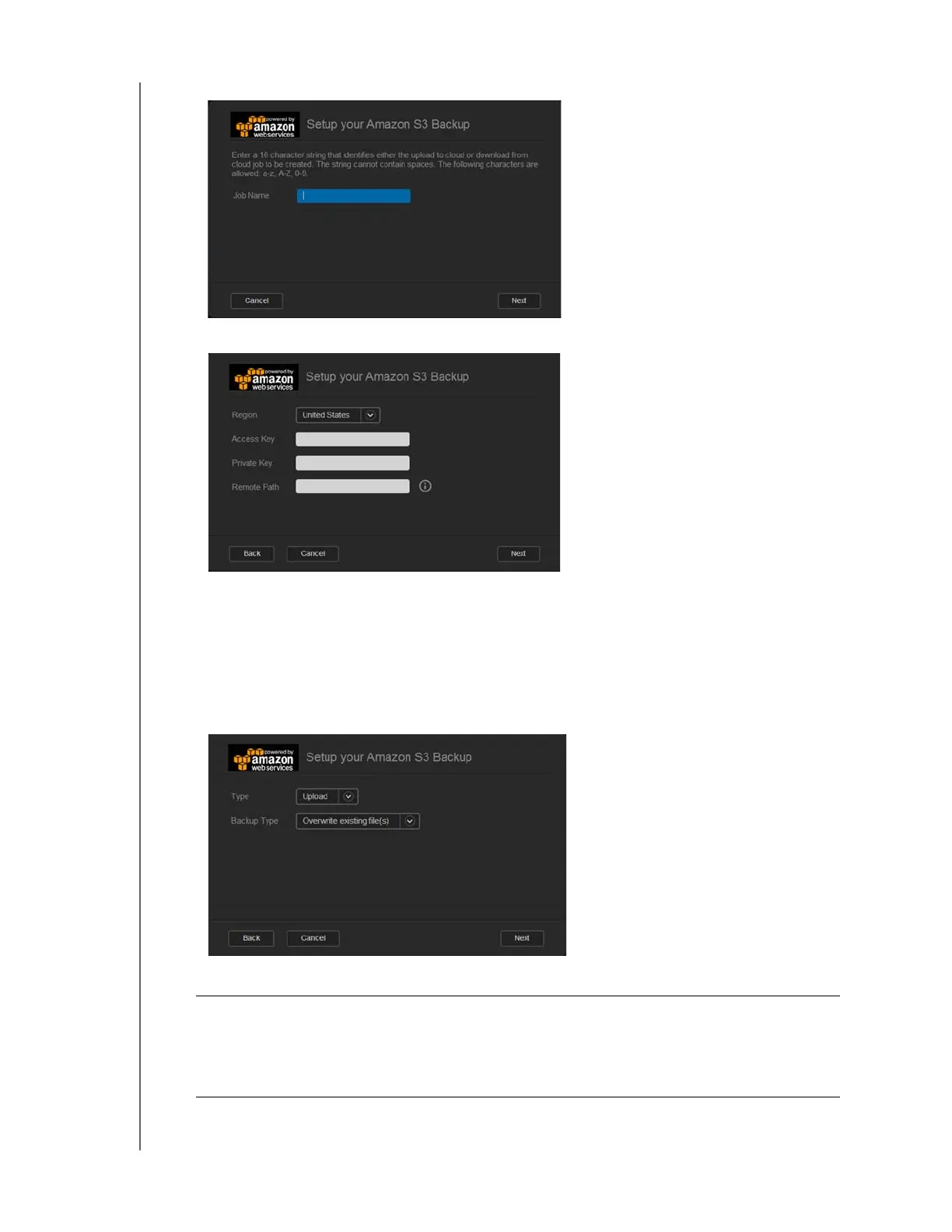
5. Enter a Job Name for your cloud backup, and then click Next.
6. Enter the following information supplied by Amazon S3:
Region: Select the region used for your cloud from the drop-down menu.
Access Key: Enter the access key supplied to you by Amazon S3.
Private Key: Enter the private key supplied to you by Amazon S3.
Remote Path: Enter the remote path for your cloud. This is normally your bucket
name.
7. Click Next.
8. Enter the following information, and then click Next:
Type Select one of the following options:
• Upload: Backs up your WD My Cloud EX2 data to your Amazon
S3 bucket.
• Download: Backs up your Amazon S3 bucket to your WD My
Cloud EX2 device.



 To Next Page