BACKING UP AND RETRIEVING FILES
80
WD MY CLOUD EX2 PERSONAL CLOUD STORAGE
USER MANUAL
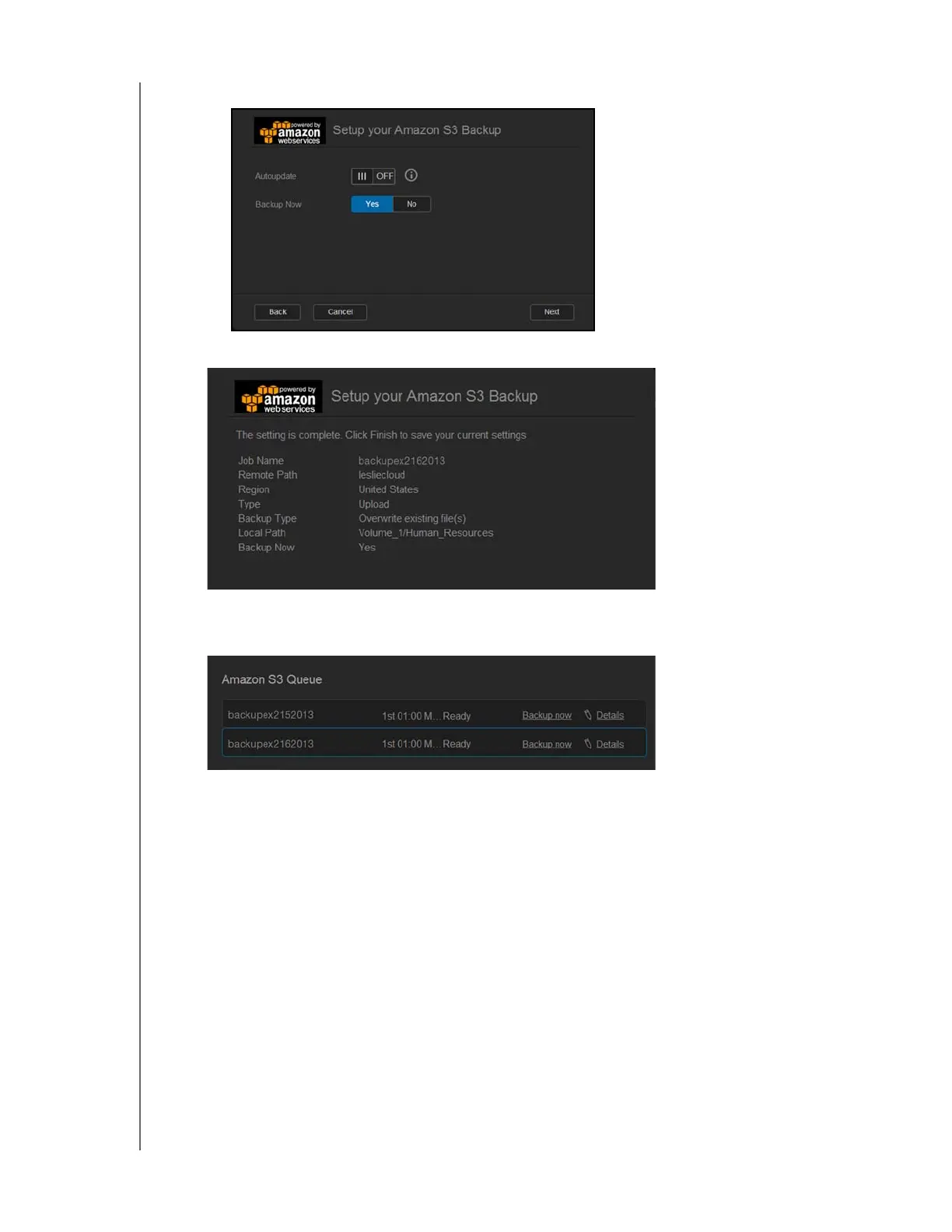
Select Yes to begin your backup now.
12. Click Next.
13. Review your settings, and then click Finish. Your Amazon S3 Cloud backup is created.
The new job displays in the Amazon S3 Queue section of the Amazon S3 Backup
page.
14. Access your Amazon S3 Cloud backup bucket to view your device backups.



 To Next Page