EasyManua.ls Logo

Western Scale AURORA 45 - User Manual

Western Scale AURORA 45
34 pages
Print Icon
To Next Page IconTo Next Page
Loading...

Questions and Answers

Summary

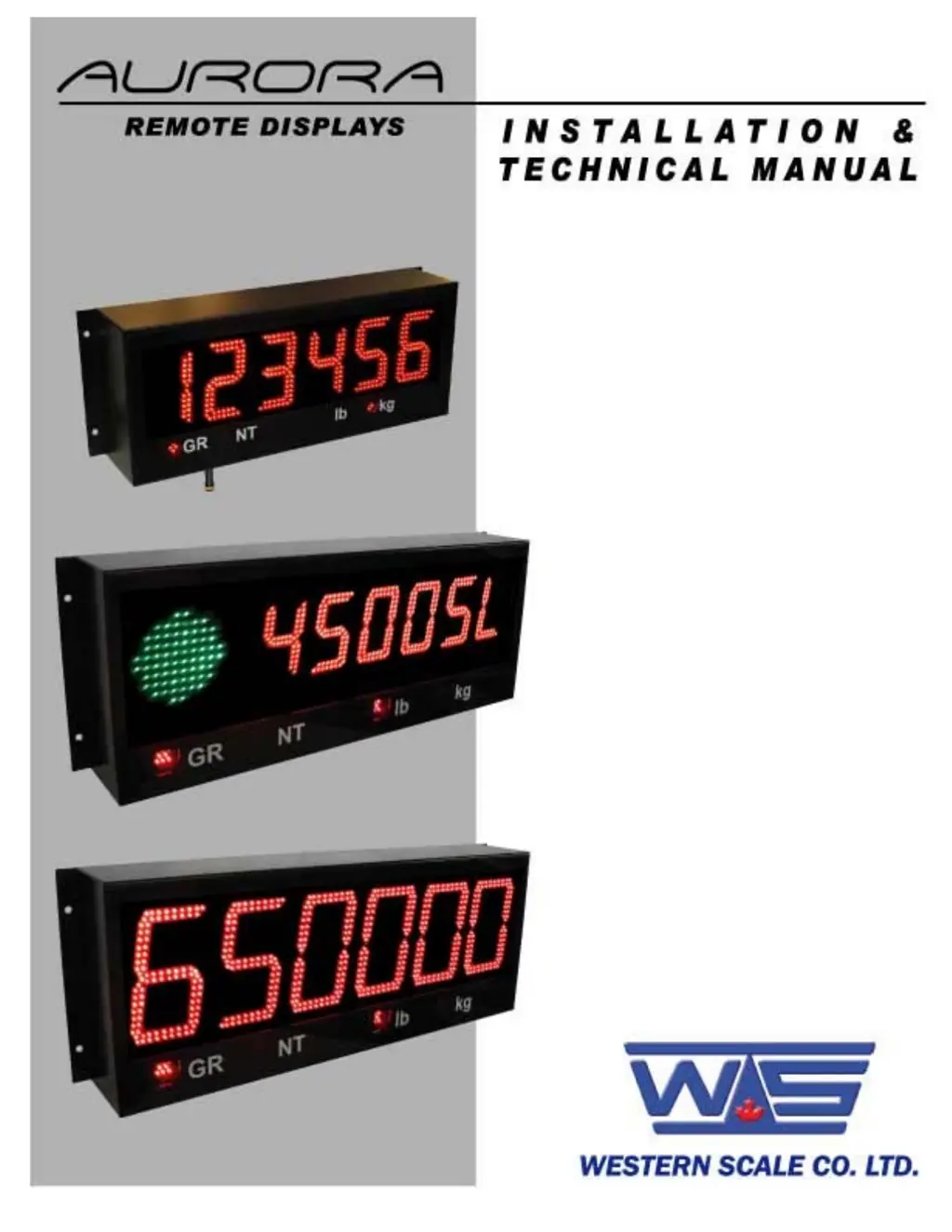
Introduction to Aurora Remote Displays

Document Disclaimer and Usage

Information is for dealers/customers; installation requires qualified technicians.

Aurora Remote Display Features Overview

High Visibility Display Characteristics

Describes the larger, brighter display for better readability in various conditions.

Ease of Installation and Use

Highlights Auto-Learn technology and the drop-down electronics carriage for user convenience.

Wireless Communication Capabilities

Explains wireless options and long-range communication for remote displays.

Energy Saving Features

Covers ultra-efficient LED technology and power-saving operational modes.

Display and Initial Installation Steps

Display Components and Annunciators

Explains the weight display and annunciators like GR, NT, lb, kg.

Pre-Installation Receiving Inspection

Details steps for checking the display upon receipt and verifying shipment contents.

Opening the Aurora Enclosure (Unmounted)

Removing the Electronics Carriage

Explains how to disconnect power and ground wires from the electronics carriage.

Mounting and Bracket Installation

General Mounting Instructions

Covers site inspection, structural support, clearance, hardware, and cable routing.

Wall Mounting Hole Patterns

Shows hole patterns for wall mounting Aurora 45 and Aurora 65/45 SL models.

Pole Mounting and Optional Visor

Pole Mounting Bracket Installation

Details how to install the pole mounting bracket and attach the display.

Optional Visor Installation

Describes how to install the optional visor.

Opening the Aurora Enclosure (Mounted)

Accessing Electronics for Wiring

Lowering the Electronics Plate

Explains how to lower the electronics plate for easier access to wiring.

Removing the Electronics Carriage

Details disconnecting power and ground wires from the carriage.

Wiring Procedures

Power Wiring Instructions

Covers direct AC wiring procedures, including cautions for high voltage.

Power and Communications Wiring Details

Power Wiring Continuation

Continues power wiring instructions with diagrams and terminal block connections.

Communications Wiring Overview

All communications wiring terminates at the Controller board.

Communication Input Jumper Configuration

Explains how to select the communication input type using jumpers.

RS 232 Wiring Connections

Details the wiring connections for RS 232 communication.

Serial Communication Wiring

RS 232 Daisy Chain Wiring

Shows how to wire multiple units in a daisy chain for RS 232.

RS 422 Wiring Configuration

Explains wiring for RS 422 communication.

RS 485 Multi-Drop Wiring Methods

Covers parallel and split multi-drop wiring for RS 485.

20 mA Current Loop Communication

20 mA Current Loop Wiring Setup

Details wiring for 20 mA current loop communication.

20 mA Current Loop Mode Selection

Explains how to select Active or Passive mode for the current loop.

Unit Start-Up Procedures

Power Up and Power Off

Describes how the unit turns on and off via AC power connection.

Using the Reset Button

Explains the function of the reset button for cycling power.

Automatic Auto-Learn Functionality

Details the automatic learning process for communications and string type on power up.

Diagnostic Indicator Lights

Status Light Indicators

Explains the meaning of the STATUS light's blinking patterns.

COM Light Functionality

Describes when the COM light flashes, indicating data reception.

Radio Light Operation

Explains when the RADIO light flashes and if it requires a radio module.

Configuration and Options Setup

CONFIG Switches Overview

Introduces the CONFIG dip switches (SW 3) for various features.

Daytime Brightness Configuration

Details how to set daytime display brightness levels using switches.

Nighttime Brightness Configuration

Details how to set nighttime display brightness levels using switches.

Display Mode and Multi-Drop Settings

Mirror Display Mode Setting

Explains how to enable mirrored digits for rear-view mirror viewing.

Start-up Auto-Learn Configuration

Describes how to enable or disable automatic start-up auto-learn.

Multi-Drop ID Settings

Explains how to set Multi-Drop IDs for shared communication lines.

Options Switches and Power Save

OPTIONS Switches Overview

Introduces the OPTIONS dip switches (SW 4) for utility programs.

Utility Program Selection

Details how to select built-in utility programs using switches.

Power-Save Mode Configuration

Explains how to enable or disable the power-save mode.

Leading Zeros and Radio Channel Settings

Leading Zeros Suppression

Explains how to suppress or enable leading zeros in the display.

Radio Channel Selection for Wireless

Details how to select radio channels for wireless communication.

Traffic Light Control Options

External Traffic Lights Wiring

Describes wiring and control of external traffic lights via the built-in relay.

Traffic Light Control Utility Programs

Lists utility programs that control the traffic light relay.

Traffic Light Serial Commands

Explains using serial commands for traffic light control.

Built-in Traffic Light Control (Aurora 45 SL)

Built-in Traffic Light Remote Switch

Explains wiring remote switches to control the built-in traffic light.

Built-in Traffic Light Utility Programs

Lists utility programs that control the built-in traffic light.

Built-in Traffic Light Serial Commands

Explains using serial commands for traffic light control.

Aurora Utility Programs Detailed

Normal Mode Program

No specific program is selected for normal operation.

Axle Weighing with Totals Program

Details usage for axle scales, including light indicators and axle weight display.

Axle Weighing Driving On Program

Explains axle weighing on regular vehicle scales with light indicators and axle weight display.

Command Mode Operation

Activating Command Mode via Dipswitches

Details the dipswitch settings required to enable command mode.

Transmitting Weight Data Strings

Instructions on how to transmit weight data strings.

Using Status Characters for Annunciators

Explains using status characters to control annunciator lights.

Control Commands and Messaging

ASCII Control Commands Reference

Lists ASCII control commands for traffic lights and other features.

Alphanumeric Messaging to Scoreboard

Explains how to display alphanumeric messages on the scoreboard.

Sample Command Mode Data Strings

Provides examples of data strings used in command mode.

Multi-Drop Addressing

Multi-Drop Display Addressing

Explains how to address individual displays in a multi-drop setup.

Wireless Set-up for Aurora Displays

Aurora Remote Display Wireless Setup

Details connecting the external antenna and securing the radio module.

Indicator and BaseStation Connection

BaseStation to Indicator Connection

Describes connecting the BaseStation to the scale indicator and required indicator settings.

Wireless Connection Test Procedure

Steps to verify the wireless connection by checking display accuracy.

BaseStation Configuration

BaseStation Setup via X-CTU Software

Instructions for configuring BaseStation settings using MaxStream X-CTU software.

Matching BaseStation Radio Channel

Explains how to match the BaseStation channel to the Aurora's dip switches.

BaseStation Configuration Continued

Reading and Writing BaseStation Parameters

Continues BaseStation setup, focusing on reading and writing parameters.

Matching BaseStation Hopping Channel

Details matching the BaseStation's hopping channel to the Aurora's dip switch settings.

Setting the BaseStation Baud Rate

Matching Indicator and BaseStation Baud Rates

Instructions on setting the BaseStation's baud rate to match the indicator.

Troubleshooting and Error Messages

Unit Power-Up Troubleshooting

Troubleshooting steps for when the unit fails to power on.

No Display Troubleshooting

Troubleshooting steps for no display after powering up.

Display Dashes Troubleshooting

Troubleshooting steps when dashes appear on the display.

Error 1 Message Troubleshooting

Troubleshooting steps for the "Error 1" message.

Additional Error and Status Troubleshooting

Error 2 Message Troubleshooting

Troubleshooting steps for the "Error 2" message.

Status Light Not Blinking Troubleshooting

Troubleshooting steps when the status light is off.

Fast Blinking Status Light Troubleshooting

Troubleshooting steps for a rapidly blinking status light.

Radio Light Not Flashing Troubleshooting

Troubleshooting steps when the radio light is not flashing.

COM Light Not Flashing Troubleshooting

Troubleshooting steps when the COM light is not flashing.

Western Scale AURORA 45 Specifications

General IconGeneral
BrandWestern Scale
ModelAURORA 45
CategoryMonitor
LanguageEnglish