4
INSTALLATION & TECHNICAL MANUAL
DISPLAY
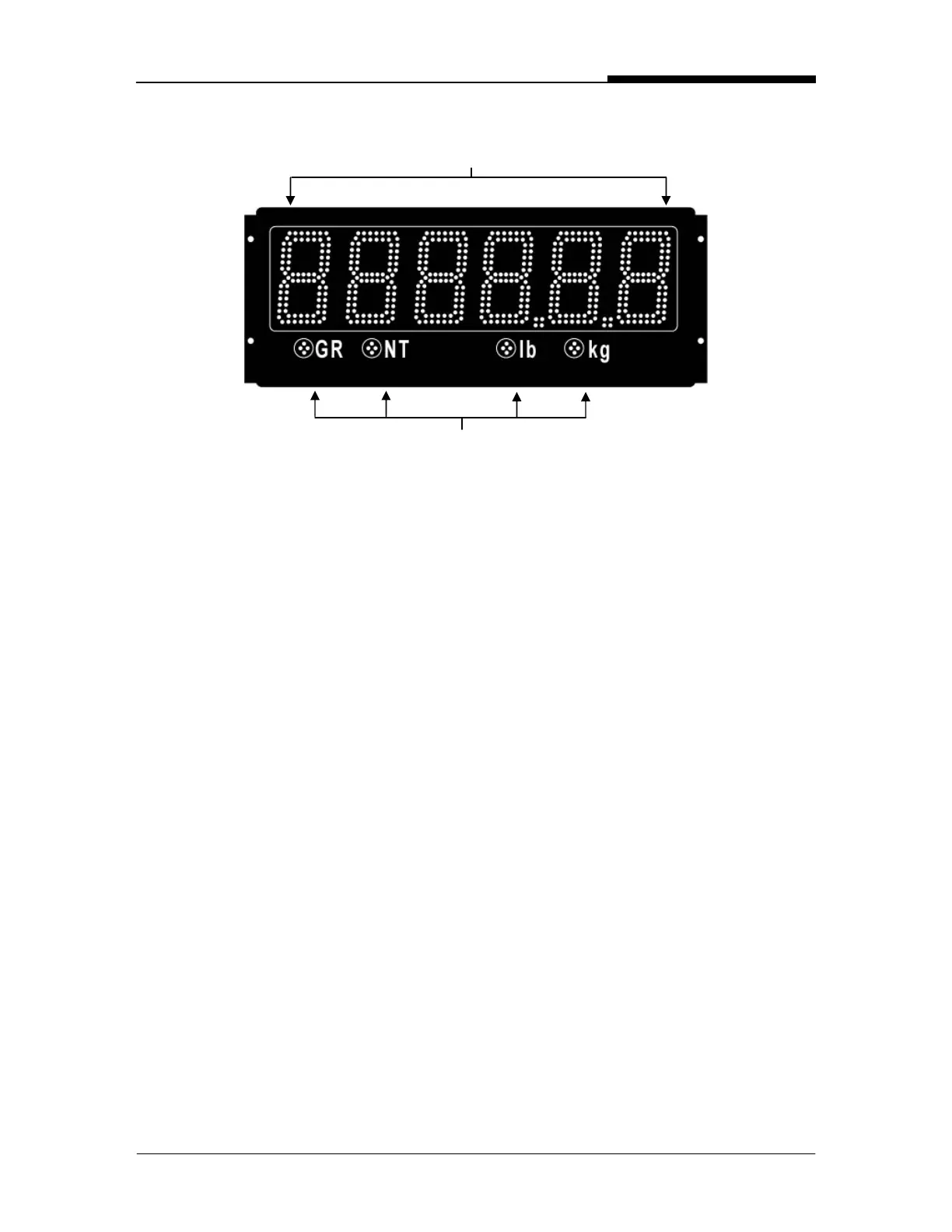
WEIGHT DISPLAY: 6 LED digits (7 segments). Up to 2 decimal places.
ANNUNCIATORS:
GR = Gross Weighing Mode
NT = Net Weighing Mode
lb = Pounds
kg = Kilograms
INSTALLATION
PRE-INSTALLATION (Receiving Inspection)
It is always good practice to verify that the Aurora Remote Display is complete and
undamaged upon receipt.
• Check over packaging for any signs of damage.
• Remove the Aurora Remote Display from its protective packaging and check for
damage.
• Verify that the shipment includes:
o Aurora Remote Display (complete and intact, with power cord).
o Aurora Installation / Technical Manual.
• Auroras ordered with the Wireless option should include:
o Radio Module.
o External Antenna.
o Internal Antenna Cable.
o BaseStation kit including software and 2 interface cables.
WEIGHT DISPLAY
ANNUNCIATORS
Fig. 1: Aurora 45 Display


 To Next Page