26
INSTALLATION & TECHNICAL MANUAL
WIRELESS SET-UP
AURORA REMOTE DISPLAY
1. With factory installed Radio Modules, the external antenna must be
connected to the SMA terminal on the bottom of the Electronics Carriage.
The Aurora is ready to receive radio signals.
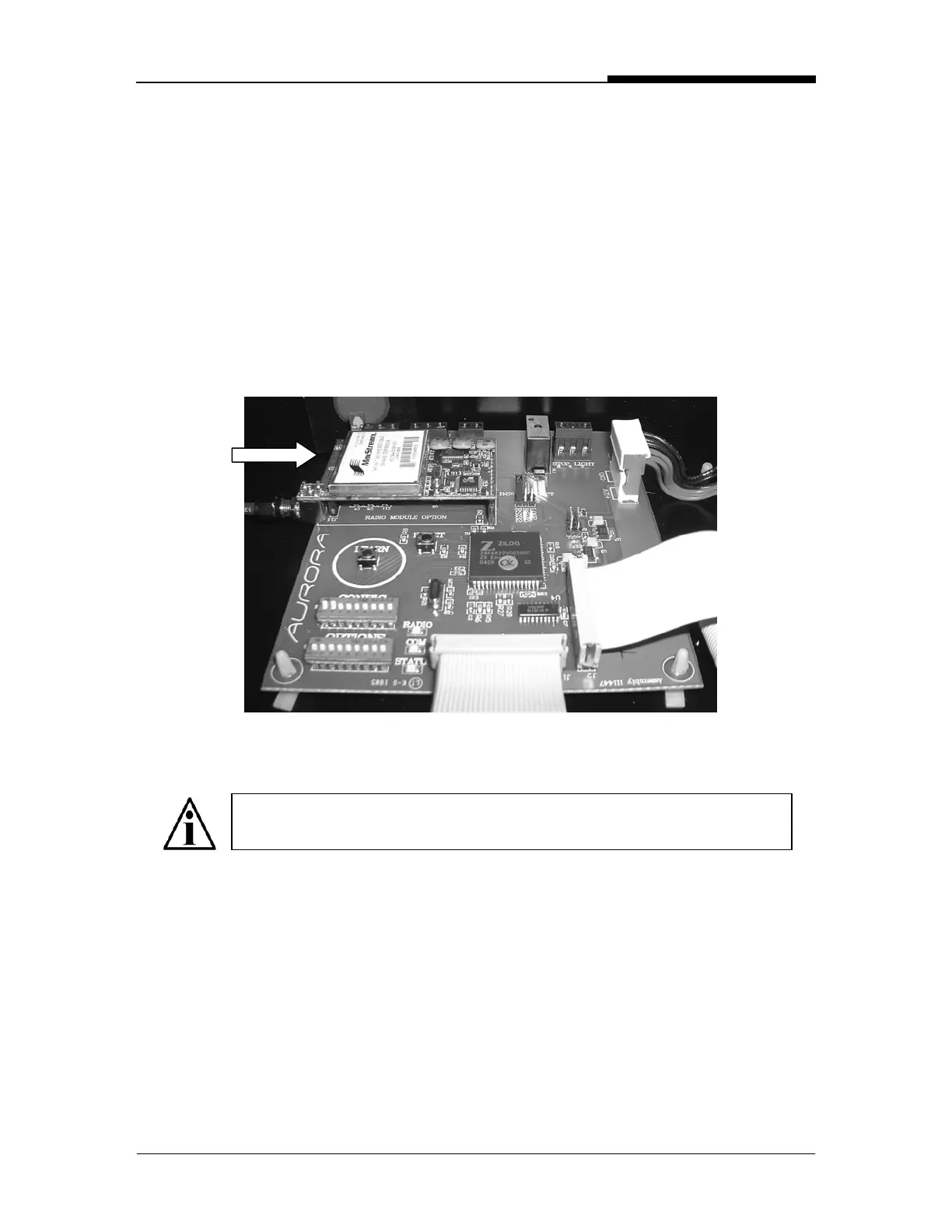
2. If problems are experienced, ensure that the Radio Module hasn’t been
disconnected in shipping. The Radio Module should be secure in the
terminals (J10 & J11) as seen below.
NOTE: When the Radio Module is properly installed, the
Communication Input Jumper is over-ridden.
Fig. 13: Radio Module on Controller board


 To Next Page