30
INSTALLATION & TECHNICAL MANUAL
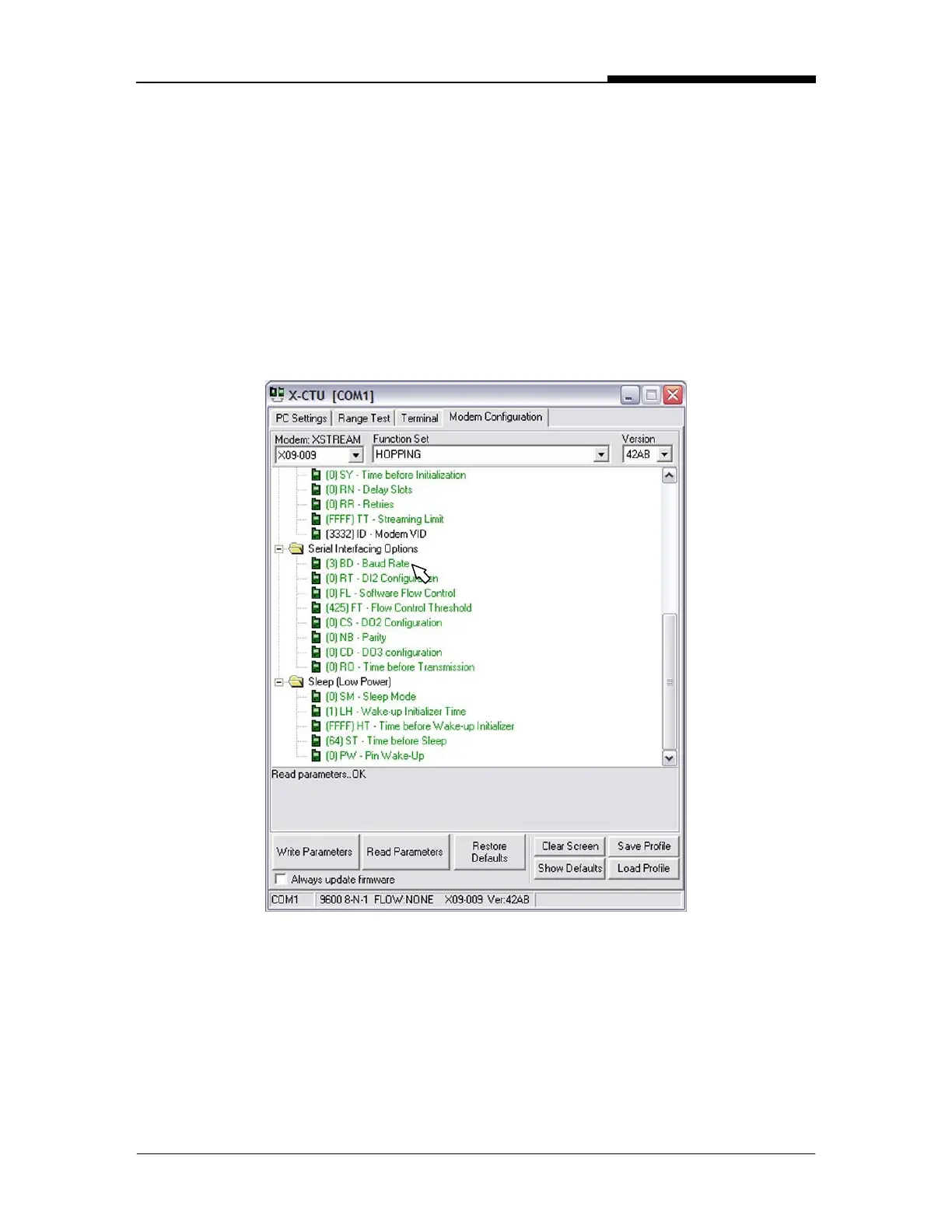
Set the Baud Rate
1. Scroll down to the “Serial Interfacing Options”.
2. Click on the “Baud Rate” parameter.
3. Select the desired Baud Rate from the pull-down menu. This Baud Rate
must match the indicator’s Baud Rate.
4. Click the “Write Parameters” button. The PC will send the new set-up
information to the BaseStation.


 To Next Page