LEONARDO DATALOGGER
User manual
4
Serial Inverter Connection
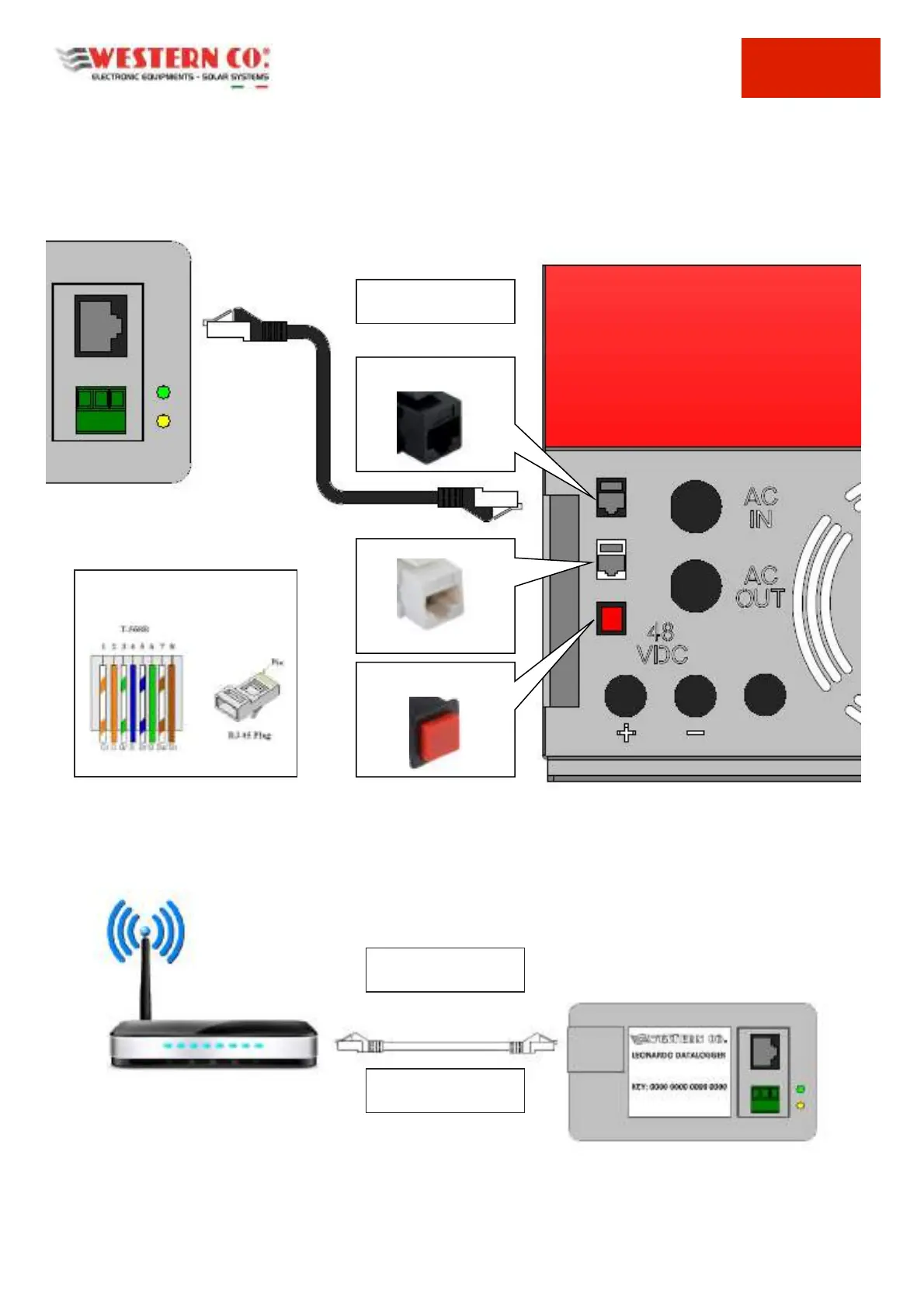
The Leonardo Datalogger provides a serial connection, dedicated to monitoring the Leonardo series inverters. This
connection is made through a RJ45 PLUG connector, distinguished by the BLACK color, both on the inverter side, and
on the data logger side
For the connection it is possible to use the supplied BLACK PATCH cable, or if necessary it is possible to make a cable
of adequate length, using a UTP CAT cable. 5E or higher and RJ45 connectors.
The maximum permissible length for the inverter serial connection is 25-30m.
Internet Connection of the Datalogger
The Leonardo Datalogger provides an INTERNET connection through a wired ETHERNET connection to a router for the
access to the web.
Fig.4 Connection to the Web
The ETHERNET connection for connecting the Leonardo Datalogger to a ROUTER for internet access must be made,
using the supplied RJ-45 PLUG connectors and a UTP cable of Cat.5E or higher. The connection can be made with a
standard straight cable.
STRAIGHT PATCH SERIAL CABLE with
cable CAT.5e 4x2x24/7 AWG
PATCH SERIAL CABLE to
the INVERTER
ETHERNET CABLE
INTERNET CONNECTION
UTP CAT.5E CABLE or
Higher Level



 To Next Page