EasyManua.ls Logo

Westinghouse WVE6526 - User Manual

Westinghouse WVE6526
31 pages
Print Icon
To Next Page IconTo Next Page
Loading...
USER MANUAL
WVE6526
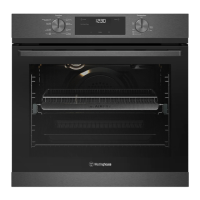
ELECTRIC BUILT-IN OVEN
Enjoy peace of mind.
Register your appliance today.
Stay updated on better living services, safety notices and
shop for accessories.
1. Open the camera app on your smartphone and
point at the QR code to scan
Product Registration QR code is located on the
front of your appliance or inside the door rim*.
2. Tap the notification or link to open the registration form
3. Complete your details and enjoy peace of mind
*Exact location of QR code may vary depending on oven model

Questions and Answers

  • N
    Nancy CookAug 18, 2025
    Why is my Westinghouse Oven or grill not working?
    • M
      Megan EwingAug 18, 2025
      If your Westinghouse oven or grill isn't working, first ensure the power is on and the controls are correctly set. Also, check if the oven is in ‘Demo’ mode. If the household fuse has blown or the power supply is off, call the Customer Care Centre. Finally, verify that the child-proof oven lock is not activated, which displays ‘LOCKED’ when the control is touched.
  • J
    Jennifer MercadoAug 20, 2025
    Why is my Westinghouse WVE6526 Oven smoking when first used?
    • I
      ibrownAug 20, 2025
      If your Westinghouse unit is smoking when first used, this is due to protective oils being removed.
  • T
    Thomas OdomAug 23, 2025
    What to do if Westinghouse WVE6526 Oven is not heating enough?
    • J
      Jennifer ParsonsAug 23, 2025
      If your Westinghouse oven is not heating enough, ensure that foil or trays are not on the bottom of the oven. If the timer is in “AUTO” mode, refer to the timer operating instructions. If the household fuse has blown, call the Customer Care Centre. Also, make sure the oven is pre-heated for 30 minutes.
  • H
    Henry SimmonsAug 26, 2025
    Why is there warm air coming from the top of my Westinghouse WVE6526 door?
    • H
      Hunter FordAug 26, 2025
      If you observe warm air coming from the top of your Westinghouse oven door, especially if the oven is located under the control panel, this is normal. The air passes through this vent for proper air circulation and good baking results. Ensure you do not block the oven vent.
  • D
    Darren WiseAug 28, 2025
    Why does the fan start on my Westinghouse WVE6526 when a non-fan mode is selected?
    • A
      Amanda TerryAug 28, 2025
      When a non-fan mode is selected on your Westinghouse oven and the fan starts, it's likely due to the fast heat-up function, which uses the fan, fan element, and top elements. To override this, select a temperature of 120°C or less to start, then increase the temperature to your desired level.
  • M
    Mallory FisherAug 30, 2025
    Why does the light stay on when the door is closed on my Westinghouse WVE6526 Oven?
    • M
      Mark JacksonAug 30, 2025
      If the light stays on in your Westinghouse oven even when the door is closed, an oven function may have been selected, or the light has been turned on at the control panel.
  • N
    Natasha SimmonsSep 2, 2025
    Westinghouse WVE6526 light not working, what to do?
    • J
      James ReyesSep 2, 2025
      If your Westinghouse oven light isn't working, it may be turned off at the control panel. If the household fuse has blown, call the Customer Care Centre.
  • D
    David DavisSep 4, 2025
    Westinghouse WVE6526 functions and temperature appear on display but oven does not work, why?
    • J
      Janet PattersonSep 4, 2025
      If functions and temperature appear on the display but the Westinghouse oven does not work, the oven may be in ‘Demo’ mode.
  • A
    Amanda Lester PhDSep 7, 2025
    How to reduce condensation build up in Westinghouse WVE6526 Oven?
    • D
      Dawn BrownSep 7, 2025
      If you notice condensation build-up in your Westinghouse oven, reduce the amount of water used in cooking.
  • E
    Eric WolfSep 9, 2025
    Why does the fan stop when the door is open on my Westinghouse underbench oven?
    • D
      David SimmonsSep 9, 2025
      If the door is open and the fan stops in your Westinghouse underbench oven, this is a normal function of the power board to help reduce the blast of air when opening the door.

Summary

Important Safety Instructions

Appliance Installation

Cabinet Installation Requirements

Details cabinet requirements for flush and proud fit installations.

Oven Levelling Procedure

Instructions on how to level the oven using a spirit level.

Separate Grill Oven Installation

Specific dimensions and considerations for installing a separate grill wall oven.

Product Overview

Oven Control Panel Explained

Identifies and explains each control on the oven's front panel.

Initial Setup and First Use

Setting the Electronic Clock

Guide on setting the electronic clock and time of day.

Oven Accessories Installation

Telescopic Slide Installation

Step-by-step guide to fitting telescopic oven slides.

Shelf and Tray Installation

How to correctly fit oven shelves and trays onto side racks.

Side Rack Installation

Instructions for attaching side racks to the oven interior.

Grill Dish and Insert Fitting

Guidance on using the grill dish and insert for different power levels.

Oven Operation and Functions

Using the Air Fry Feature

Explains the Air Fry feature for advanced convection cooking.

Base Heat Cooking Mode

Describes heat from the bottom element for base browning.

Fan Forced Cooking Mode

Details the fan forced heating for even cooking.

Pizza Cooking Mode

Combines base heat and fan bake for pizza cooking.

Fan & Grill Cooking Mode

Explains the combined bake and grill function.

Using the Maxi Grill Feature

Describes the powerful 2-element radiant heat grill.

Cooling Fan Operation

Information on the cooling fan's purpose and operation.

Managing Condensation and Steam

Explains condensation formation and how to manage it.

Impact of Dishes on Cooking

How different dish types affect cooking outcomes.

Using the Temperature Selector

How to set and use the oven temperature selector.

Oven Pre-heating Guide

Guidance on pre-heating the oven and grill for optimal results.

Electronic Clock Operation Guide

Detailed instructions for using the electronic clock functions.

Automatic Safety Cut-out

Explains the automatic oven shut-off feature.

Using Demo Mode

Instructions on how to enter and exit the demonstration mode.

Baking and Roasting Tips

Tips for baking and roasting, including temperature and shelf use.

Meat Roasting Guide

Advice on roasting various meats with temperature and time.

Poultry and Fish Roasting

Guidance for roasting poultry and fish.

Oven Shelf Position Guide

Recommends shelf positions for single and double shelf cooking.

Cooking Problem Solver

Understanding Your Oven

Test Cake Recipe for Oven Familiarization

A recipe to help understand oven performance and browning.

Maintenance and Cleaning

Cleaning Enamel Components

Methods for cleaning enamel parts of the oven.

Cleaning Stainless Steel Surfaces

Instructions for cleaning stainless steel components.

Cleaning Glass Panels and Doors

How to clean oven glass and control panel glass.

Interior Oven Cleaning

Advice on keeping the oven interior clean and free of residue.

Grill Area Cleaning

Tips for cleaning the grill area and components.

Oven Accessory Cleaning

Steps for removing and cleaning trays, shelves, and inserts.

Side Rack Removal

Instructions for detaching oven side racks.

Grill Element Release

Steps to release the upper grill element for cleaning.

Telescopic Slide Maintenance

Important notes on the care and usage of telescopic slides.

Oven Light Replacement

Guide for replacing oven interior lights.

Oven Door Removal for Cleaning

Detailed instructions on how to safely remove the oven door.

Oven Door Top Trim Removal

Steps to remove the top trim of the oven door.

Oven Door Glass Panel Removal

Instructions for removing and cleaning the oven door glass.

Steam Assisted Cleaning Guide

How to use the steam function for oven cleaning.

Oven Troubleshooting Guide

Product Warranty Information

Westinghouse WVE6526 Specifications

General IconGeneral
BrandWestinghouse
ModelWVE6526
CategoryOven
LanguageEnglish

Related product manuals