EasyManua.ls Logo

Westinghouse WVE6526DD - User Manual

Westinghouse WVE6526DD
4 pages
Print Icon
To Next Page IconTo Next Page
Loading...
Quick Start Guide
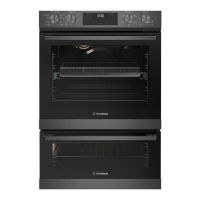
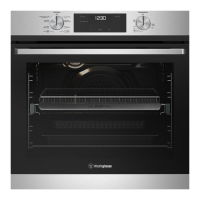
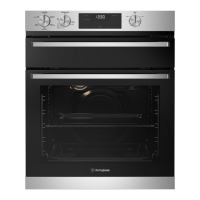
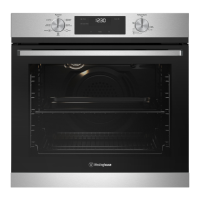
WVE6525, WVE6526, WVE6536 oven series
Set...
Get to know your oven control panel:
1 Upper Function selector
2 Upper temperature selector
3 Oven/grill indicator light
4 On when timer is set
5 Cook time Icon
6 Electronic Clock
7 Time of day icon
8 Lower Function selector
9 Lower temperature selector
1 2 3 5 6 3 8 9
4 7
655
645
636
617
625
616
615
614
613SC
665
P615
P617
P618
P627
FUNCTION TEMP
Hold 3s
BACK FAVOURITE
SET TIME
ALARM OK
ON/OFF
16:30
00:15 140°C
Dear Customer,
Thank you for purchasing a Westinghouse oven. You have chosen a product that comes
from a history of durable and reliable products loved by many families. We look to help
you make the most of your time at home, so you can spend your time doing what you
really love, with the ones you love.
Welcome to Westinghouse.
Ready
Before you start, please make sure:
Your oven has been correctly installed by a qualified person.
Your oven has power and is switched on.
You’ve removed all relevant packaging.
To access your detailed user manual online, simply scan the QR code on your smart phone.
For more detailed information and installation guide refer to user manuals
at westinghouse.com.au/manuals
This is a Quick Start Guide. Please refer to user manual
online for detailed information and installation
Most of the packaging
materials can be recycled.
Please dispose of them at
your local recycling centre
or in your own recycling bin.


Questions and Answers

  • J
    jbakerAug 17, 2025
    Why is my Westinghouse WVE6526DD Oven or grill not working?
    • D
      David LoweAug 17, 2025
      If your Westinghouse oven or grill isn't working, first ensure the power is on and the controls are correctly set. Also, check if the oven is in ‘Demo’ mode. If the household fuse has blown or the power supply is off, call the Customer Care Centre. Finally, verify that the child-proof oven lock is not activated, which displays ‘LOCKED’ when the control is touched.
  • T
    Thomas WalkerAug 20, 2025
    Why is my Westinghouse WVE6526DD smoking when first used?
    • M
      Michelle FrostAug 20, 2025
      If your Westinghouse unit is smoking when first used, this is due to protective oils being removed.
  • H
    Hannah CervantesAug 22, 2025
    What to do if Westinghouse WVE6526DD Oven is not heating enough?
    • B
      Beth Dunlap DDSAug 23, 2025
      If your Westinghouse oven is not heating enough, ensure that foil or trays are not on the bottom of the oven. If the timer is in “AUTO” mode, refer to the timer operating instructions. If the household fuse has blown, call the Customer Care Centre. Also, make sure the oven is pre-heated for 30 minutes.
  • C
    cmartinAug 26, 2025
    Why is there warm air coming from the top of my Westinghouse oven door?
    • R
      Ryan WardAug 26, 2025
      If you observe warm air coming from the top of your Westinghouse oven door, especially if the oven is located under the control panel, this is normal. The air passes through this vent for proper air circulation and good baking results. Ensure you do not block the oven vent.
  • K
    kristendonovanAug 27, 2025
    Why does the fan start on my Westinghouse WVE6526DD when a non-fan mode is selected?
    • D
      davenportjamesAug 27, 2025
      When a non-fan mode is selected on your Westinghouse oven and the fan starts, it's likely due to the fast heat-up function, which uses the fan, fan element, and top elements. To override this, select a temperature of 120°C or less to start, then increase the temperature to your desired level.
  • A
    Andrew HumphreyAug 30, 2025
    Why does the light stay on when the door is closed on my Westinghouse oven?
    • M
      Mary BarronAug 30, 2025
      If the light stays on in your Westinghouse oven even when the door is closed, an oven function may have been selected, or the light has been turned on at the control panel.
  • D
    Dennis CastilloSep 1, 2025
    Westinghouse Oven light not working, what to do?
    • J
      jenniferrandallSep 2, 2025
      If your Westinghouse oven light isn't working, it may be turned off at the control panel. If the household fuse has blown, call the Customer Care Centre.
  • S
    susandicksonSep 4, 2025
    Westinghouse WVE6526DD Oven functions and temperature appear on display but oven does not work, why?
    • E
      Emily BerrySep 4, 2025
      If functions and temperature appear on the display but the Westinghouse oven does not work, the oven may be in ‘Demo’ mode.
  • F
    fsheltonSep 6, 2025
    How to reduce condensation build up in Westinghouse WVE6526DD?
    • T
      Tiffany ThomasSep 7, 2025
      If you notice condensation build-up in your Westinghouse oven, reduce the amount of water used in cooking.
  • T
    Traci MezaSep 9, 2025
    Why does the fan stop when the door is open on my Westinghouse underbench oven?
    • S
      Susan WebbSep 9, 2025
      If the door is open and the fan stops in your Westinghouse underbench oven, this is a normal function of the power board to help reduce the blast of air when opening the door.

Westinghouse WVE6526DD Specifications

General IconGeneral
BrandWestinghouse
ModelWVE6526DD
CategoryOven
LanguageEnglish

Related product manuals