WD-151E - WD-421E Rev. 00 (202310)
Operating instructions touch
49
4.2.2 Washing with Automatic operation
• Washing with automatic stop. The machine starts when a basket is pushed
into it. The basket stays in the washing zone until the next basket pushes
it onwards. The machine stops automatically after a set period of time if no
new basket is fed in.
• Push the basket carefully towards the feed opening until the feed device
hooks the basket in place.
• To start the feed, press .
4.2.3 Washing with manual operation
• Washing without automatic stop. Manual operation is a good idea when the
items are heavily soiled. If you only feed in one basket, it stops and stays
in the washing zone. The time in the zone is decided by the operator. The
basket is pushed out of the machine when a new basket is fed in.
• Push the basket carefully towards the feed opening until the feed device
hooks the basket in place.
• To start the feed, press .
4.2.4 Cancelling washing
It is possible to interrupt the wash by pressing Start/Stop (a) on the touch panel.
4.2.5 Emergency stop
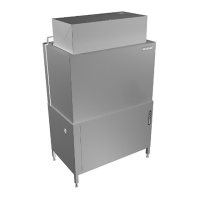
The machine has an emergency stop (1), which is located on the left-hand side
of the electrical cabinet.
If an emergency stop button is pressed during operation, the reason for the emer-
gency stop must be rectified. The emergency stop is then reset by turning the
emergency stop button in the direction indicated by the arrows on the emergency
stop button. You must reset the alarm on the touch panel before you can restart
the machine.


 To Next Page