WD-151E - WD-421E Rev. 00 (202310)
Operating instructions touch
62
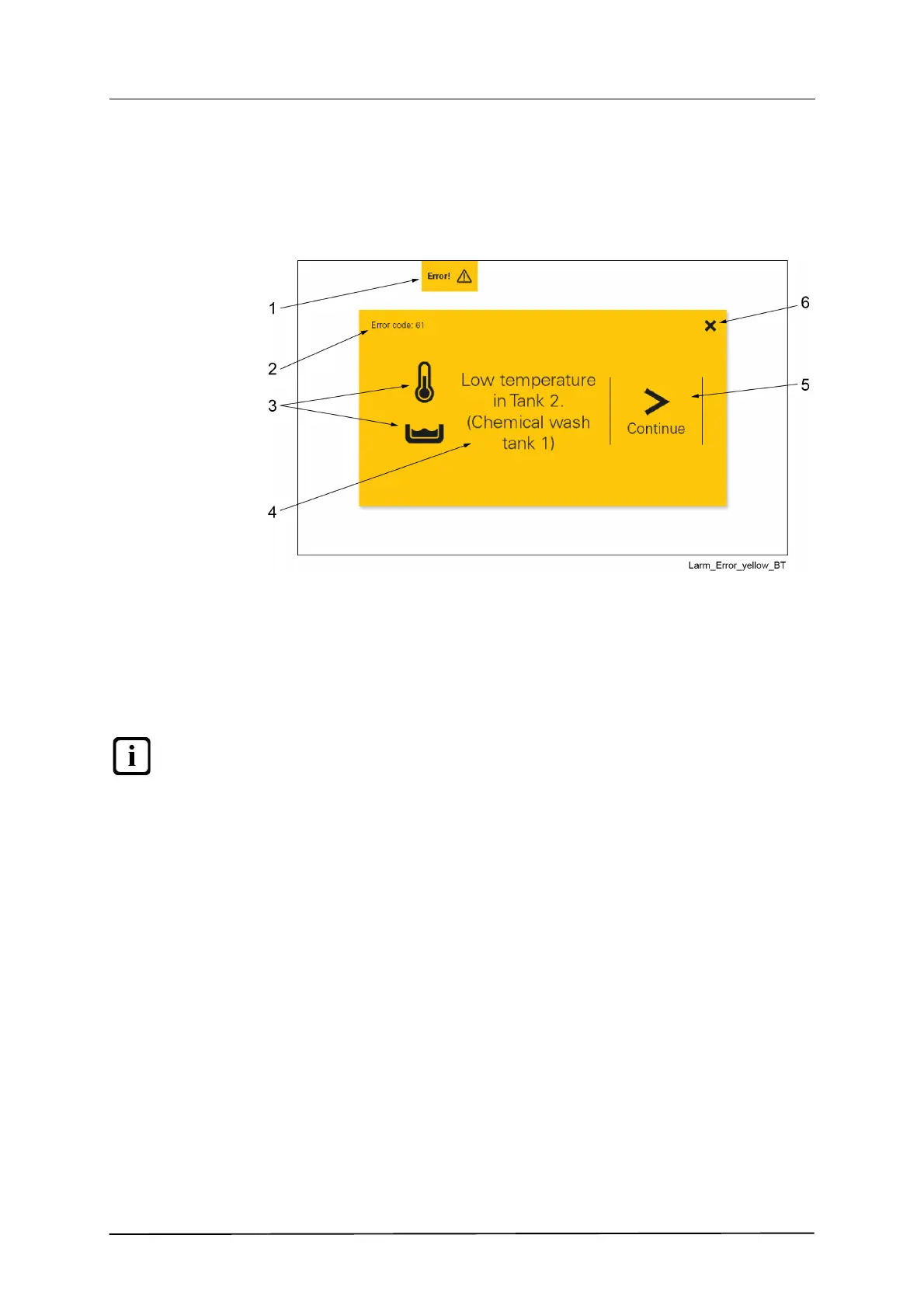
Error alarms (yellow)
An error alarm is generated, e.g. because of a low temperature in one of the
tanks.
1. Type of alarm and minimise / maximise
2. Error code
3. Symbol for type of alarm
4. Descriptive text
5. Continue to next screen
6. Reset alarm
The alarm can be minimised and then maximised by clicking on the button (1)
Follow the instructions on the touch panel, which are displayed by clicking on the
symbol (5).
The alarm can be reset using the X button (6) if you do not wish to click through
the entire guide.


 To Next Page