EasyManua.ls Logo

WFCO WF-5318 - User Manual

Default Icon
28 pages
Print Icon
To Next Page IconTo Next Page
Loading...
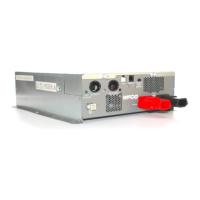
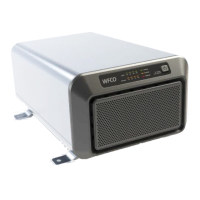
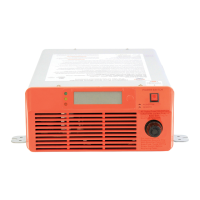
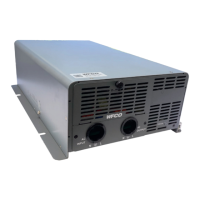
WF-5300 SERIES
PURE SINE WAVE INVERTER
WF-5318 & WF-5320
Product Manual

Questions and Answers

  • A
    Amanda HughesAug 11, 2025
    What to do if my WFCO WF-5318 Inverter remote control panel is dark and will not turn on?
    • G
      Gregory SanchezAug 11, 2025
      If the remote control panel for your WFCO Inverter is dark and won't turn on, consider the following: 1. Check if there is DC power to the inverter by connecting a charged battery. 2. Ensure that the test button on the inverter is off (pressed to the out position). 3. Inspect the remote control panel cable for damage or disconnections; reconnect or repair/replace the cable as needed.
  • T
    Timothy ThorntonAug 18, 2025
    What to do if WFCO WF-5318 Inverter remote control panel shows a flashing, dark, or incomplete display?
    • R
      Robert RodriguezAug 18, 2025
      If your WFCO Inverter remote control panel shows a flashing, dark, or incomplete display, it might be due to a communication loss from connecting or disconnecting the panel while operating. To fix this, reboot the panel by disconnecting and reconnecting the cable, then turn the inverter off and on again.
  • R
    Regina SolomonAug 26, 2025
    What to do if my WFCO Inverter does not provide 115 V ac at output when operating on battery only?
    • B
      Brett JacksonAug 26, 2025
      If your WFCO Inverter isn't providing 115V ac output when running on battery, here's what you can check: * Ensure the inverter is turned on by holding the power button for three seconds. * Verify and correct the battery wiring, as reversed polarity can cause this issue. * Check the battery fuse or breaker and replace or reset it if necessary. * Recharge the battery, as the inverter operates from 10 to 16 volts dc. * Reduce the load, then turn the inverter off and on again, as it may be overloaded. * Reset the inverter branch circuit breaker or GFCI if it has tripped.
  • K
    Kirk HartSep 1, 2025
    Why WFCO WF-5318 Inverter does not provide 115 V ac at output when plugged into shore power?
    • C
      Christopher BrooksSep 1, 2025
      If your WFCO Inverter isn't providing 115V ac output when plugged into shore power, it could be due to several reasons: * The shore power cord may not be properly connected. Ensure it is plugged into a power source. * The shore power breaker may have tripped. Reset it and verify the correct voltage at the pedestal. * The shore power voltage might be out of range. Check that it's between 90 and 130 volts. * The inverter output circuit breaker may have tripped. This internal breaker will automatically reset within one minute; if it trips again, reduce the load current. * The branch circuit breaker that supplies the inverter may have tripped. Reset the breaker, and if it trips again, reduce the load current.

Summary

SAFETY INFORMATION

OPERATION

PROTECTION SYSTEMS

Comprehensive Protection Features

Details overload, voltage, temperature, short circuit, and reverse polarity protection mechanisms.

SPECIFICATIONS

INSTALLATION

Installation Precautions

Critical safety warnings and general precautions before and during inverter installation.

Installation Location Requirements

Criteria for selecting an optimal installation site considering environment, safety, and ventilation.

WIRE SELECTION

INVERTER LOCATION AND MOUNTING

CONTROL PANEL LOCATION AND MOUNTING

DC WIRING CONNECTIONS

Battery Cable Installation

Details on selecting, connecting, and securing battery cables to the inverter.

DC Wiring Notes and Safety

Important notes on connection tightness, fuse placement, and initial spark phenomenon during DC wiring.

AC WIRING CONNECTIONS

AC Wiring Procedures

Step-by-step instructions for connecting AC input and output wires using lever terminals.

INVERTER GROUND CONNECTION

TESTING THE INVERTER

TROUBLESHOOTING GUIDE

WFCO WF-5318 Specifications

General IconGeneral
BrandWFCO
ModelWF-5318
CategoryInverter
LanguageEnglish

Related product manuals