Operating Instruction
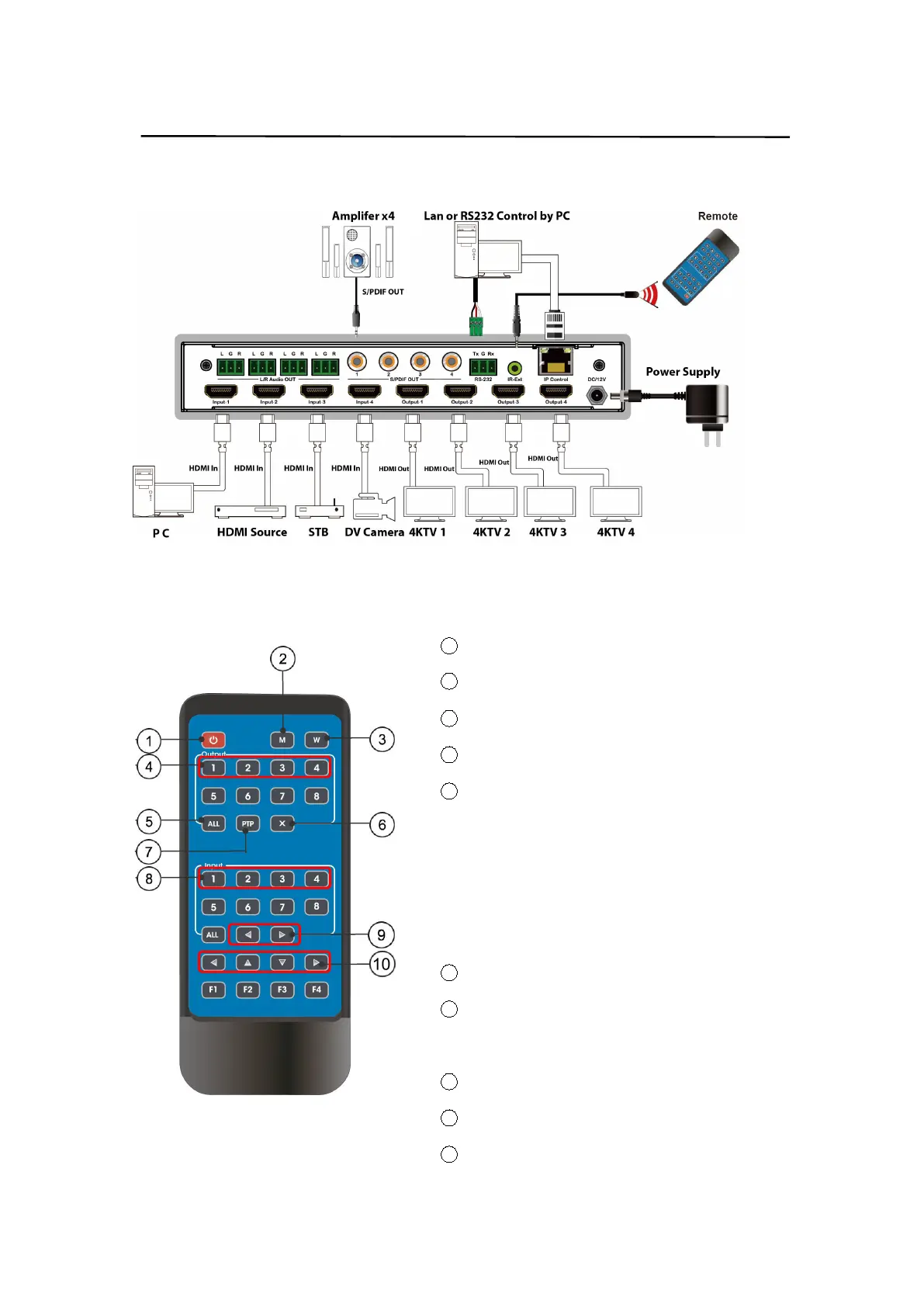
6. Application Diagram
7. Remote Control Description
1 Power on/Standby.
2 M: Turn off the HDMI output audio
3 W: Lock remote control
4 Output 1-4
5 All outputs select INPUT-Y:
a.Press all button
b.Press INPUT-Y button (Y means 1 to 4 of the
inputs),then INPUT-Y switched to ALL
OUTPUTS.
6 Turn off output channel
7 PTP button: Mirror all inputs and outputs
(Ex. Input 1 to output 1, input 2 to output 2, etc)
8 Input 1-4(press output-X then Input-Y):
9 Switching input left and right
10 Up and down,left and right


 To Next Page