4
Never release brakes on inclines.
Make sure you are on a level surface before releasing them.
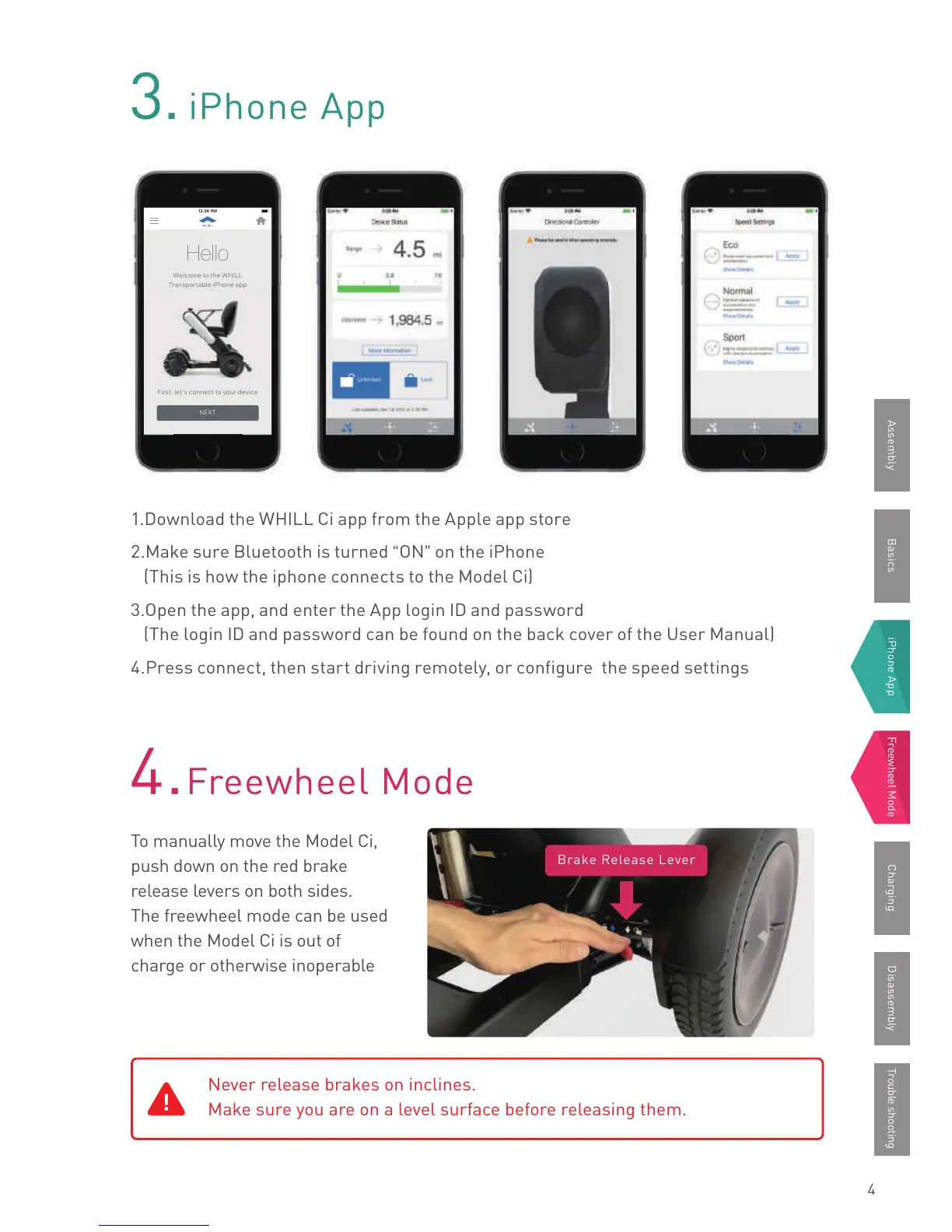
1.Download the WHILL Ci app from the Apple app store
2.Make sure Bluetooth is turned
“
ON
”
on the iPhone
(This is how the iphone connects to the Model Ci)
3.Open the app, and enter the App login ID and password
(The login ID and password can be found on the back cover of the User Manual)
4.Press connect, then start driving remotely, or configure the speed settings
To manually move the Model Ci,
push down on the red brake
release levers on both sides.
The freewheel mode can be used
when the Model Ci is out of
charge or otherwise inoperable
3.
iPhone App
4.
Freewheel Mode
12:34 PM12:34 PM
Hello
Welcome to the WHILL
Transportable iPhone app
First, let’s connect to your device
NEXT
Brake Release Lever
BasicsAssembly iPhone App Freewheel Mode Trouble shootingCharging Disassembly



 To Next Page