3
2.
Basic Operations
Getting in
Make sure that the display is off before sitting in the seat.
1
Powering ON
Check that the display lights up when pressing the power button.
2
Steering &
turning
Slowly press the directional towards the direction you want to move.
3
Stopping
To stop the device, remove your hand from the directional controller.
4
Power OFF
Check that the display turns off when pressing the power button.
5
Getting out
Make sure that the power is switched off (the display is off) before
getting out of the device.
6
Be sure to turn off the power before getting in and out of the device.
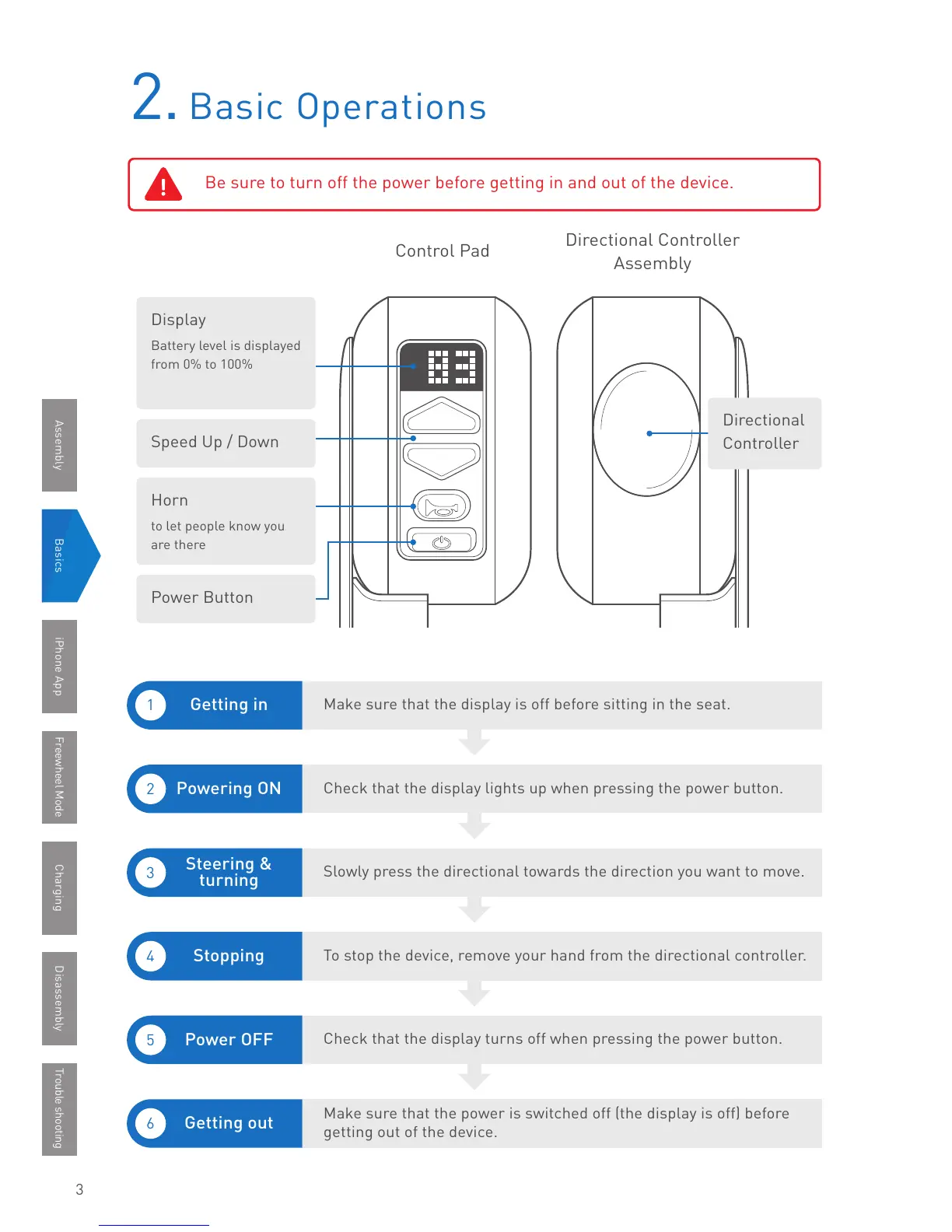
Display
Battery level is displayed
from 0% to 100%
Horn
to let people know you
are there
Speed Up / Down
Power Button
BasicsAssembly iPhone App Freewheel Mode Trouble shooting
Directional Controller
Assembly
Control Pad
Charging Disassembly
Directional
Controller



 To Next Page