9
Broiling
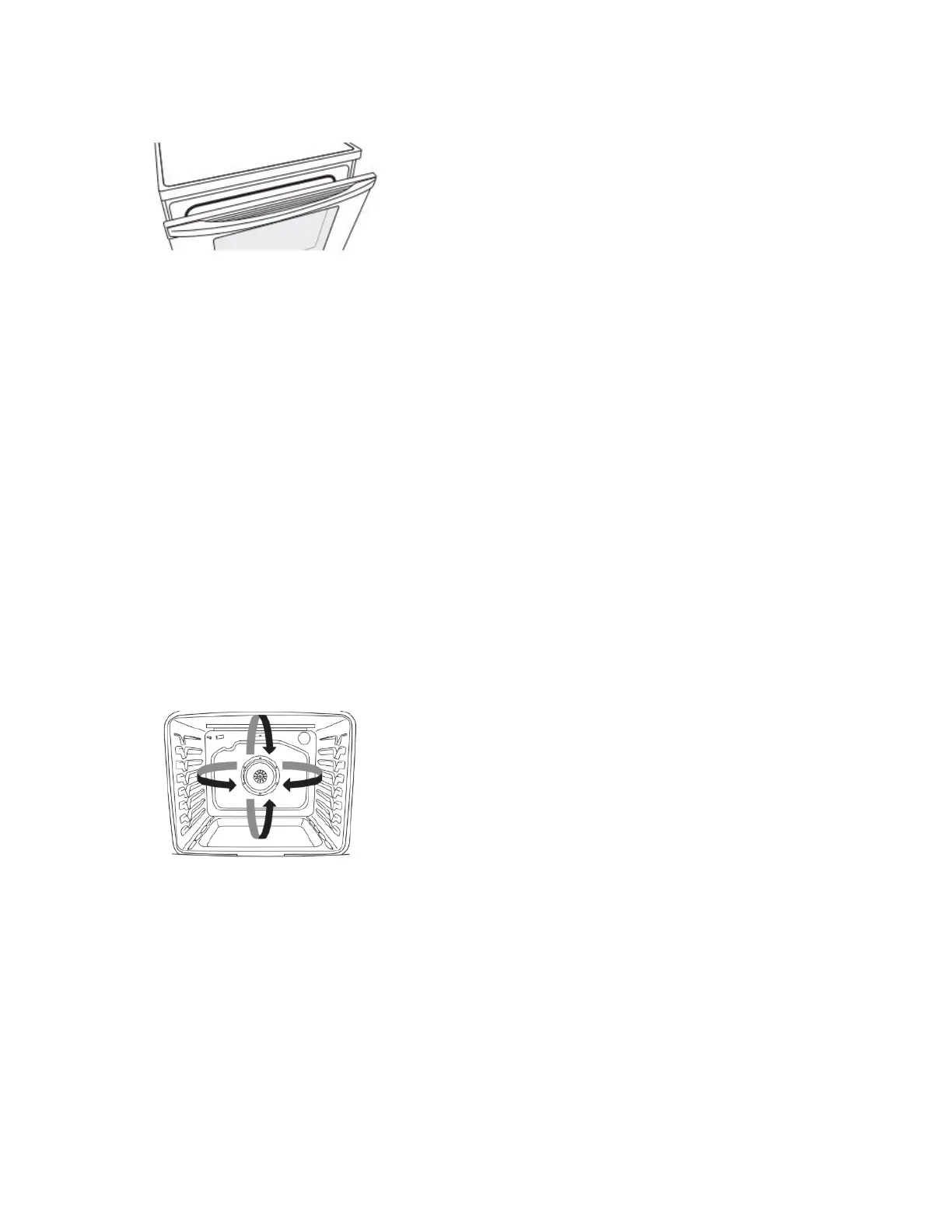
Leave the door open 4" (10.2 cm) at the broil stop position to
ensure proper broiling temperature. Preheat the oven for 5
minutes before putting food in unless recommended otherwise in
the recipe. Position food on grid in a broiler pan, and then place it
in the center of the oven rack.
NOTE: Odors and smoke are normal the first few times the oven
is used or if the oven is heavily soiled.
Changing the temperature when broiling allows more precise
control when cooking. The lower the broil setting is, the slower the
cooking. Thicker cuts and unevenly shaped pieces of meat, fish,
and poultry may cook better at lower broil settings. Use racks 6 or
7 for broiling. Refer to the “Positioning Racks and Bakeware”
section for more information.
On lower settings, the broil element will cycle on and off to
maintain the proper temperature.
� For best results, use a broiler pan and grid. It is designed to
drain juices and help avoid spatter and smoke.
If you would like to purchase a broiler pan, one may be
ordered. Refer to the Quick Start Guide for contact information.
Convection Cooking
TimeSavor™ Plus Convection cycles the bake, broil, and
convection elements on and off in intervals while the fan circulates
the hot air. This movement of hot air helps maintain a consistent
temperature throughout the oven, cooking foods more evenly,
crisping surfaces while sealing in moisture and yielding crustier
breads.
IMPORTANT: With convection cooking, most foods can be
cooked at a lower temperature or at a shorter time. This range
automatically reduces the set oven temperature by 25°F (15°C)
for convection cooking.
During convection cooking, the bake, broil, and convection
elements cycle on and off in intervals to maintain the oven
temperature, while the fan circulates the hot air.
If the oven door is opened during convection cooking, the fan will
turn off immediately. It will come back on when the oven door is
closed.
NOTE: The oven door must be closed for convection broiling.
TimeSavor
™ Plus Convection
When convection baking, broiling or roasting enter your normal
baking temperature. The control will automatically reduce the set
oven temperature by 25°F (15°C).
Convect Options
Convect Bake - Multiple-rack baking or cookies, biscuits, breads,
casseroles, tarts, tortes, cakes.
Convect Roast - Whole chicken or turkey, vegetables, pork roasts,
beef roasts.
Convect Broil - Thicker cuts or unevenly shaped pieces of meat,
fish or poultry.
Cook Time
To Set a Timed Cook:
1. Press BAKE, or press CONVECT once for Convection Baking
or twice for Convection Roasting.
2. Press the number keypads to enter a temperature other than
the one displayed.
3. Press COOK TIME. The Cook Time oven indicator light will
light up.
4. Press the number keypads to enter the length of time to cook.
5. Press START. The display will count down the time. When the
time ends, the oven will shut off automatically.
6. Press CANCEL for the desired oven to clear the display.
To Set a Delayed Timed Cook:
1. Press BAKE, or press CONVECT once for Convection Baking
or twice for Convection Roasting.
2. Press the number keypads to enter a temperature other than
the one displayed.
3. Press COOK TIME. The cook time oven indicator light will
light up.
4. Press number keypads to enter the length of time to cook.
5. Press START TIME. The start time/delay oven indicator light
will light up.
6. Press number keypads to enter the number of hours and/or
minutes you want to delay the start time.
7. Press START.
When the start time is reached, the oven will automatically
turn on. The temperature and/or time settings can be changed
anytime after pressing Start by repeating steps 1-7. When the
set cook time ends, the oven will shut off automatically.
8. Press CANCEL to clear the display.



 To Next Page