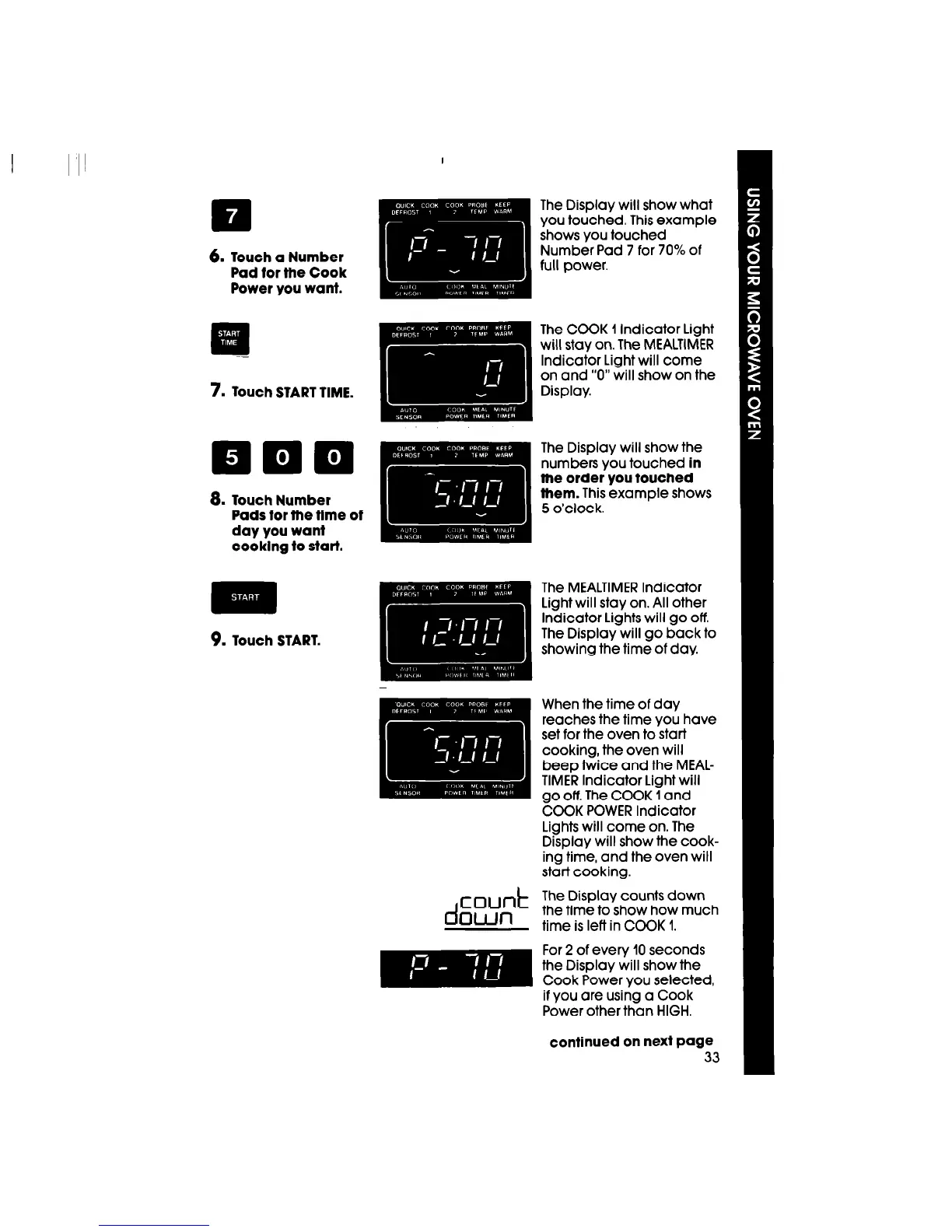
6.
Touch a Number
Pad for the Cook
Power you want.
7.
Touch START TIME.
a.
Touch Number
Pads for fhe time of
day you want
cooklng to start.
9.
Touch START.
When the time of day
reaches the time you have
set for the oven to start
cooking, the oven will
beep twice and the MEAL-
TIMER Indicator Light will
go off. The COOK 1 and
COOK POWER Indicator
Lights will come on. The
Display will show the cook-
ing time, and the oven will
start cooking.
d
count
The Display counts down
Own
the time to show how much
time is left in COOK 1.
For 2 of every 10 seconds
the Display will show the
Cook Power you selected,
if you are using a Cook
Power other than HIGH.
continued on next page
33




 To Next Page