Caring for your microwave oven
Cleaning the Microwave Oven
CAUTION: Abraslve cleansers, steel wool
come together on clos-
pads, gritty wash cloths, etc., can damage
ing the door, use only
the control panel, and the lnterlor and
mild, non-abrasive
exterlor oven surfaces. Use a soft cloth or a
soaps or detergents
sponge with a mild detergent or spray
glass cleaner.
applied with a sponge
or soft cloth. Rinse well.
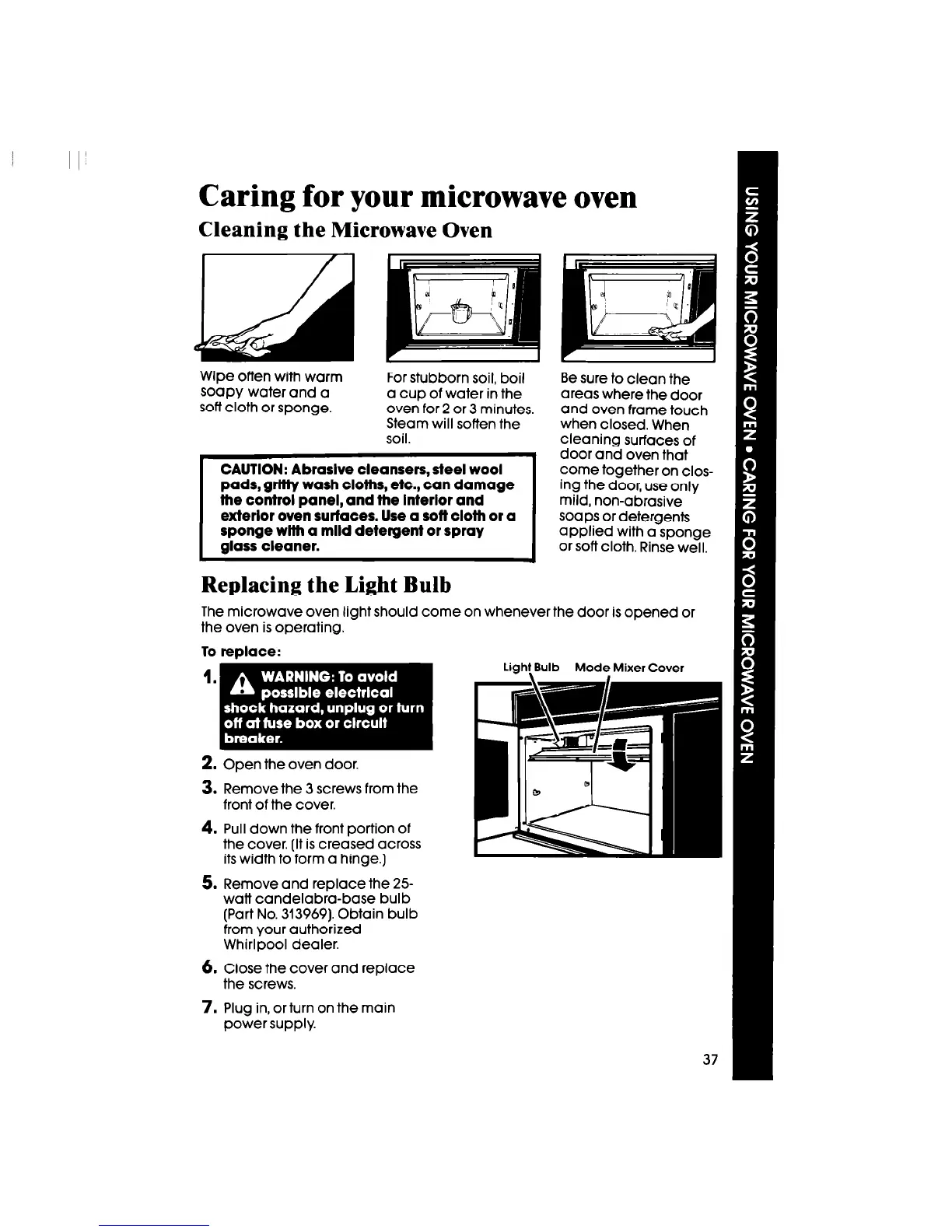
Wipe often with warm
soapy water and a
soft cloth or sponge.
For stubborn soil, boil
Be sure to clean the
a cup of water in the
areas where the door
oven for 2 or 3 minutes.
and oven frame touch
Steam will soften the
when closed. When
soil.
cleaning surfaces of
door and oven that
-
Replacing the Light Bulb
The microwave oven light should come on whenever the door is opened or
the oven is operating.
To replace:
Light Bulb Mode Mixer Cover
2. Open the oven door.
3. Remove the 3 screws from the
front of the cover.
4. Pull down the front portion of
the cover. (It is creased across
its width to form a hinge.)
5. Remove and replace the 25-
watt candelabra-base bulb
(Part No. 313969). Obtain bulb
from your authorized
Whirlpool dealer.
6.
Close the cover and replace
the screws.
7. Plug in, or turn on the main
power supply.




 To Next Page