www.whisperkool.com | Page 15
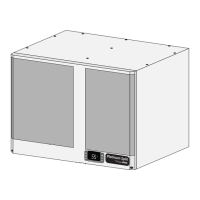
Ceiling Mount
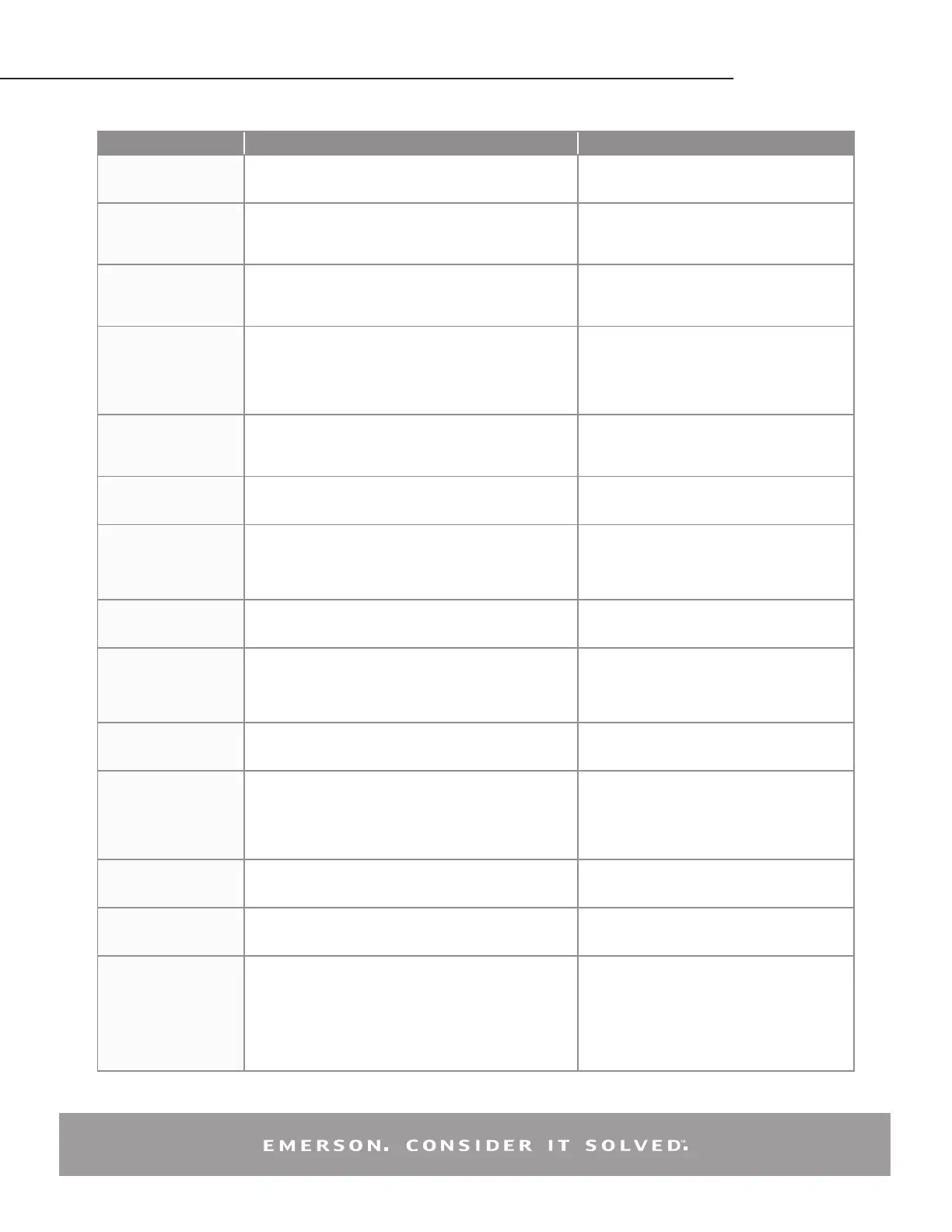
Display Likely Causes Other Possible Causes
Controller display remains
blank after applying power
• Unit power not properly applied - check for proper applied voltage
• Power cable harness not plugged in properly or securely into the
back of the controller – check connections
• Power cable miswired – inspect cable, replace if
needed
• Electrical assembly miswired – trace wiring diagrams
Controller displays correctly,
but the green compressor
light is off and the
compressor is not running
• Jumper cable not plugged in properly or securely into the back of
the controller – check connections
• Controller is currently above the cut-in setting – check cut-in and
cut-out settings
• Jumper cable miswired – inspect cable, replace if
needed
Controller displays correctly
and the green compressor
light is on and the
compressor is not running
• Power cable harness not plugged in properly or securely into the
back of the controller – check connections
• Power cable not wired to the contactor or
compressor correctly, check wiring
• Power cable miswired – inspect cable, replace if
needed
Controller ashes “135” or
“P1”
• Current system pressure is above 135 PSIG – wait for system to
pull down
• Green harness not plugged in properly or securely into the back
of the controller – check connections
• Cable not connected properly with the pressure transducer –
check connections
• Transducer cable miswired – inspect cable, replace
if needed
• Damaged transducer – inspect transducer, replace
if needed
Controller ashes “P2” on a
unit with fan cycling
• Green harness not plugged in properly or securely into the back
of the controller – check connections
• Transducer cable miswired – inspect cable, replace
if needed
• Check condenser temperature sensor resistance
values against table in AE-1376, Section 8
Controller ashes “P2” on
a unit without fan cycling
after replacing a controller
• Controller not programmed properly – check parameters in the
advanced menu
Controller ashes “P3” on a
unit with DLT
• Jumper cable not plugged in properly or securely into the back of
the controller – check connections
• Jumper cable miswired – inspect cable, replace if
needed
• Faulty DLT temperature sensor – check the discharge
line temperature sensor resistance values against
table in AE-1376, Section 8
Controller ashes “P3” on
a unit without DLT after
replacing a controller
• Controller not programmed properly – check parameters in the
advanced menu
Fans not running on a fan
cycling unit and the fan
lights are not on
• Condensing temperature is currently below the fan cut-in
• Condensing temperature sensor not properly installed – check
installation
• Transducer cable miswired – inspect cable, replace
if needed
• Faulty temperature sensor - check condenser
temperature sensor resistance values against table in
AE-1376, Section 8
Fans not running on a fan
cycling unit and the fan
lights are on
• Power cable harness not plugged in properly or securely into the
back of the controller – check connections
• Power cable miswired – inspect cable, replace if
needed
• Electrical assembly miswired – trace wiring diagrams
Controller ashes “HP” at
power-up
• Jumper cable not plugged in properly or securely into the back of
the controller – check connections
• High pressure switch is seeing above the cut-out pressure
• For a replacing an -00 controller, ensure that the jumper cable is
the latest revision. It should have a blue wire in the harness. See
replacement instructions for more details
• Jumper cable miswired – inspect cable, replace if
needed
• Faulty xed Hp switch – inspect switch, replace if
needed
Controller ashes “HP” or
“HPL”
• System operation causing high discharge pressures, check
system operations
• Bad high pressure switch, verify system pressure
when the pressure switch trips.
• See AE-1376, Section 7.2 for more details
Controller ashes “DLT” or
“DLL”
• System operation causing high discharge line temperatures,
check system operations
• Faulty temperature sensor - check DLT sensor values
against table in section 8
• See AE-1376, Section 7.1 for more details
Controller ashing “HPL”
or “DLL”
• System operation causing high discharge pressures (HPL) or
high discharge line temperatures (DLL) repeatedly, check system
operations
• To clear an “HPL” or “DLL” lockout, you can hold the Restart
button for 3 seconds twice, or cycle power to the unit. If using
the reset button, the alarm condition will have to clear (DLT
temperature drops or Hp switch resets), and any minimum off
time will need to complete (5 minutes for the xed Hp switch)
EmersonClimate.com/ElectronicUnitController
2013ECT-46 (9/13) Emerson is a trademark of Emerson Electric Co. ©2013 Emerson Climate Technologies, Inc. All rights reserved.


 To Next Page
 Loading...