EasyManua.ls Logo

White Rodgers 1F83-0422 - User Manual

White Rodgers 1F83-0422
8 pages
Print Icon
To Next Page IconTo Next Page
Loading...
1
80 Series Thermostat with
Automatic Heat/Cool Changeover Option
Single Stage, Multi-Stage or Heat Pump
Installation and Operating Instructions for Model:
FAILURE TO READ AND FOLLOW ALL INSTRUCTIONS
CAREFULLY BEFORE INSTALLING OR OPERATING
THIS CONTROL COULD CAUSE PERSONAL INJURY
AND/OR PROPERTY DAMAGE.
Save these instructions for future use!
APPLICATIONS
SPECIFICATIONS
Electrical Rating:
Battery Power .................................................... mV to 30 VAC, NEC Class II, 50/60 Hz or DC
Input-Hardwire ................................................... 20 to 30 VAC
Terminal Load ........................................................... 1.5 A per terminal, 2.5A maximum all terminals combined
Setpoint Range ......................................................... 45° to 90°F (7° to 32°C)
Differential (Single Stage) ......................................... Heat 0.6°F; Cool 1.2°F (adjustable)
Differential (Heat Pump) ........................................... Heat 1.2°F; Cool 1.2°F (adjustable)
Operating Ambient .................................................... 32° to +105°F (0° to +41°C)
Operating Humidity ................................................... 90% non-condensing max.
Shipping Temperature Range ................................... -4° to +150°F (-20° to +65°C)
Dimensions Thermostat ............................................ 3.4”H x 4.4”W x 1.3”D
www.white-rodgers.com
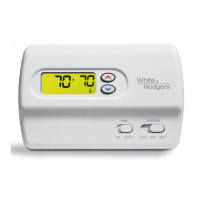
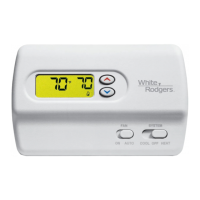
1F83-0422 Thermostat
Model Programming Choices
1F85-0422
5/1/1 Day 5/2 Day Non-Programmable
1F83-0422
Non-Programmable
ATTENTION: MERCURY NOTICE
This product does not contain mercury. However, this
product may replace a product that contains mercury.
Mercury and products containing mercury must not be
discarded in household trash. Do not touch any spilled
mercury. Wearing non-absorbent gloves, clean up any
spilled mercury and place in a sealed container. For proper
disposal of a product containing mercury or a sealed
container of spilled mercury, place it in a suitable shipping
container and send it to:
White-Rodgers
2895 Harrison Street
Batesville, AR 72501
To prevent electrical shock and/or equipment damage,
disconnect electric power to system at main fuse or
circuit breaker box until installation is complete.
CAUTION
!
THERMOSTAT APPLICATION GUIDE
Description
Ye s
Heat Pump (No Aux. or Emergency Heat) Yes
Heat Pump (with Aux. or Emergency Heat) Yes
Systems with up to 2 Stages Heat, 2 Stages Cool Yes
Heat Only Systems (with optional fan switch) Yes
Millivolt Heat Only Systems – Floor or Wall Furnaces Yes
Cool Only Systems Yes
Gas or Oil Heat Yes
Electric Furnace
Ye s
Hydronic (Hot Water) Zone Heat – 2 Wires Yes
Hydronic (Hot Water) Zone Heat – 3 Wires Yes
Index Page
Installation 2
Wiring Connections 2
Thermostat Quick Reference 3
Installer Confi guration Menu 4
Operating Your Thermostat 6
Programming 6
Troubleshooting 8
PART NO. 37-6894A
0735

Questions and Answers

  • K
    Kathryn SmithJul 30, 2025
    What to do if my White Rodgers Thermostat has no heat?
    • Z
      Zachary ElliottJul 30, 2025
      If your White Rodgers thermostat isn't producing heat, start by checking if the pilot light is lit. Also, the furnace might be in a lock-out condition. If the heat works sometimes, contact a HVAC service person for help. To diagnose, set the SYSTEM Switch to HEAT and raise the setpoint above room temperature. A soft click should be heard, indicating proper operation. If no click, try resetting the thermostat. If it still doesn't click, contact your service person or place of purchase for a replacement. If the thermostat clicks, contact the furnace manufacturer or a HVAC service person to verify the heating is operating correctly.
  • B
    Billy RojasAug 4, 2025
    What to do if my White Rodgers Thermostat is not cooling?
    • M
      Michelle GibsonAug 4, 2025
      If your White Rodgers thermostat isn't cooling, follow the same diagnostic steps as for a 'No Heat' condition. Set the thermostat to COOL and lower the setpoint below the room temperature. Note that there may be a delay of up to five minutes before the thermostat clicks in Cooling.
  • J
    Julia LeeAug 8, 2025
    How to troubleshoot 'No Heat/No Cool/No Fan' on a White Rodgers 1F83-0422?
    • E
      Eric GravesAug 8, 2025
      Several factors can cause a White Rodgers Thermostat to display 'No Heat,' 'No Cool,' or 'No Fan'. First, check for a blown fuse or tripped circuit breaker and replace the fuse or reset the breaker if necessary. Ensure the furnace power switch is set to the 'ON' position. Verify that the furnace blower compartment door or panel is correctly installed to engage the safety interlock or door switch. Finally, check for and tighten any loose connections to the thermostat or system.
  • J
    johnsoncourtneyAug 14, 2025
    Why does the heat, cool, or fan run constantly with my White Rodgers 1F83-0422 Thermostat?
    • D
      deboraholiverAug 14, 2025
      If your White Rodgers thermostat is causing the heat, cool, or fan to run constantly, there might be a short in the wiring, the thermostat itself, or the heat/cool/fan system. Begin by checking each wire connection to ensure they are not shorted or touching. No bare wire should be visible under the terminal block. Try resetting the thermostat. If the problem continues, consult your system's manufacturer or a service person for guidance on testing the Heat/Cool system. If the system operates correctly, consider replacing the thermostat.
  • D
    David NicholsAug 18, 2025
    How to adjust the thermometer on a White Rodgers Thermostat?
    • D
      Daniel AndersonAug 19, 2025
      If your White Rodgers Thermostat's setting and thermometer disagree, it might be that the thermostat thermometer setting requires adjustment. The thermometer can be adjusted +/- 4 degrees within the Configuration Menu section.
  • D
    daviskevinAug 25, 2025
    Why does my White Rodgers Thermostat cycle too fast?
    • J
      Joshua HoAug 25, 2025
      If your furnace or air conditioner cycles too fast or too slow with your White Rodgers Thermostat, the location of the thermostat or the size of the heating system might be the cause. Digital thermostats offer precise control and cycle faster than older models, turning on and off more frequently but running for a shorter duration, without increasing energy use. For an increased cycle time, select 'SL' for slow cycle in the Configuration menu, step 6 (heat), 7 (cool) or 8 (heat pump). If the cycle rate remains unacceptable, contact a local HVAC service person for further assistance.

Summary

Thermostat Applications

Thermostat Application Guide

Guide to thermostat applications for various heating and cooling systems.

Thermostat Specifications

Thermostat Installation

Remove Old Thermostat

Instructions for safely removing the existing thermostat from the wall.

Installing New Thermostat

Step-by-step guide for mounting the new thermostat base and body.

Batteries

Information on installing and replacing AA alkaline batteries for thermostat power.

Wiring Connections

Guidance on connecting wires to the thermostat terminal block.

Terminal Designation Descriptions

Explanation of each terminal designation on the thermostat base.

Thermostat Quick Reference

Home Screen Description

Explanation of the elements displayed on the thermostat's home screen.

Programming and Configuration Items

Overview of the programmable and configuration items available on the thermostat.

Installer Configuration Menu

Installer Configuration Menu Table

Table detailing configuration options, factory defaults, and comments for 1F85/1F83 models.

Operating Your Thermostat

Choose the Fan Setting

Instructions for selecting between 'Auto' and 'On' fan modes.

Choose the System Setting

Guidance on selecting system modes: Heat, Off, Cool, Auto, or Emer.

Thermostat Programming

Set Current Time and Date

Steps to set the current time and date on the thermostat.

Enter the Heating Program

Instructions for programming heating setpoints and times for each period.

Enter the Cooling Program

Instructions for programming cooling setpoints and times for each period.

Energy Saving Factory Pre-Program

Details on the thermostat's pre-programmed energy-saving schedules.

Thermostat Troubleshooting

Reset Operation

Procedure for resetting the thermostat to factory settings.

Troubleshooting Common Symptoms

Guide to diagnosing and correcting common thermostat and system issues.

White Rodgers 1F83-0422 Specifications

General IconGeneral
TypeProgrammable Thermostat
Stages1 Heat / 1 Cool
BacklightYes
MountingWall-mounted
Temperature Range40°F to 90°F
Power Source24VAC
DisplayLCD
CompatibilitySingle-stage heating and cooling systems
Voltage24VAC

Related product manuals