EasyManua.ls Logo

White 1066 - Embroidery and Monogramming; Darning

Default Icon
26 pages
Print Icon
To Next Page IconTo Next Page
To Previous Page IconTo Previous Page
Loading...
24.
EMBROIDERY
AND
MONOGRAMMING
It
is
quite
easy
to
follow
a
design
or
to
work
freehand
when
Embroidering
or
Monogramming
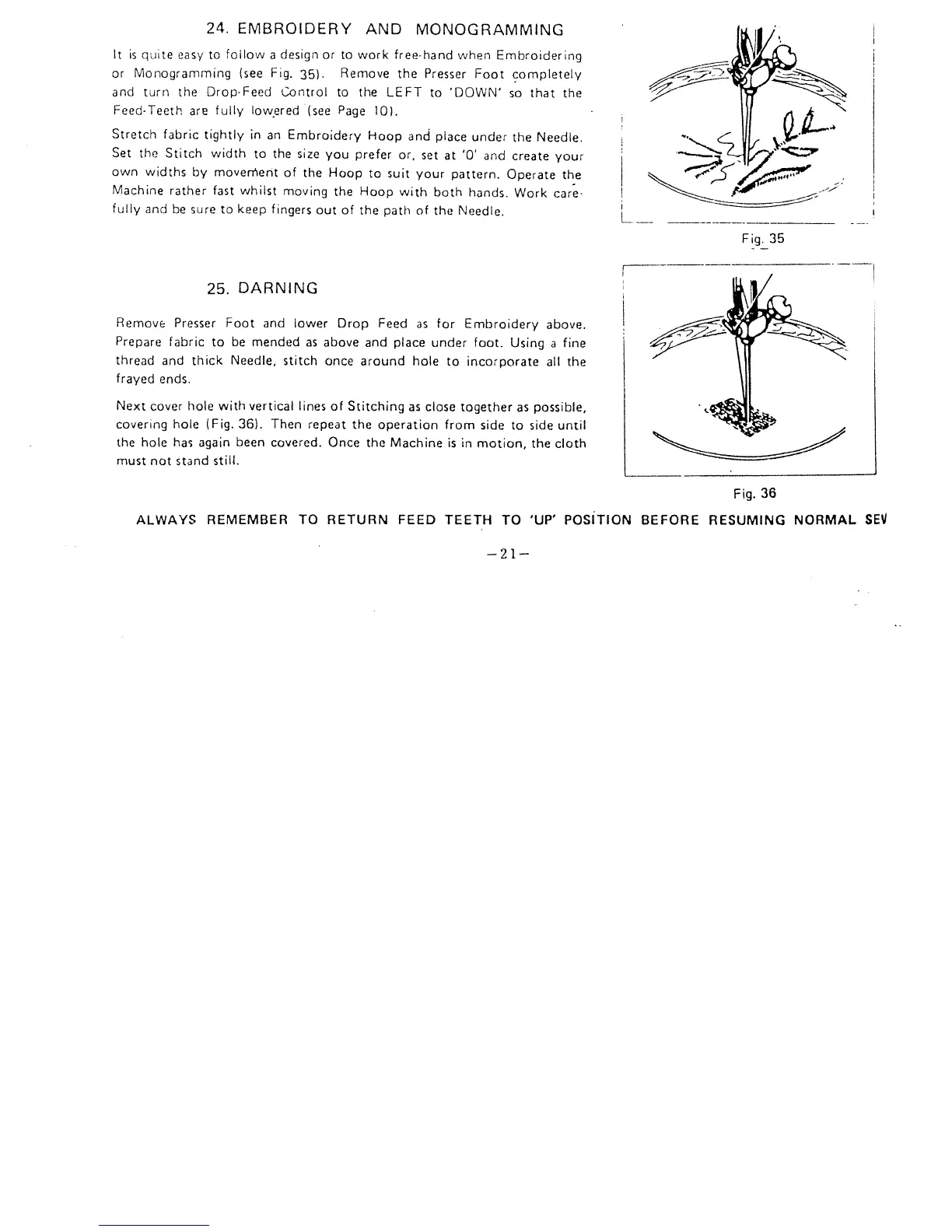
(see
Fig.
35).
Remove
the
Presser
Foot
completely
and
turn
the
DropFeed
Control
to
the
LEFT
to ‘DOWN’
so
that
the
FeedTeeth
are
fully
lowered
(see
Page
10).
Stretch
fabric
tightly
in
an
Embroidery
Hoop
and
place
under
the
Needle.
Set
the
Stitch
width
to
the
size
you
prefer
or,
set
at
‘0’
and
create
your
own
widths
by
movenerit
of
the
Hoop
to suit
your
pattern.
Operate
the
Machine
rather
fast
whilst
moving
the
Hoop
with
both
hands.
Work
care
fully
and
be
sure
to
keep
fingers
out
of
the
path
of
the
Needle.
25.
DARNING
Remove
Presser
Foot
and
lower
Drop
Feed
as
for
Embroidery
above.
Prepare
fabric
to
be
mended
as
above
and
place
under
foot.
Using
a
fine
thread
and
thick
Needle,
stitch
once
around
hole
to
incorporate
all
the
frayed
ends.
Next
cover
hole with
vertical
lines
of
Stitching
as
close
together
as
possible,
covering hole
(Fig.
36).
Then
repeat
the
operation
from
side
to
side
until
the
hole
has
again
been
covered.
Once
the
Machine
is
in
motion,
the
cloth
must
not
stand
still.
Fig.
36
ALWAYS
REMEMBER
TO
RETURN
FEED
TEETH
TO
‘UP’
POSITION
BEFORE
RESUMING
NORMAL
SEV
Fig.
35
—21—

Related product manuals