EasyManua.ls Logo

White 951 - BUILT IN DECORATIVE STITCH DESIGNS

Default Icon
44 pages
Print Icon
To Next Page IconTo Next Page
To Previous Page IconTo Previous Page
Loading...
Your
machine
sews
a
wide
variety
of
beautiful
and
practical
embroidery
designs
with
either
a
single
or
twin
needle.
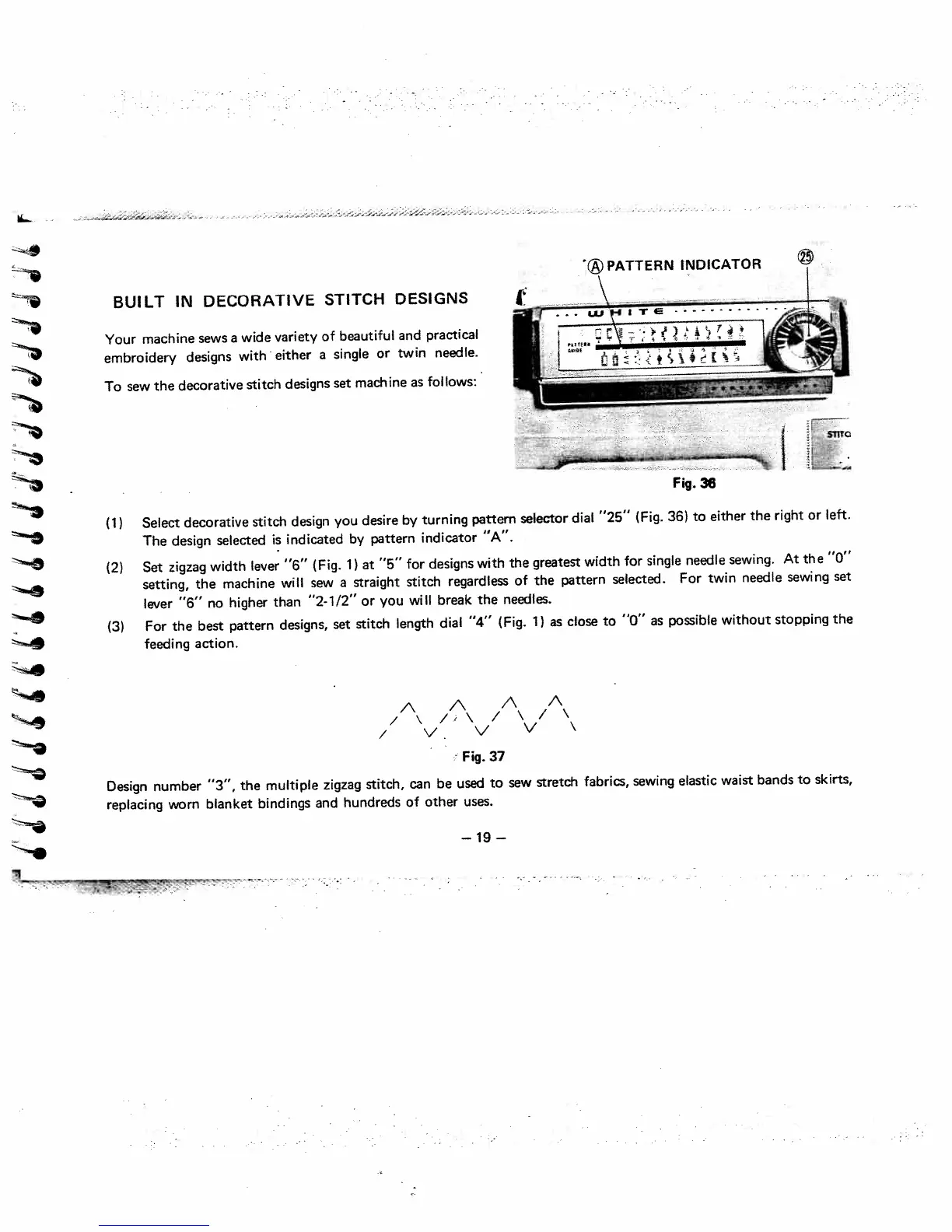
(1)
Select
decorative
stitch
design
you
desire
by
turning
pattern
selector
dial
“25”
(Fig.
36)
to
either
the
right
or
left.
The
design
selected
is
indicated
by
pattern
indicator
“A”.
(2)
Set
zigzag
width
lever
“6”
(Fig.
1)
at
“5”
for
designs
with
the
greatest
width
for
single
needle
sewing.
At
the
“0”
setting,
the
machine
will
sew
a
straight
stitch
regardless
of
the
pattern
selected.
For
twin
needle
sewing
set
lever
“6”
no
higher
than
“2-1/2”
or
you
will
break
the
needles.
(3)
For
the
best
pattern
designs,
set
stitch
length
dial
“4”
(Fig.
1)
as
close
to
“0”
as
possible
without
stopping
the
feeding
action.
A
A
A
A
/
\
/,
\
/
\
/
\
/
v.
v
V
\
Fig.
37
Design
number
“3”,
the
multiple
zigzag
stitch,
can
be
used
to
sew
stretch
fabrics,
sewing
elastic
waist
bands
to
skirts,
replacing
worn
blanket
bindings
and
hundreds
of
other
uses.
BUILT
IN
DECORATIVE
STITCH
DESIGNS
To
sew
the
decorative
stitch
designs
set
machine
as
foi
lows:
STITC
Fig.
36
—19—

Related product manuals