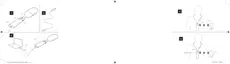
● Flashing blue light on the top LED: The device is on, but there is no
connection to the paired COM-DEX.
● Flashing green light on the top LED: The device is on and connected
to the COM-DEX, but it is not streaming.
● Constant green light on the top LED: The device is on and streaming.
● Occasionally flashing red light on both LEDs: The battery is low.
Maintenance
● Clean the device with a damp cloth. Do not use any liquids or chemi-
cals and do not immerse in liquids.
● When the device is not in use keep it in a dry location out of reach of
children and pets.
● Never try to open or repair the device yourself. This may only be done
by authorised technicians.
8











 To Next Page