14
INSTRUCTION MANUAL · AIR CONDITION
EN
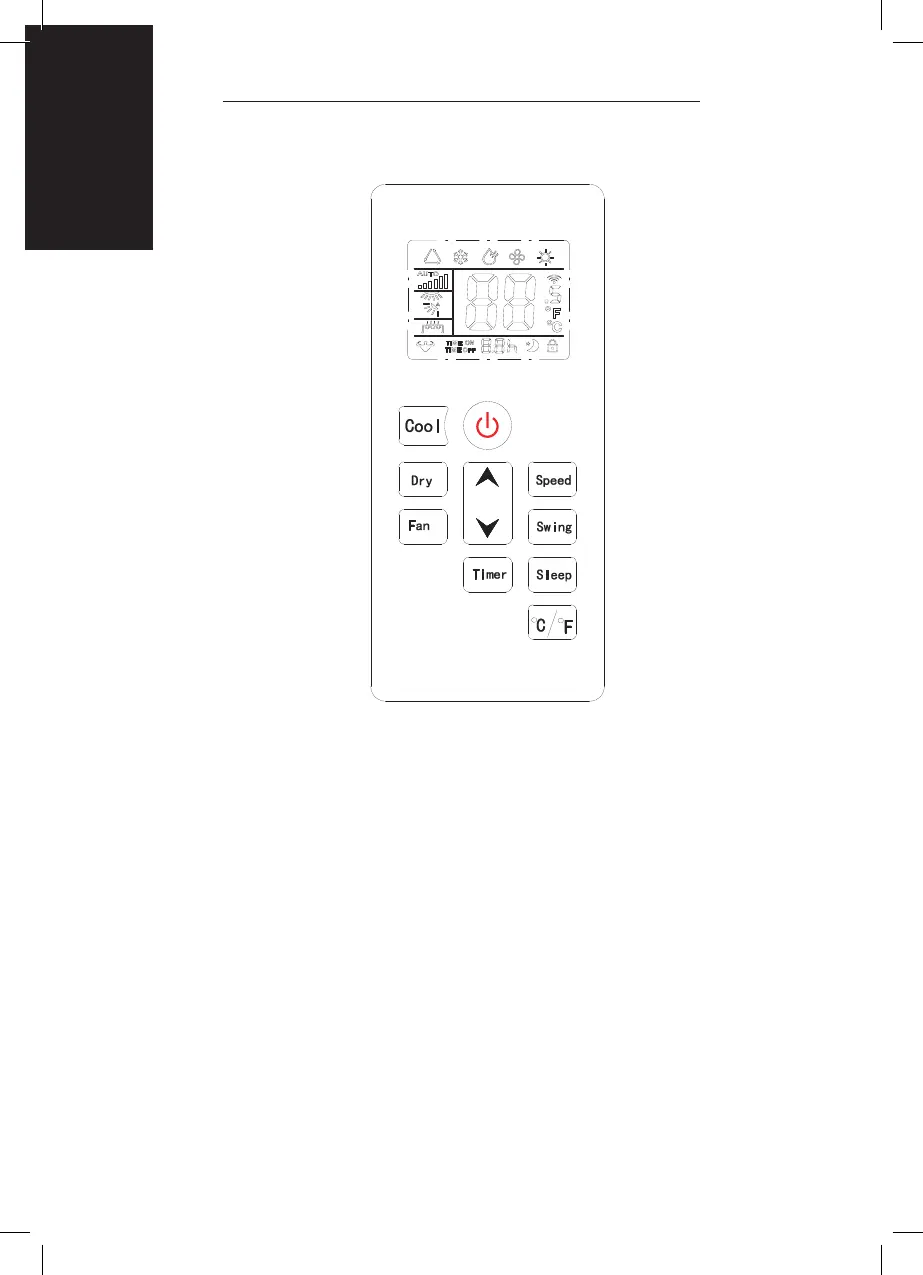
REMOTE CONTROL
SETTINGS
START-UP AND SHUTDOWN
• Press POWER to turn the unit on.
• Press MODE button to select the desired operation mode.
• Press POWER again to turn off the power.
OPERATION MODE
The unit has four operation modes: Cool, dry, fan, sleep.
COOLING YOUR ROOM
• Select the cool mode to lower the temperature in your room.
• Press MODE button repeatedly until the COOL indicator lights up.
• Press Up/Down button to adjust the temperature which is displayed on the
screen. The temperature can be set between 16°C and 32°C.
• Press SPEED button repeatedly until the desired fan speed indicator lights up.
• To control the direction of the air ow horizontally, please adjust the inner
louver by hand.
Size: 15mm
Color: black color with hollow text
10mm
Center


 To Next Page