11
Setting the Clock
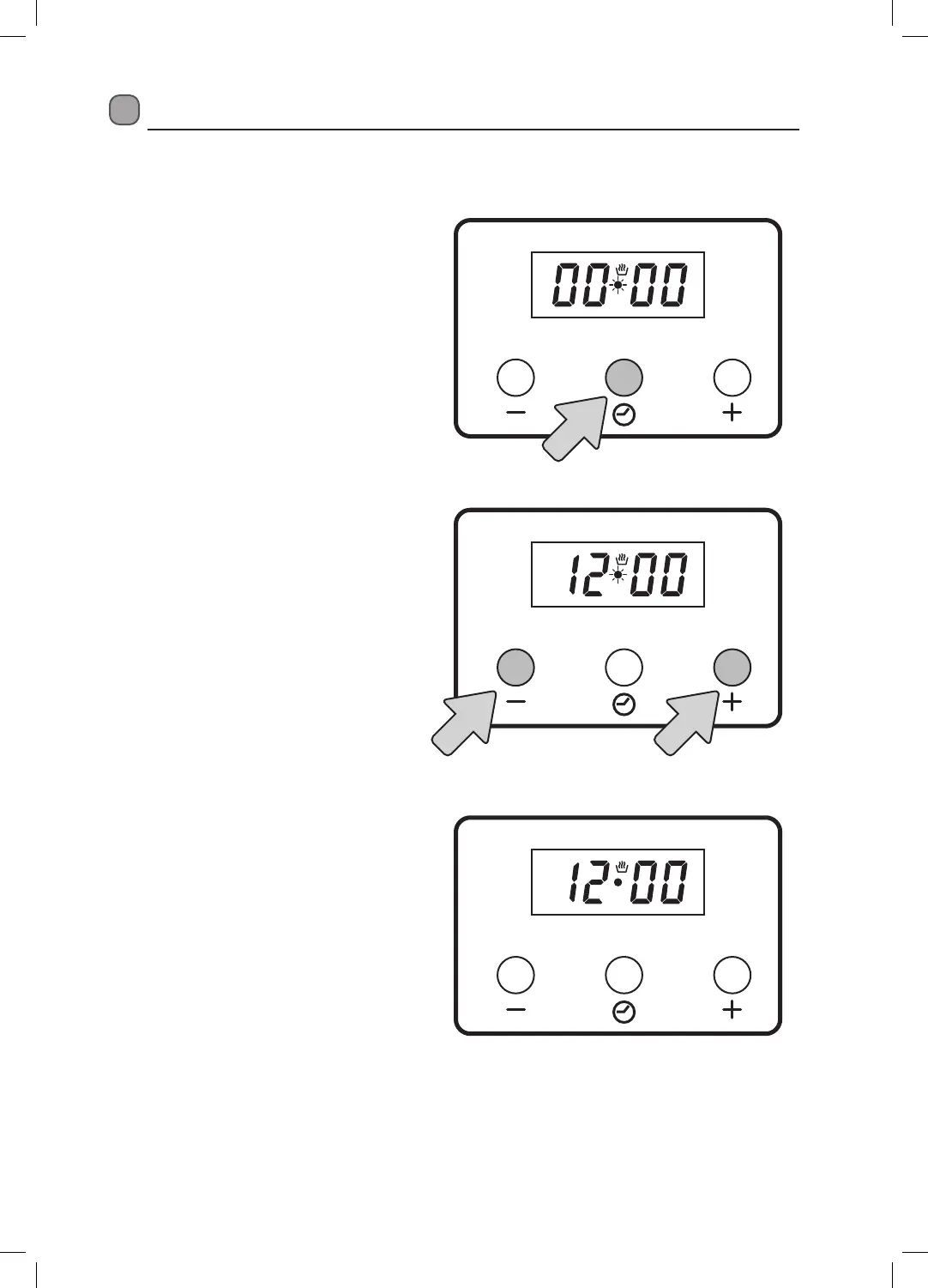
Your cooker has a 24 hour digital clock that must be set before you can use the left bottom oven.
1. When you switch your cooker on for
the first time the number in the display
will be flashing. Press the Option
button. The Manual cook icon will be
displayed and the dot will now be
flashing.
2. Press the + and - buttons to adjust the
time.
3. Once you have set the time wait a few
seconds, the dot will stop flashing and
the time is now set.


 To Next Page