21
Setting a Cooking Timer
A cooking timer allows you to set a timer that will switch off the left bottom oven when the timer expires. For
example
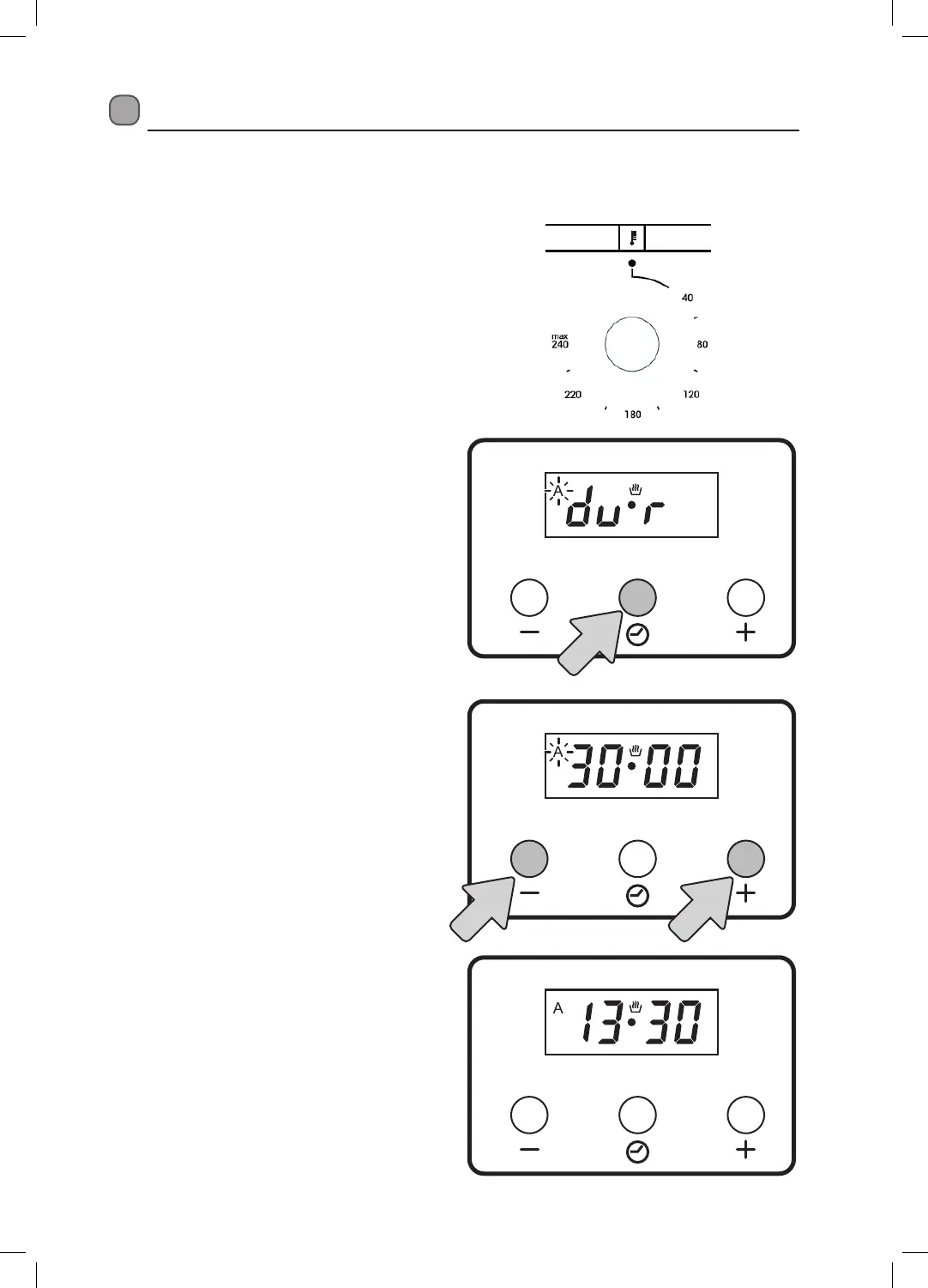
you can switch the bottom left oven to a set temperature and then set the cooking timer for 30 mins.
The oven will switch off after 30 mins.
1. Switch the oven on and select
your desired temperature.
2. Press the OPTION button twice to enter Auto
cook mode, the letter ‘A” will appear in the
display and the word ‘dur’ will also appear.
3. Now set the cooking time by pressing the +
and - buttons.
4. Wait for a few seconds and when the display
returns to the current time your cooking
timer is now set and running.
5. The oven will now cook at 200 degrees for 30
mins, then switch off.
6. A
buzzer will sound when the Cooking Timer
gets to zero, press any buttons to cancel the
buzzer. The letter ‘A’ will disappear from the
display.
x2


 To Next Page