20
Setting a Timer
You can use the Timer/Programmer to set a timer. This will count down from your desired time then sound a
buzzer when the time has elapsed.
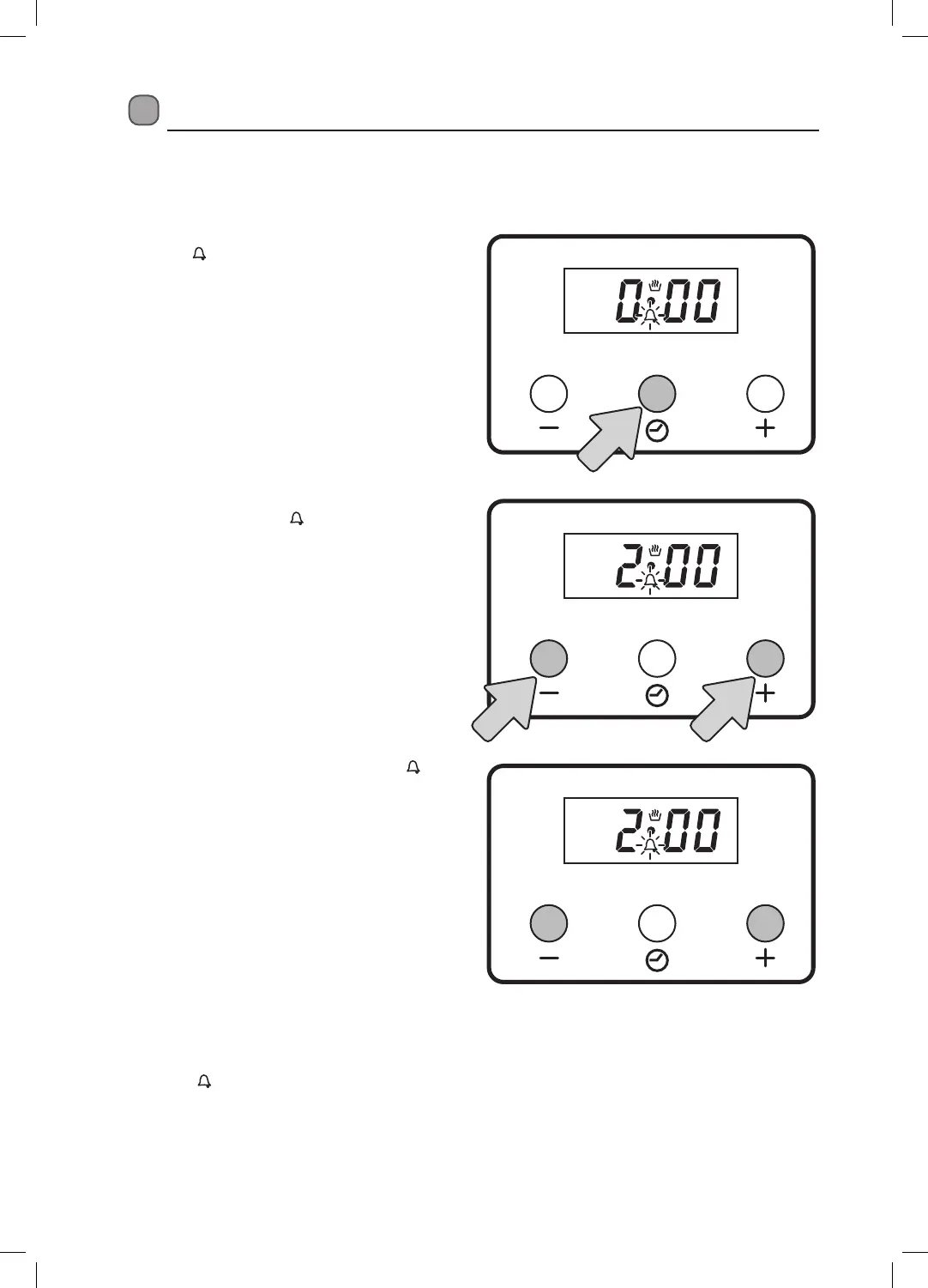
1. Press the OPTION button once. The timer
icon (
) will start to flash in the display.
2. Now you need to set the time for the timer.
While the timer icon (
) is flashing press the
+ and - buttons to select the timer time.
3. Now wait a few seconds. The timer icon (
) will stop flashing and the timer will be set
and start to count down. The display will now
revert back to the current time.
Cancelling the Buzzer sound
The buzzer will sound to indicate your timer has finished. Press any button to cancel the buzzing sound. The
timer icon (
) will disappear from the display.


 To Next Page