23
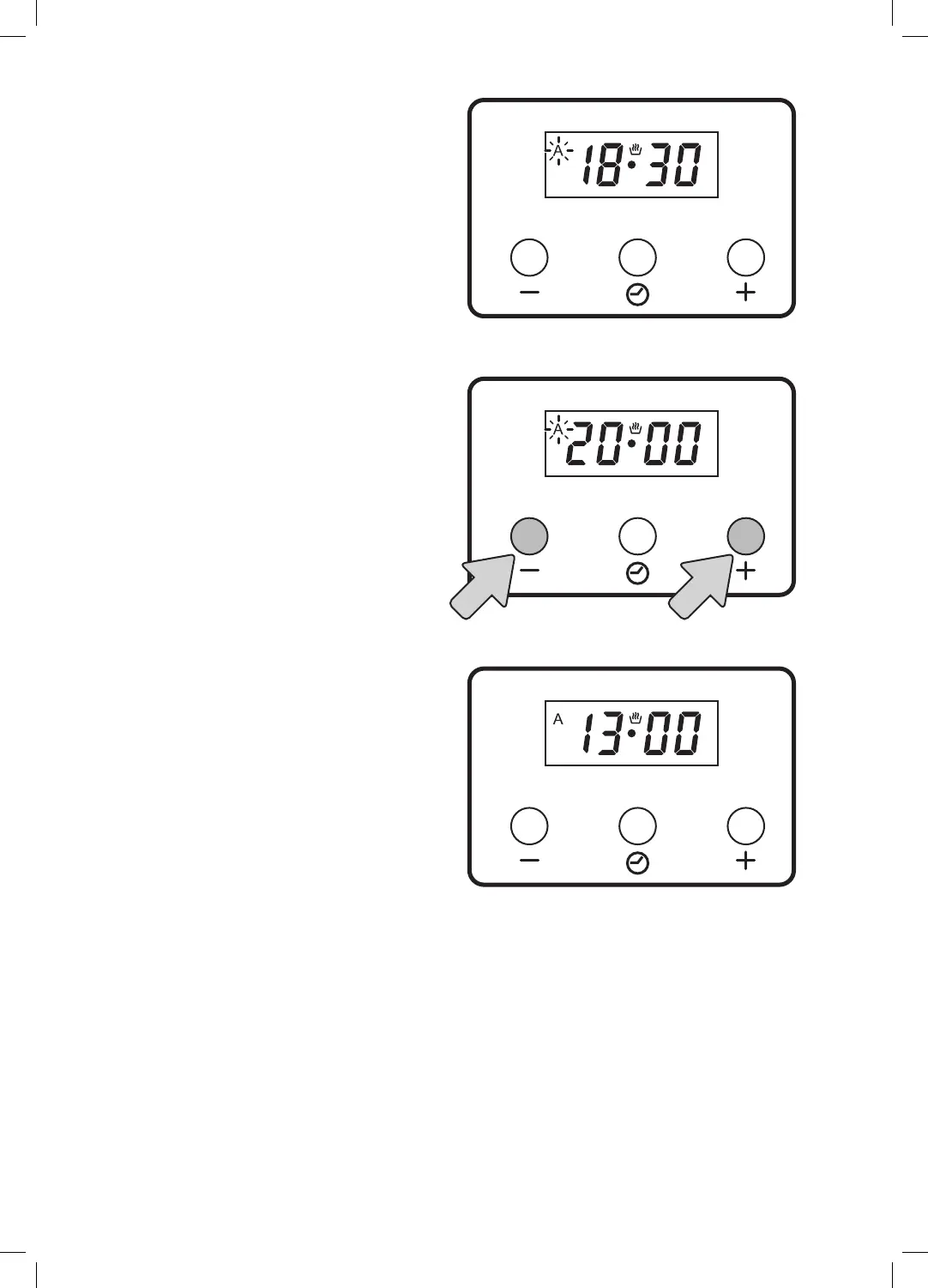
5. The display will now show the current time
plus the cooking time. In this example the
current time was 18:00 and the cooking time
is 30 mins so the time displayed is 18:30.
6. To adjust the finish time (in this example to
20:00) press the + and - buttons.
7. Now wait a few seconds and the time will
revert back to the current time and your
cooking timer with finish time is set.
Recap
Current time when setting the cooking timer with
finish time was 13:00.
• You have set a 30 min cooking time
• You have set a end time at 20:00
• The bottom left oven is set to 200 degrees
• The oven will switch on at 19:30 and cook for 30
mins then switch off at 20:00.
8. A buzzer will sound when the timer is
finished. Press any button to cancel the
buzzer sound.


 To Next Page