®
6
DIAGNOSTICS
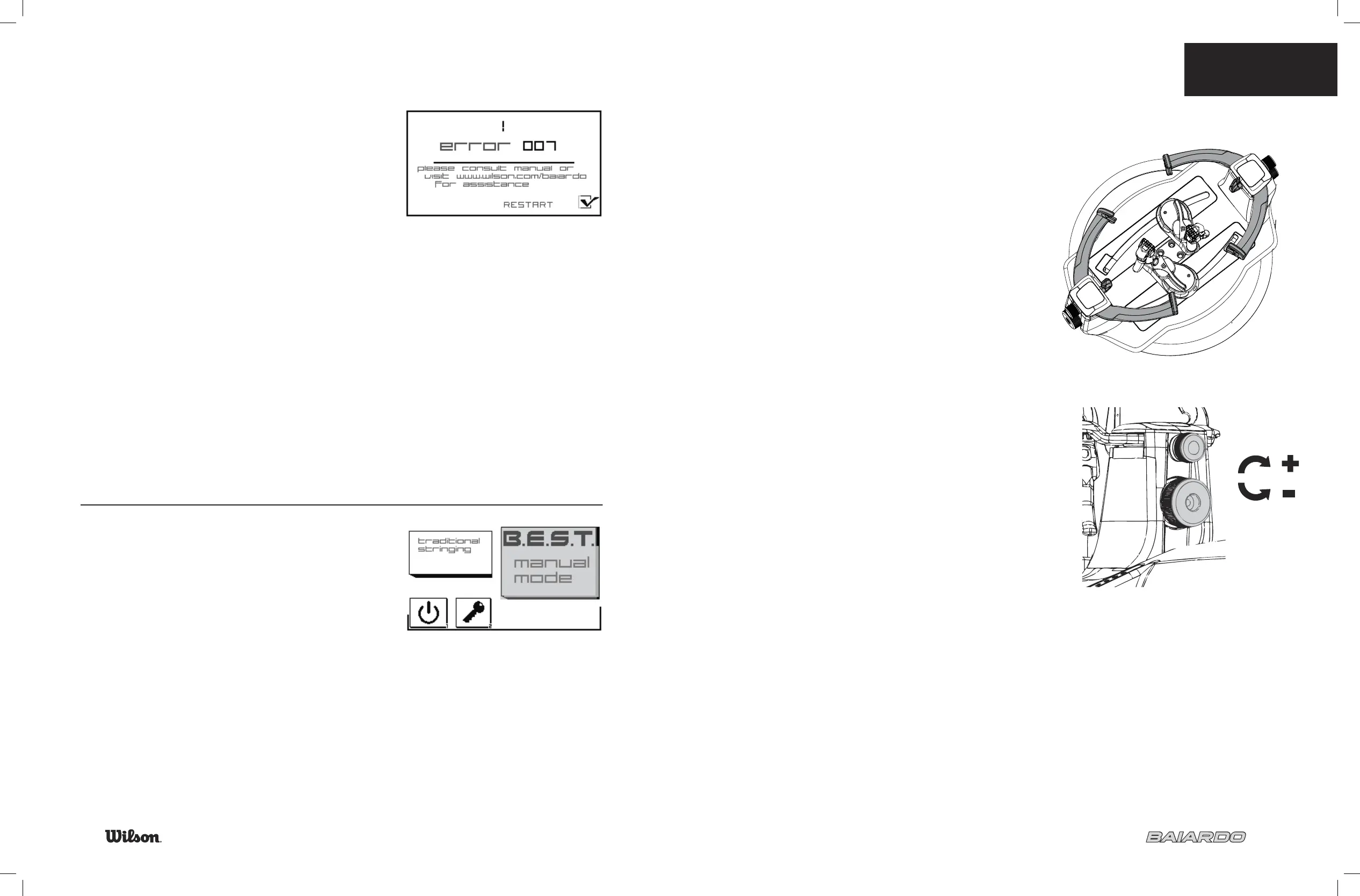
The machine will complete diagnostics during start up.
If problems are found an error code screen will be displayed.
Errors listed in the “Trouble Shooting” section and
at www.wilson.com/baiardo.
START-UP SUGGESTIONS:
Ensure all wires are connected between top •
and bottom of the machine
Do not lean on the machine
•
Do not leave in extremely cold temperature•
If so, allow the machine to warm to room temperature
MANUAL MODE
For some errors during Start-Up the machine may run in Manual Mode.
Manual Mode allows for limited function but racquets may
still be strung.
See manual mode solutions in Troubleshooting (page 34)
or www.wilson.com/baiardo
Example of Error Code Screen
6.2 BASICS
7
Basics
MOUNTING SYSTEM
6 point mounting system prevents frame distortion•
There is no distinction between head and throat•
Fits tennis, racquetball, squash racquets•
Different size inner support pads are included to adjust fi t•
Badminton requires use of the included adapter kit •
Do not over tighten•
BADMINTON ADAPTERS
Adapters are included and should be used when
stringing badminton racquets.
Set up:
Remove the inner supports by turning the upper adjustment knob
•
counter clockwise until the inner support is out
Insert the badminton inner supports and turn the adjustment knobs
•
clockwise until set at desired position
Place the 4 included sleeves over the outer supports as shown
•
INNER SUPPORT
ADJUSTMENT
OUTER SUPPORT
ADJUSTMENT


 To Next Page