®
20
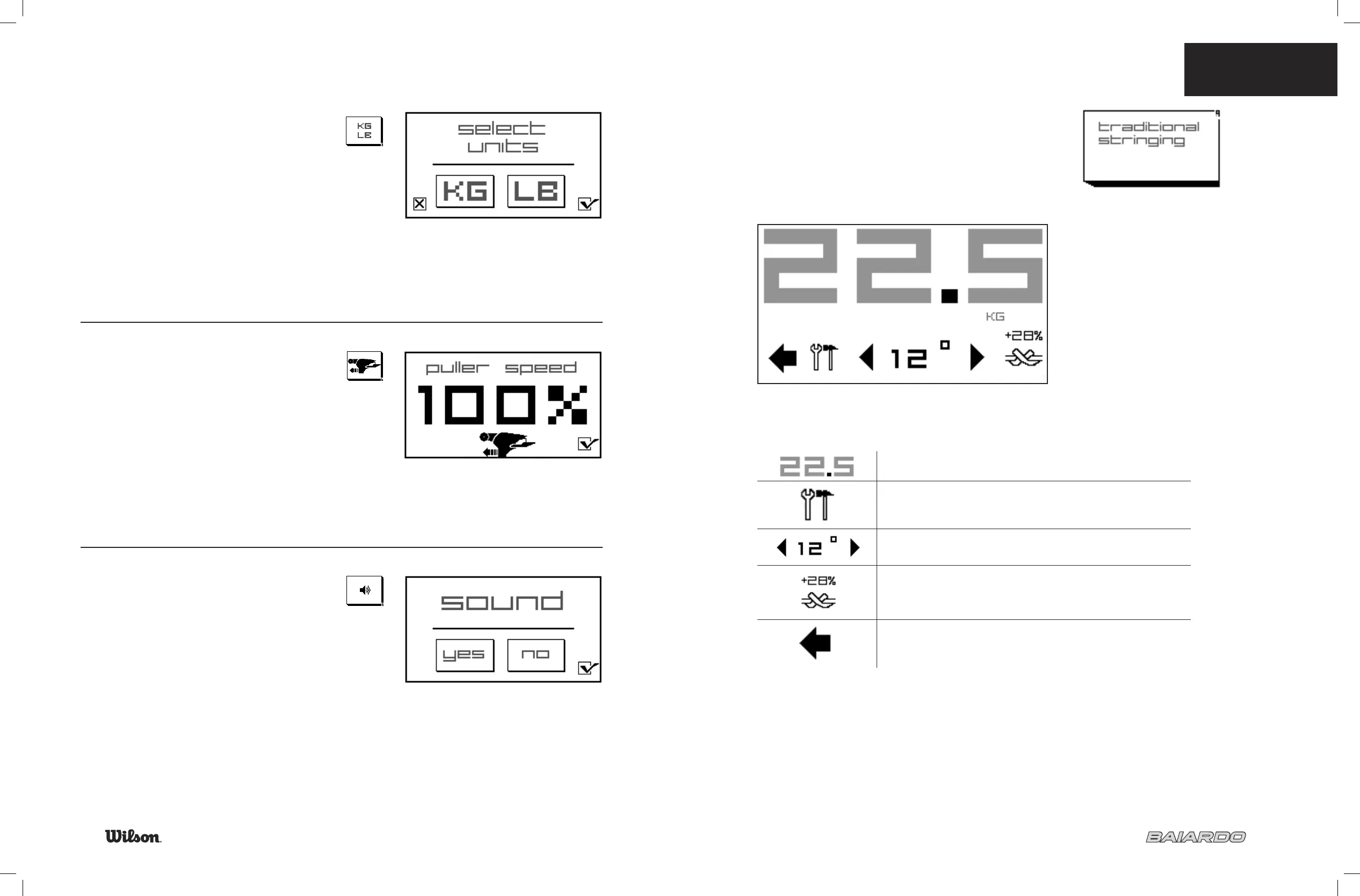
KG/LBS
Select the “KG/LB” icon.
Select the desired unit, and select the check mark to confi rm.
PULLER SPEED
Adjust speed of puller from 100% to 30%.
Note: Machine is factory set at 100%; the fastest speed.
Once you reach your desired pull speed, select the check
mark to save the changes.
SOUND ON/OFF
Select “yes” sound on.
Select “no” sound off.
Touch check mark to confi rm.
21
TRADITIONAL STRINGING MODE
To use the traditional stringing mode select icon.
NOTE:
No customized user settings will be remembered.
7.4 TRADITIONAL
STRINGING MODE
TENSION DISPLAY: The large numbers in the top of the
screen display the tension the machine is set to pull at
TOOLS: Change machine settings including pre-stretch, kg/lbs,
sound on/off, puller speed and cross string +/-
TILT: To adjust the tilt
KNOT TENSION: Apply extra tensions before tie off
BACK: Return to “Home Screen”


 To Next Page