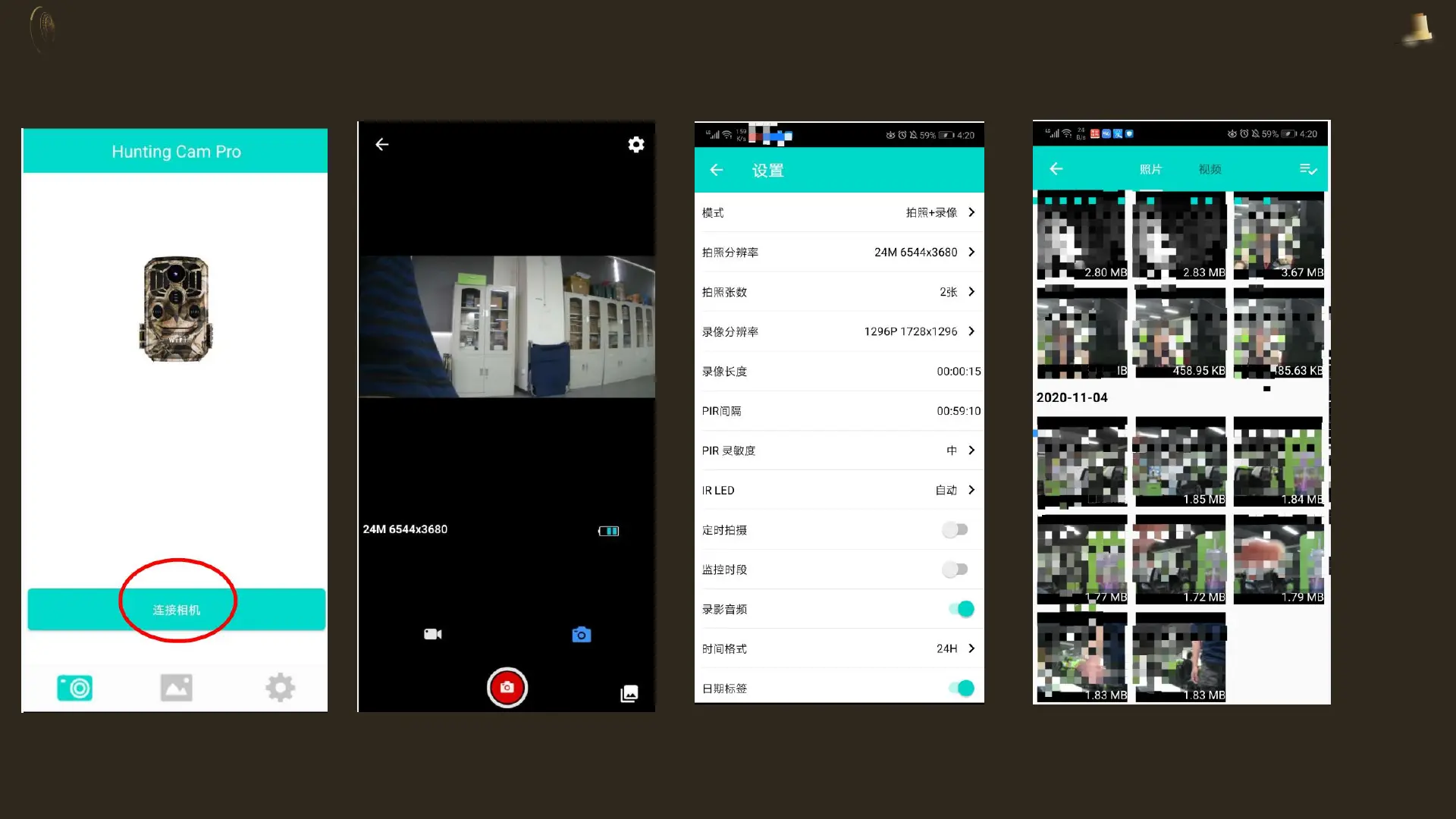
• 4.Open the mobile APP (Hunting Cam Pro), click "Connect Camera", you can view the camera's records in
real time, take photos or videos, view files, and adjust camera settings (Note: If you cannot open "Connect
Camera", Please try to turn off the cellular data of your mobile phone and click "Connect Camera" again)
•
Click "Connect
Camera"
After the connection
is successful
1. Click the upper
right corner to enter
the settings page
2. Click the lower right
corner to view the files in
the memory card


 To Next Page