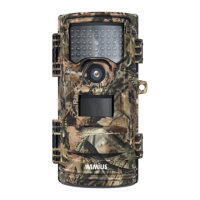
2.How to use?
• 1. Install the battery and SD/SDHC card
• 2. Set the switch to the "SETUP" button, and then press "MODE"
continuously to the setting interface to adjust the settings you
need
• 3. After adjustment, turn the switch to the "ON" button, the
camera will turn off the screen after 5 seconds, and start to work
to capture the animals passing by in front of the lens. The screen
will always go off during normal work(ON), If you want to
exit, you can turn the switch to "OFF" or "SETUP" ,and other key
is invalid


 To Next Page