support01@wimius.com
EN19
Interface My Applications- APP assistant - ScrennShare - Click OK- App download complete,
Please power off and restart - Find ScreenShare in My Applications)
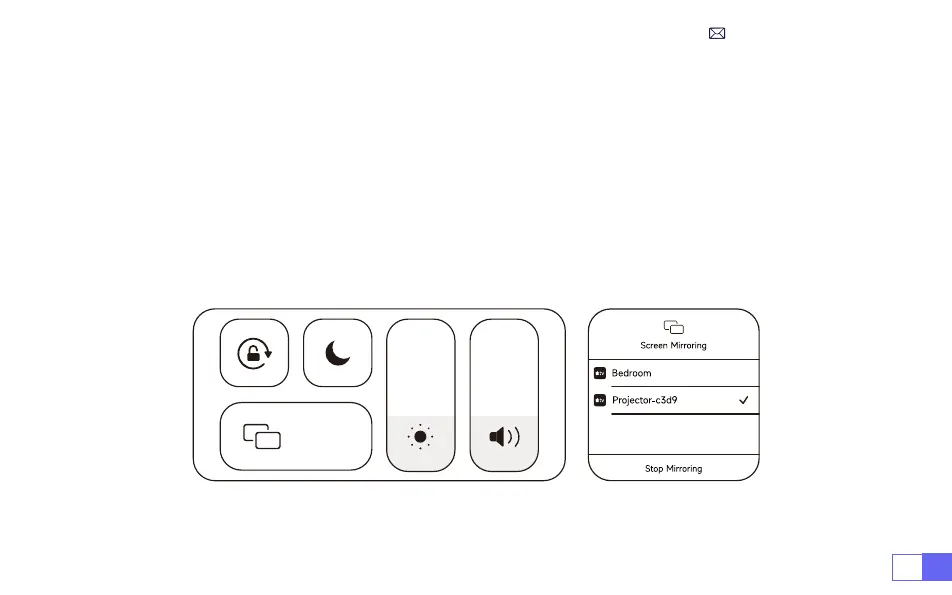
3. Turn on the WiFi setting of iOS device,then connect in the same Home WiFi.
4.Then click “Airplay" on the smartphone.
5.Select "Projector-c3d9" from the search results to connect.
NOTE: Due to the upgrading of the WiMiUS K9 smart projector itself: Screen mirroring for iOS, Android, and
Windows, and no longer need the iOS Screen Cast Device for screen mirroring (the package does not
include an iOS Screen Cast Device)
If you encounter any problems, please contact us in time:
support01@wimius.com
Screen
Mirroring



 To Next Page