support01@wimius.com
EN23
OTHER BASIC PROJECTION SETTINGS
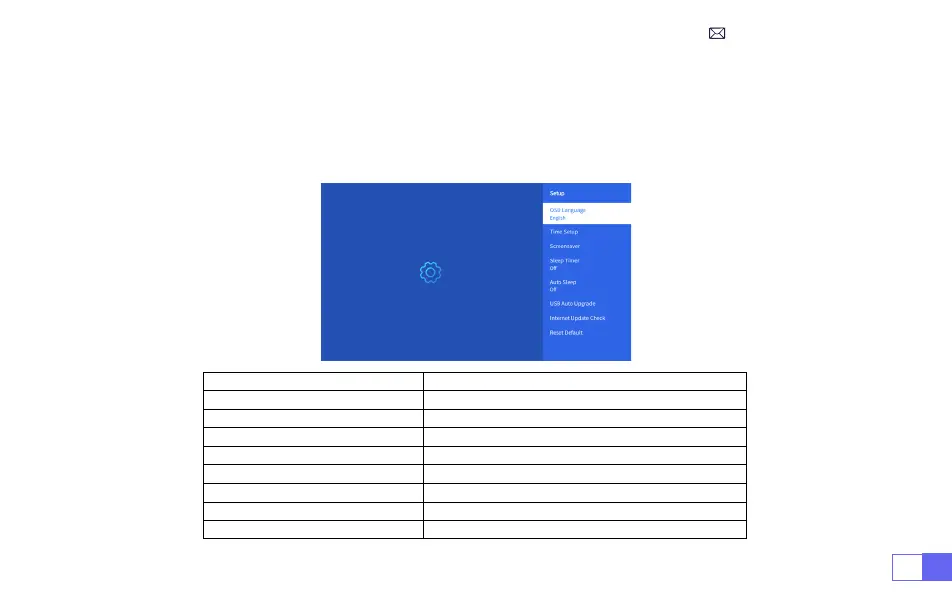
Go to
home page
-- Select [
Setting
] -- Select the [
Setup
] .Use the arrow keys on the remote control to
switch the menu, press the “OK” to conrm and set.
1.Option Menu
Menu Content
OSD Language English/France/Italian/Japanese etc
Time Setup Set Local Time
Screensaver Turn on/off screen saver
Sleep Timer On/Off: Set the sleep time from 10 - 120 minutes
Auto Sleep On/Off: Set the time from 30minutes - 8Hours
USB Auto Upgrade Local Update
Internet Update Check Check Internet Environment
Reset Default Restore Factory Default



 To Next Page