support01@wimius.com
EN 28
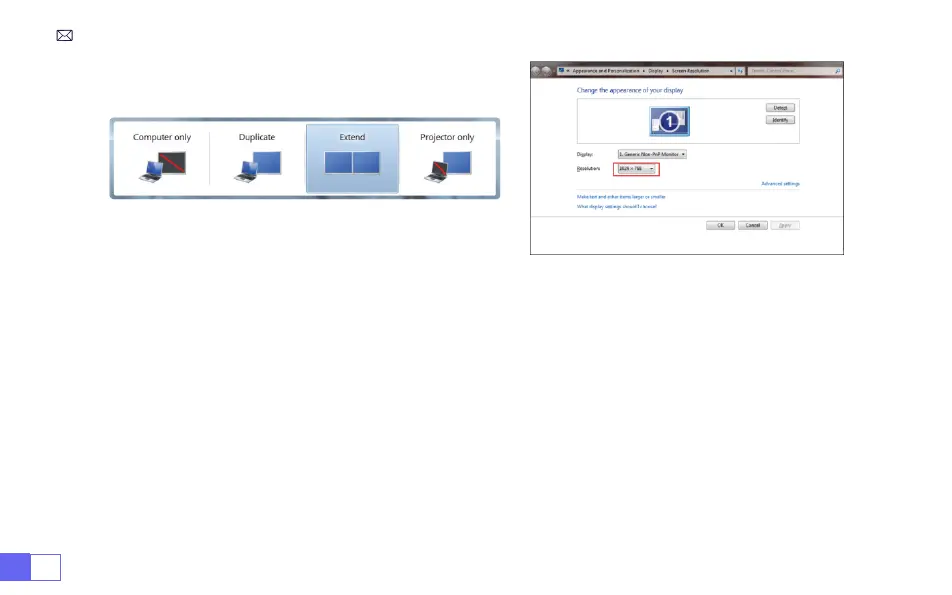
Computer only:
it is the default option – only displays on the main monitor.
Duplicate:
makes all the monitors display the same thing duplicating the desktop on each monitor.
Extend:
makes all your monitors act like one big monitor extending the desktop across all of them.
Projector only:
Displays only on the secondary monitor like a projector.
To change the screen resolution in Projector Only mode, follow these steps:
Step:
Start > Control Panel > Appearance and Personalization > Adjust Screen Resolution



 To Next Page