Troubleshooting
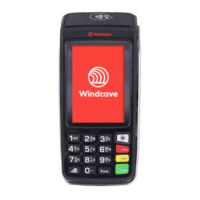
To restart the Move 5000 for troubleshooting, please hold down the
Clear and Func keys at the same time. Release once the terminal
displays “Reboot in Progress” or “Shutting Down.”
Restarting the Move 5000
Timeout
If the Move 5000 displays a timeout error, this indicates that the unit
is having diculties connecting to the Windcave Host to process
transactions.
1. Ensure the Move 5000 is connected to the internet.
a. For Cellular (3G) and WiFi connections the signal strength will be
displayed in the top left of the screen.
b. Check you can browse to the Windcave home page
(www.windcave.com) using another device connected to the same
WiFi network i.e. a phone or a laptop.
c. For Ethernet connections ensure the Ethernet cable is securely
connected to the base station of the Move 5000 and securely
connected to your switch/router.
2. Perform a Logon to test connectivity to the Windcave Host (see
page 3).
Charging the Move 5000
A Move 5000 will emit a distinctive beep when charging begins and a
separate distinctive beep will be emitted when charging ends, as such
when charging the Move 5000 ensure the charging beep is emitted
when placing on charge.
A proprietary car charger can be provided if required, please
contact your Account Manager or one of our Sales team for further
information.


 To Next Page