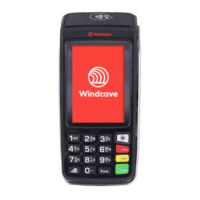
Need help?
Do you have a question about the Windcave iPP350 and is the answer not in the manual?
Details communication endpoints and firewall rules for POS and HIT terminals.
Explains connecting terminals directly to the internet, supporting iPP350 and Move5000.
Describes connecting iPP350 and Move5000 terminals to a POS via USB.
Details connecting the iPP350 terminal with the MTM300, including printer support.
Explains using the Move5000 with a 3G connection for online communication.
Instructions for terminals using the Paymark key scheme, requiring remote key injection.
Covers initialisation and logon processes for Windcave terminals.
Details the XML message specification for initiating HIT transaction requests and their input parameters.
Explains requesting and receiving status updates for transactions, including processing and signature stages.
Describes how POS systems display and handle button presses (B1/B2) based on XML responses.
Details initiating matched and unmatched refunds via HIT requests and using ecommerce solutions.
Explains requesting and receiving EFTPOS receipt content for printing by the POS.
Illustrates the process flow for Fail-Proof Result Notification, including POS, Windcave Host, and HIT Terminal interactions.
 General
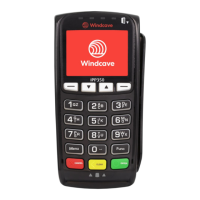
| Device Type | Payment Terminal |
|---|---|
| Model | iPP350 |
| Manufacturer | Windcave |
| Display | Color LCD |
| Power Supply | AC Adapter |
| Processor | ARM-based |
| Card Reader | EMV, NFC, Magnetic Stripe |
| Connectivity | USB, Ethernet, Wi-Fi |
| Payment Methods | Credit Card, Debit Card, Contactless Payments |
| Security | PCI PTS compliant |
| Operating Temperature | 0°C to 40°C |

 To Next Page