MOTOW ARE
MOTOW ARE
MOTOW ARE
motoware
MOTOWARE
MOTOWARE
MOTOWARE
BLINDS & AWNINGS
Motoware Automation Programming Instructions | Vertical Awning Motor
3. SET THE LIMITS
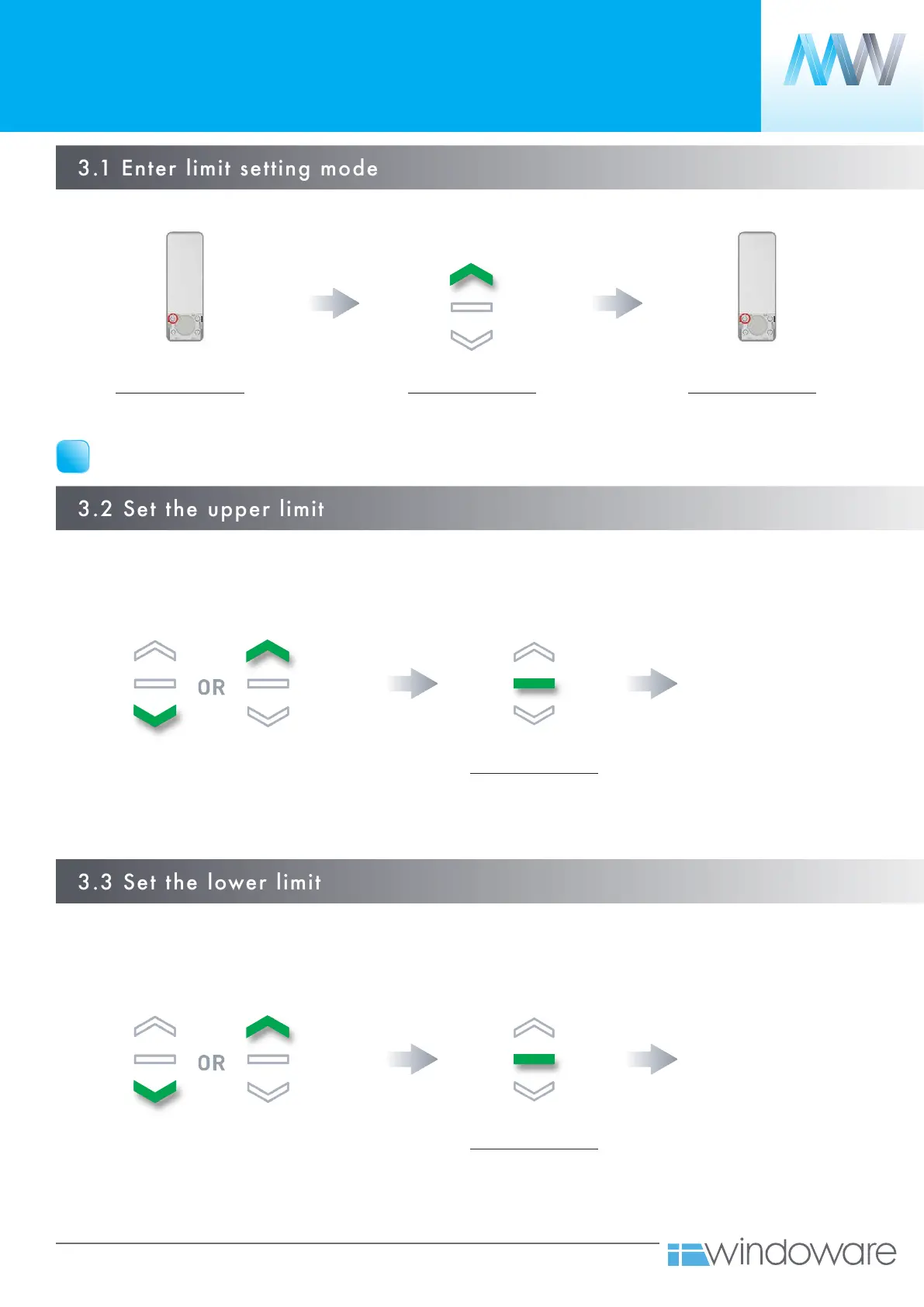
3.1 Enter limit setting mode
Move your blind to the desired highest
location by pressing the UP or DOWN
button on the controller. Press STOP when
you have reached your preferred position.
Move your blind to the desired highest
location by pressing the UP or DOWN
button on the controller. Press STOP when
you have reached your preferred position.
*Hint: Press the P2 button as the blind is rolling up the
motor will step, this will help to improve accuracy.
*Hint: Press the P2 button as the blind is rolling up the
motor will step, this will help to improve accuracy.
Press the STOP button on
the remote 5 times.
Press the STOP button on
the remote 5 times.
UPPER LIMIT SET
LOWER LIMIT SET
IMPORTANT
Cycle your outdoor blind up and down prior to setting limits to settle fabric.
!
Motor confirmation
1 x BEEP
Motor confirmation
1 x BEEP
Motor confirmation
1 x LONG BEEP
1 x JOG
Press the P2 button on the remote Press the P2 button on the remotePress the UP button on the remote
Motor confirmation
4 x BEEP
1 x LONG BEEP
1 x JOG
Motor confirmation
4 x BEEP
1 x LONG BEEP
1 x JOG



 To Next Page