37
MANUAL Mode
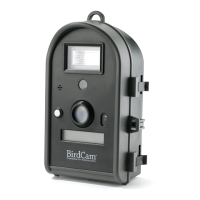
In MANUAL mode, the BirdCam operates like a regular digital camera.
When the SHUTTER button is pressed, the BirdCam takes either a photo
or a video clip (depending on settings chosen in the SETUP menu).
NOTE: The motion-sensor is NOT active in the MANUAL mode.
Enter MANUAL mode:
From the MODE menu, press the +, -, or MODE button until the
display reads: START MANUAL >. Press to enter MANUAL mode.
Exit MANUAL mode:
Press the MODE button at any time to exit MANUAL mode and return
to the MODE menu.
To see which SETUP menu settings take affect in MANUAL mode, see
the chart on page XX



 To Next Page