REMOTE CONTROL
Operates in a 20 foot radius:
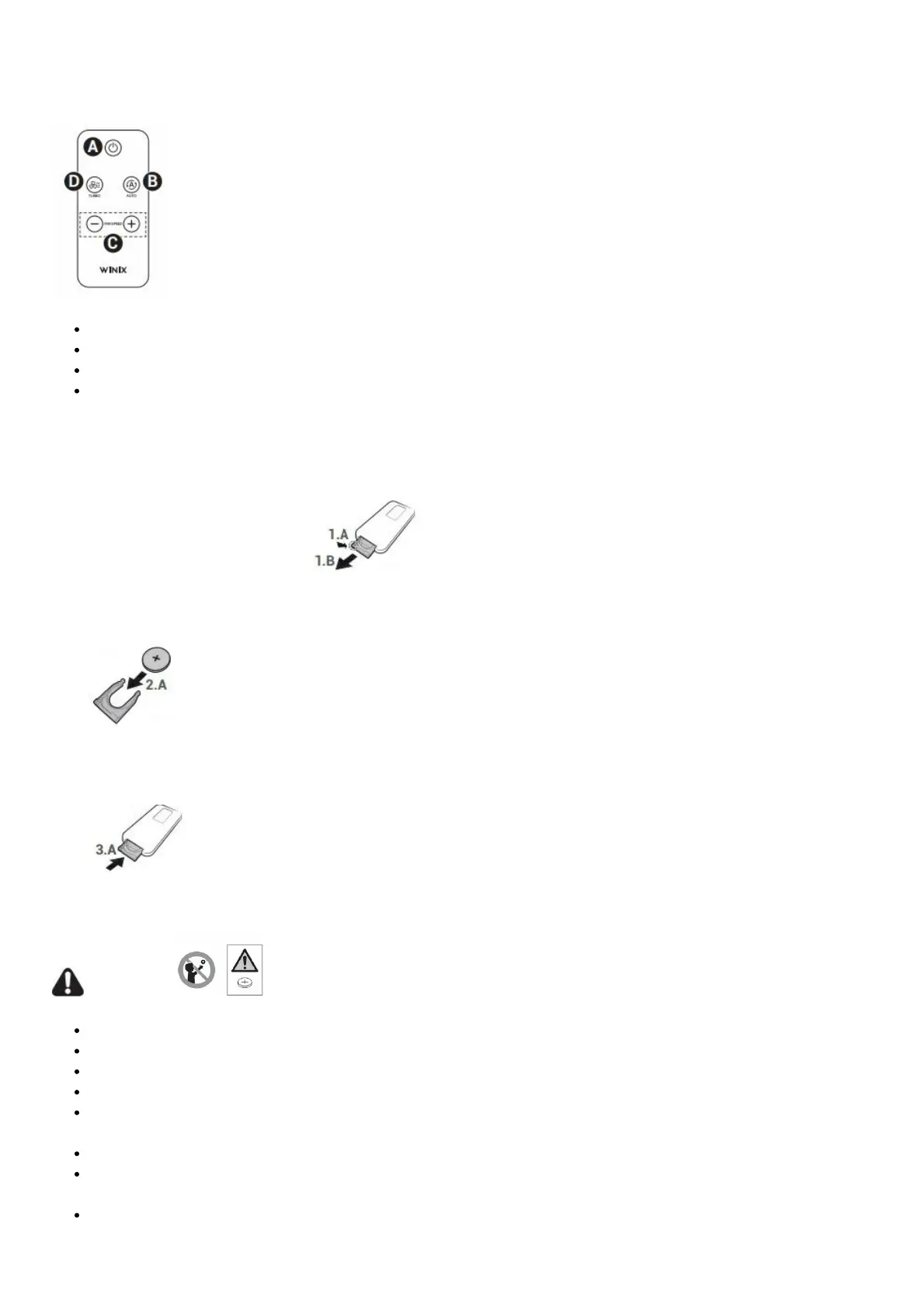
(A) Power: Turns the unit on or off.
(B) Auto: Enables Auto Mode.
(C) Fan Speed: Enables manual operation of the fan speeds.
(D) Turbo: Enters Manual Mode and directly sets the fan speed to Turbo.
How to replace your remote’s battery:
1. Flip over your remote and open battery tray.
1.A: Pinch the lever in while,
1.B: Pulling the battery tray out.
2. Insert battery into the battery tray as shown.
2.A: Make sure the polarities [+] [-] match when placing in the tray.
3. Close the battery tray.
3.A: Reinsert battery tray into remote until you hear a “click” sound.
Keep all used batteries (CR2025) in safe place.
WARNING
Incorrect battery usage may cause battery fluid leakage and/or damage.
When not using remote for extended periods of time, remove the battery.
Avoid dropping or damaging the remote.
WARNING: Chemical Burn Hazard. Keep batteries away from children.
This product contains a lithium button/coin cell battery. If a new or used lithium button/coin cell battery is
swallowed or enters the body, it can cause severe internal burns and can lead to death in as little as 2 hours.
Always completely secure the battery compartment.
If the battery compartment does not close securely, stop using the product, remove the batteries, and keep it
away from children.
If you think batteries might have been swallowed or placed inside any part of the body, seek immediate medical
attention.



 To Next Page