English
18
C555
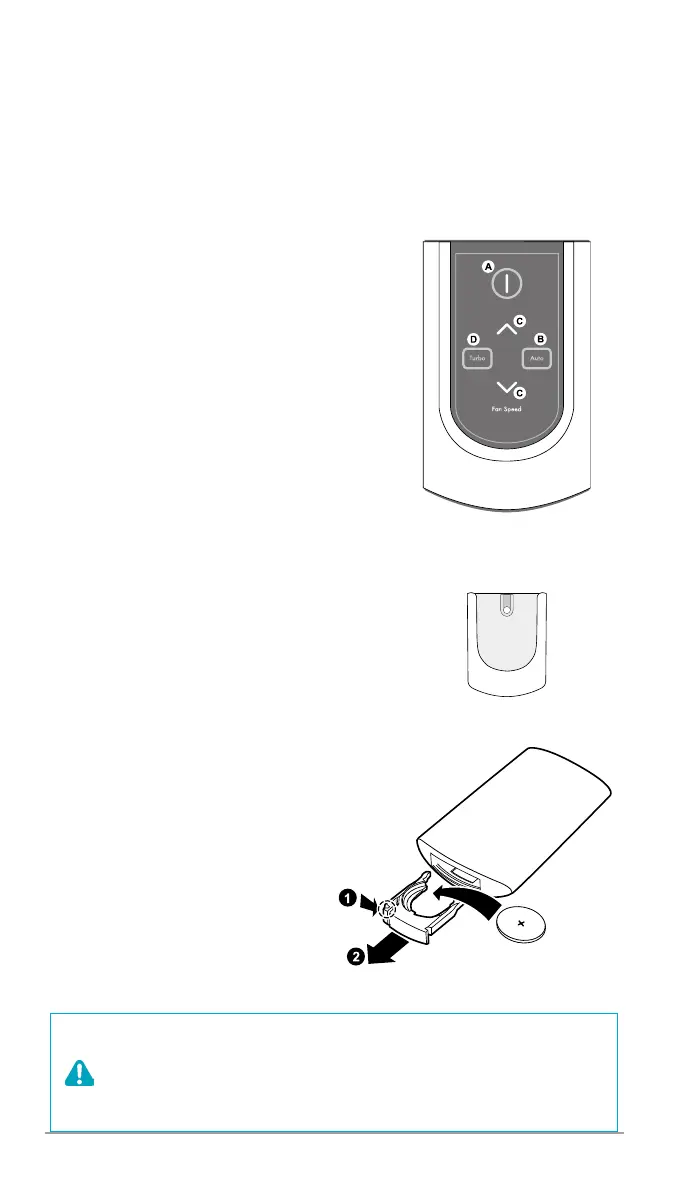
( A ) Power: Turns the unit on or off.
( B ) Auto: Enables Auto Mode.
( C ) Fan Speed: Enters into Manual Mode
while selecting Fan Speed.
( D ) Turbo: Enters Manual Mode setting
device directly to Turbo Fan Speed.
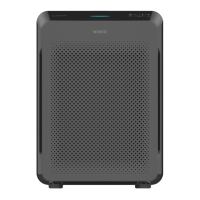
Cradle
Wall mountable storage cradle.
Battery Replacement
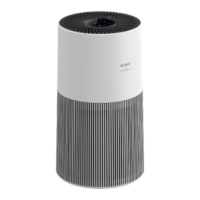
①
Squeeze tabs of battery cover
while pulling on the remote.
②
Remove old battery.
③
Insert new battery, with PLUS side
up.
x
Always use CR2025 3V lithium
battery.
Operates in a 20 foot radius.
REMOTE CONTROL
WARNING
x
Incorrect battery usage may cause battery fluid leakage
and/or damage.
x
When not using remote for extended periods of time,
remove the battery.
x
Avoid dropping or damaging the remote.


 To Next Page