EasyManua.ls Logo

Winix C555 - User Manual

Winix C555
24 pages
Print Icon
To Next Page IconTo Next Page
Loading...
C555
User Manual
x
Please read and follow all safety rules and instructions in
this manual before operating.
x
The product warranty is printed on the back of this guide,
so please keep it in a safe place for future use.
x
This product is manufactured for use only in USA/CA
Model
Use & Care
Guide
Question and Answer IconNeed help?

Do you have a question about the Winix C555 and is the answer not in the manual?

Summary

5-Stage Air Purification Overview

Package Contents Explained

Details the items included in the air purifier package.

Control Panel Functions

Key Operation Buttons

Buttons for power, modes, fan speed, and timer settings.

Status Indicators and Sensors

LEDs showing air quality, filter status, and operational modes.

Feature Activation and Reset Controls

Controls for PlasmaWave, light sensing, and filter reset.

Optimal Placement and Usage

Placement Guidelines

Recommended spacing and surface for optimal air purifier performance.

Environmental Use Precautions

Warnings against use in specific environments like humid areas or near flammable materials.

Filter Installation Process

Removing Front Panel and Filters

Steps to detach the front panel and remove internal filters.

Preparing New Filters

Instructions for removing protective wrap from replacement filters.

Filter Installation Order and Maintenance Schedule

Correct Filter Placement Sequence

The recommended sequence for installing the Pre-filter, Carbon, and HEPA filters.

Filter Service and Replacement Intervals

Guidelines for cleaning and replacing filters based on indicators and time.

Acquiring Replacement Filters

Contact details and website for ordering new filters.

Safety and Cautions

General Safety Guidelines

Essential safety rules for operating the air purifier.

Electrical Safety Warnings

Warnings related to power cord, plug, and electrical connections.

Usage Environment Precautions

Precautions about where not to place or use the unit.

Initial Operation Guide

Powering On and Initial Checks

Steps to connect power and turn on the air purifier.

Understanding Startup Indicators

What to expect during initial power-up and sensor calibration.

Default Operating Mode

Unit starts in Auto mode with PlasmaWave® enabled by default.

Operating Modes Explained

Auto Mode Functionality

How Auto mode adjusts fan speed based on air quality.

Sleep Mode Settings

How Sleep mode operates with low fan speed and disabled indicator.

Manual Control and Timer Settings

Manual Fan Speed Adjustment

How to manually set fan speed to Low, Medium, High, or Turbo.

Setting the Operation Timer

How to set the unit's operation time using the timer function.

PlasmaWave and Air Quality Monitoring

PlasmaWave Feature Control

How to enable or disable the PlasmaWave® feature.

Air Quality Indicator Interpretation

Understanding the color-coded indicator for air quality levels.

Filter Care and Maintenance

Filter Identification and Service Needs

Details on each filter type and when to clean/replace them.

Purchasing Replacement Filters

Contact information for ordering new Winix filters.

Filter Replacement Procedures

Removing Existing Filters

Instructions for safely removing the current set of filters.

Preparing New Filters for Installation

Steps to ready new filters, including removing protective wrap.

Filter Replacement and Reset

Installing New Filters Correctly

Guide to inserting new filters and reattaching the front panel.

Resetting the Filter Indicator Light

Procedure to reset the unit's filter replacement alert.

Cleaning the Air Filters

Cleaning the Carbon Filter

Instructions for cleaning the AOC™ Carbon filter under running water.

Cleaning the Pre-filter

How to clean the Pre-filter with a vacuum or by rinsing.

Important Filter Cleaning Notices

Warnings about cleaning agents, drying, and potential damage.

Exterior and Interior Cleaning

Cleaning Unit Surfaces

How to clean the unit's exterior and interior surfaces.

Cleaning Safety Precautions

Important safety notices before and during cleaning.

Remote Control Operation

Remote Control Features

Explanation of buttons and operation range of the remote.

Battery Replacement Procedure

Steps for replacing the battery in the remote control.

Troubleshooting Common Issues

Power and Operation Problems

Solutions for unit not turning on or not working in Auto Mode.

Performance and Sensor Issues

Addressing noise, weak fan, unusual odors, and sensor blockages.

Display and Electrical Concerns

Troubleshooting dim displays and hot power plugs/outlets.

Unit Specifications and Compliance

Technical Specifications Summary

Details on model name, voltage, power, dimensions, and weight.

FCC Compliance Information

Information regarding FCC rules, interference, and modifications.

Safety Instructions and Precautions

General User Cautions

Essential safety guidelines, repair, plug, and cord handling advice.

Operational Usage Precautions

Advice on usage environment, filter handling, and transport.

California Proposition 65 Warning

Warning about chemicals known to cause cancer or reproductive harm.

Product Warranty Information

Warranty Terms and Conditions

Details on warranty coverage, voiding conditions, and validity.

Customer Purchase Record

Fields for recording purchase details and customer contact information.

Summary

5-Stage Air Purification Overview

Package Contents Explained

Details the items included in the air purifier package.

Control Panel Functions

Key Operation Buttons

Buttons for power, modes, fan speed, and timer settings.

Status Indicators and Sensors

LEDs showing air quality, filter status, and operational modes.

Feature Activation and Reset Controls

Controls for PlasmaWave, light sensing, and filter reset.

Optimal Placement and Usage

Placement Guidelines

Recommended spacing and surface for optimal air purifier performance.

Environmental Use Precautions

Warnings against use in specific environments like humid areas or near flammable materials.

Filter Installation Process

Removing Front Panel and Filters

Steps to detach the front panel and remove internal filters.

Preparing New Filters

Instructions for removing protective wrap from replacement filters.

Filter Installation Order and Maintenance Schedule

Correct Filter Placement Sequence

The recommended sequence for installing the Pre-filter, Carbon, and HEPA filters.

Filter Service and Replacement Intervals

Guidelines for cleaning and replacing filters based on indicators and time.

Acquiring Replacement Filters

Contact details and website for ordering new filters.

Safety and Cautions

General Safety Guidelines

Essential safety rules for operating the air purifier.

Electrical Safety Warnings

Warnings related to power cord, plug, and electrical connections.

Usage Environment Precautions

Precautions about where not to place or use the unit.

Initial Operation Guide

Powering On and Initial Checks

Steps to connect power and turn on the air purifier.

Understanding Startup Indicators

What to expect during initial power-up and sensor calibration.

Default Operating Mode

Unit starts in Auto mode with PlasmaWave® enabled by default.

Operating Modes Explained

Auto Mode Functionality

How Auto mode adjusts fan speed based on air quality.

Sleep Mode Settings

How Sleep mode operates with low fan speed and disabled indicator.

Manual Control and Timer Settings

Manual Fan Speed Adjustment

How to manually set fan speed to Low, Medium, High, or Turbo.

Setting the Operation Timer

How to set the unit's operation time using the timer function.

PlasmaWave and Air Quality Monitoring

PlasmaWave Feature Control

How to enable or disable the PlasmaWave® feature.

Air Quality Indicator Interpretation

Understanding the color-coded indicator for air quality levels.

Filter Care and Maintenance

Filter Identification and Service Needs

Details on each filter type and when to clean/replace them.

Purchasing Replacement Filters

Contact information for ordering new Winix filters.

Filter Replacement Procedures

Removing Existing Filters

Instructions for safely removing the current set of filters.

Preparing New Filters for Installation

Steps to ready new filters, including removing protective wrap.

Filter Replacement and Reset

Installing New Filters Correctly

Guide to inserting new filters and reattaching the front panel.

Resetting the Filter Indicator Light

Procedure to reset the unit's filter replacement alert.

Cleaning the Air Filters

Cleaning the Carbon Filter

Instructions for cleaning the AOC™ Carbon filter under running water.

Cleaning the Pre-filter

How to clean the Pre-filter with a vacuum or by rinsing.

Important Filter Cleaning Notices

Warnings about cleaning agents, drying, and potential damage.

Exterior and Interior Cleaning

Cleaning Unit Surfaces

How to clean the unit's exterior and interior surfaces.

Cleaning Safety Precautions

Important safety notices before and during cleaning.

Remote Control Operation

Remote Control Features

Explanation of buttons and operation range of the remote.

Battery Replacement Procedure

Steps for replacing the battery in the remote control.

Troubleshooting Common Issues

Power and Operation Problems

Solutions for unit not turning on or not working in Auto Mode.

Performance and Sensor Issues

Addressing noise, weak fan, unusual odors, and sensor blockages.

Display and Electrical Concerns

Troubleshooting dim displays and hot power plugs/outlets.

Unit Specifications and Compliance

Technical Specifications Summary

Details on model name, voltage, power, dimensions, and weight.

FCC Compliance Information

Information regarding FCC rules, interference, and modifications.

Safety Instructions and Precautions

General User Cautions

Essential safety guidelines, repair, plug, and cord handling advice.

Operational Usage Precautions

Advice on usage environment, filter handling, and transport.

California Proposition 65 Warning

Warning about chemicals known to cause cancer or reproductive harm.

Product Warranty Information

Warranty Terms and Conditions

Details on warranty coverage, voiding conditions, and validity.

Customer Purchase Record

Fields for recording purchase details and customer contact information.

Overview

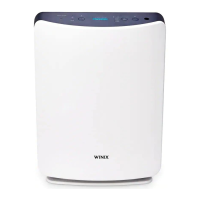
The Winix C555 is a 5-stage air purification system designed for household use in the USA/CA, operating on 120V. It functions as an air cleaner, aiming to improve indoor air quality through a multi-layered filtration process and intelligent features.

Function Description:

The primary function of the Winix C555 is to purify the air by capturing various airborne contaminants. It employs a comprehensive 5-stage air purification system:

  1. Pre-filter: This initial filter captures larger dust particles, pet hair, and lint, serving as the first line of defense and extending the life of subsequent filters. It is washable and designed for regular cleaning.
  2. Washable Advanced Odor Control (AOC™) Carbon Filter: This filter is specifically designed to absorb odors from the air, including cooking smells, pet odors, and smoke. It is also washable, allowing for periodic cleaning to maintain its effectiveness.
  3. Anti-microbial True HEPA Filter: This crucial filter captures 99.97% of airborne particles as small as 0.3 microns, including pollen, mold spores, dust mites, pet dander, and other allergens. Its anti-microbial properties help inhibit the growth of bacteria and fungi on the filter itself.
  4. PlasmaWave®: This technology creates hydroxyls that break down airborne pollutants at a molecular level, without producing harmful ozone. It works to neutralize viruses, bacteria, chemical vapors, and gases.
  5. Odor Sensor: The unit is equipped with an odor sensor that detects the amount of odor in the environment, allowing the unit to automatically adjust fan speeds when in Auto Mode to effectively tackle air quality issues.
  6. Light Sensor: This sensor detects the amount of ambient light in the environment and adjusts the brightness of the LED indicators accordingly. In Auto Mode, it can also activate Sleep Mode when the room is dark.

Usage Features:

The Winix C555 offers several modes of operation and settings for user convenience and optimized air purification:

  • Power Button: Turns the unit on or off.
  • Mode Button: Allows users to cycle through and set the desired mode of operation:
    • Auto Mode: In this default mode, the fan speed is automatically adjusted based on the air quality detected by the Smart Sensors. As indoor air quality improves, the fan speed reduces to Low; conversely, it increases if air quality deteriorates. During the initial 30 seconds of power-up, the Air Quality Indicator cycles through Blue, Yellow, and Red, and the Smart Sensors take approximately 4 minutes to gauge air quality before normal operation begins.
    • Sleep Mode: When selected, the fan speed is automatically set to Low for quiet operation. The Air Quality Indicator LED light is disabled in this mode. Users can manually change the fan speed in Sleep Mode, which will transition the unit into manual mode.
  • Fan Speed Button: Enables manual operation of the unit, allowing users to select desired fan speeds: Low, Medium, High, or Turbo. When Manual Mode is selected, Auto Mode is automatically disabled.
  • Timer Button: Allows users to set a specific duration for the unit to run (1hr, 4hr, 8hr, or NO TIMER). The Timer LED light indicates the selected length of operation.
  • PlasmaWave® Button: Enables or disables the PlasmaWave® feature. While PlasmaWave® is enabled by default, users can turn it off if desired. A chirping or buzzing sound may be heard during operation, which is normal and indicates large particles passing through PlasmaWave®.
  • Air Quality Indicator: A color-coded LED provides a visual representation of the current indoor air quality: Blue (good), Amber (fair), or Red (poor). This indicator changes based on the Smart Sensors' readings.
  • Remote Control: The unit comes with a remote control that operates within a 20-foot radius. The remote allows users to:
    • Turn the unit on or off (Power).
    • Enable Auto Mode (Auto).
    • Enter Manual Mode and select Fan Speed (Fan Speed).
    • Directly set the device to Turbo Fan Speed (Turbo). The remote requires a CR2025 3V lithium battery, and it is recommended to remove the battery if the remote is not used for extended periods. A wall-mountable storage cradle is provided for the remote.

Maintenance Features:

Regular maintenance is essential to ensure optimal performance and longevity of the Winix C555.

  • Filter Care:
    • Pre-filter: This filter should be cleaned once every 14 days. It can be cleaned using a vacuum cleaner or a soft brush. If excessively soiled, it can be rinsed with room temperature water (without detergent or soap) and must be allowed to dry completely for 24 hours or more before reinstallation.
    • Washable AOC™ Carbon Filter: This filter should be cleaned once every 3 months. It can be rinsed under running room temperature water (without detergent or soap) and must be allowed to dry completely for 24 hours or more before reinstallation.
    • Anti-microbial True HEPA Filter: This filter is not washable and should be replaced every 12 months, or sooner if heavily soiled or if the fan strength is significantly weakened.
    • Check Filter Indicator: An LED light illuminates when it is time to replace both the Anti-microbial True HEPA and AOC™ Carbon Filters.
    • Filter Replacement: When replacing filters, the unit must be turned off and unplugged. The front panel is removed by gently pulling its upper edge forward. Filters are then removed, and new filters (with protective plastic wrap removed) are installed in a specific order: Anti-microbial True HEPA filter first, then the AOC™ Carbon filter, and finally the Pre-filter. The Pre-filter has bottom and upper tabs that click into place. After filter replacement, the front panel is reattached by inserting the bottom latch and rotating it upward until magnets pull the lid closed.
    • Filter Reset: After replacing filters, the unit needs to be reset. Turn the power on, then use a thin object (like a paper clip) to press the RESET switch for at least 5 seconds.
    • Purchasing Replacement Filters: Replacement Winix filters can be purchased by calling (877)-699-4649 or visiting www.winixamerica.com. The compatible filter item number is 116131.
  • Cleaning the Exterior & Interior:
    • Exterior: The exterior of the unit should be wiped with a soft damp cloth using room temperature water, then dried with a clean dry cloth, every 1-2 months to keep it in peak condition.
    • Interior: The front panel can be opened, and the interior cleaned with a vacuum cleaner every 1-2 months for optimal performance.
    • Odor Sensor: If the unit is not working in Auto Mode, the Odor Sensor might be blocked or clogged. It should be wiped with a wet cloth and then dried.
    • Light Sensor: If the display panel is dim, the Light Sensor might be blocked by debris.

Safety Precautions:

The manual emphasizes several safety precautions, including ensuring filters are inserted before operation, avoiding insertion of foreign objects into vents, not touching internal parts with wet hands, ensuring vents are not blocked, and not using the unit as a step stool. It also warns against using around industrial oil, metallic dust, in vehicles, near flammable materials, or below electrical outlets. The product is manufactured for use only in USA/CA and is suitable for 120V only. It is not intended for preserving documents or art conservation.

Winix C555 Specifications

General IconGeneral
TypeAir Purifier
TechnologyPlasmaWave
Coverage Area360 sq. ft.
Dimensions15 x 8.2 x 23.6 inches
Weight15.4 lbs
Auto ModeYes
Sleep ModeYes
Number of Fan Speeds4
Filter Life12 months
ColorWhite
Filter TypeTrue HEPA
CADR243 CFM
Power Consumption70 Watts

Related product manuals