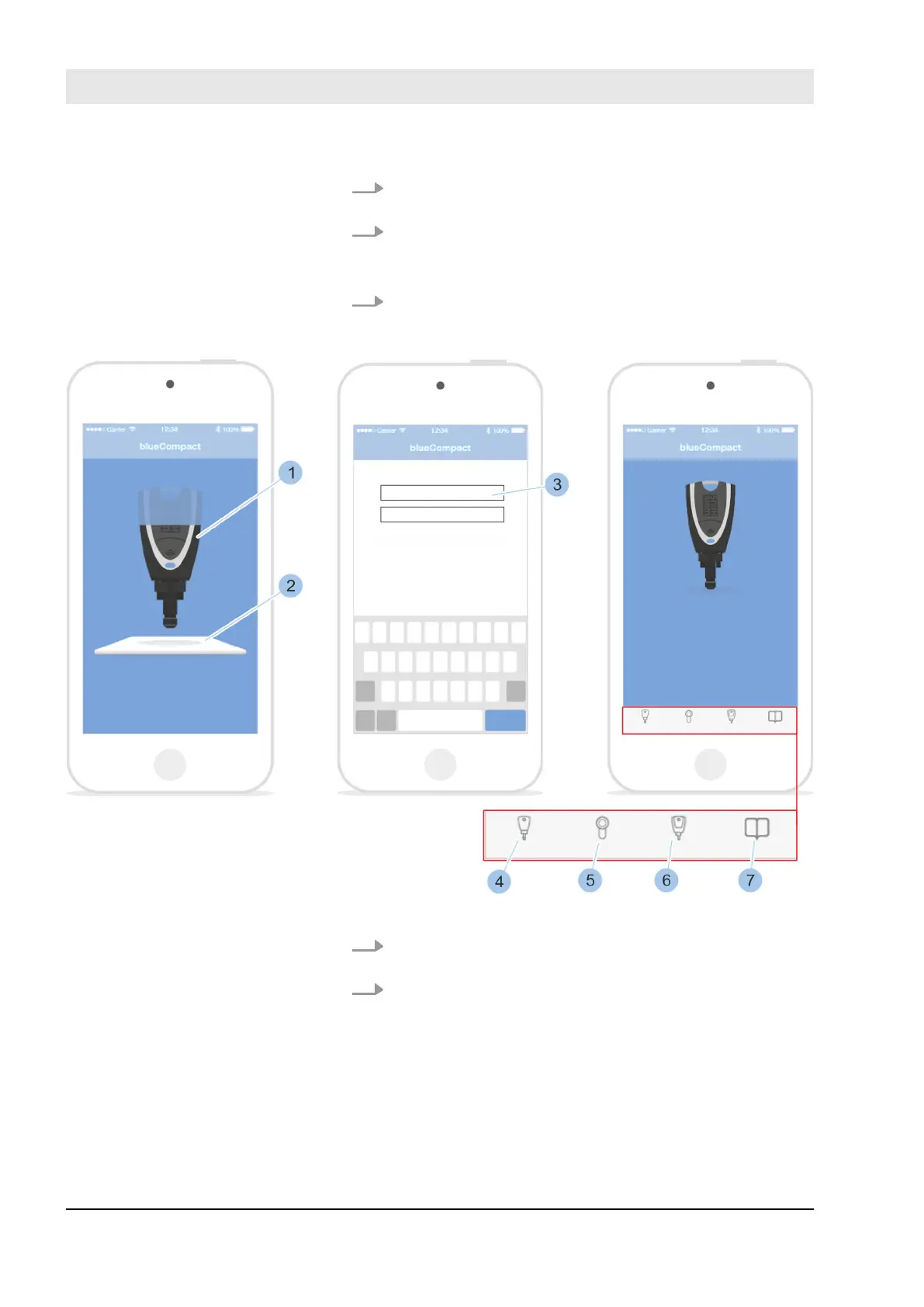
2. Press the push button for the active key (1) to be used
as a Masterkey.
3. Select active key (2).
ð
The active key is activated and connected to the
app. The key can be initialised.
4. Enter PUK code (3).
Fig. 46: Enter password
5. Place Masterkey (1) on the centre of the activation
card (2) and hold in place.
6. Confirm the PUK code entry.
Enter activation card and pass-
word
Manage locking system
23.05.2018blueCompact Electronics locking system64



 To Next Page