5. Select the colour of the key (5).
6. Confirm (6) information.
6.3.3 Identify key
You can identify the key if you do not know which key it is
or what locking rights it holds. The information about the
key is displayed once it is identified.
Precondition:
n Masterkey has been linked to the app.
–
Ä
Chapter 6.2 “Register” on page 66
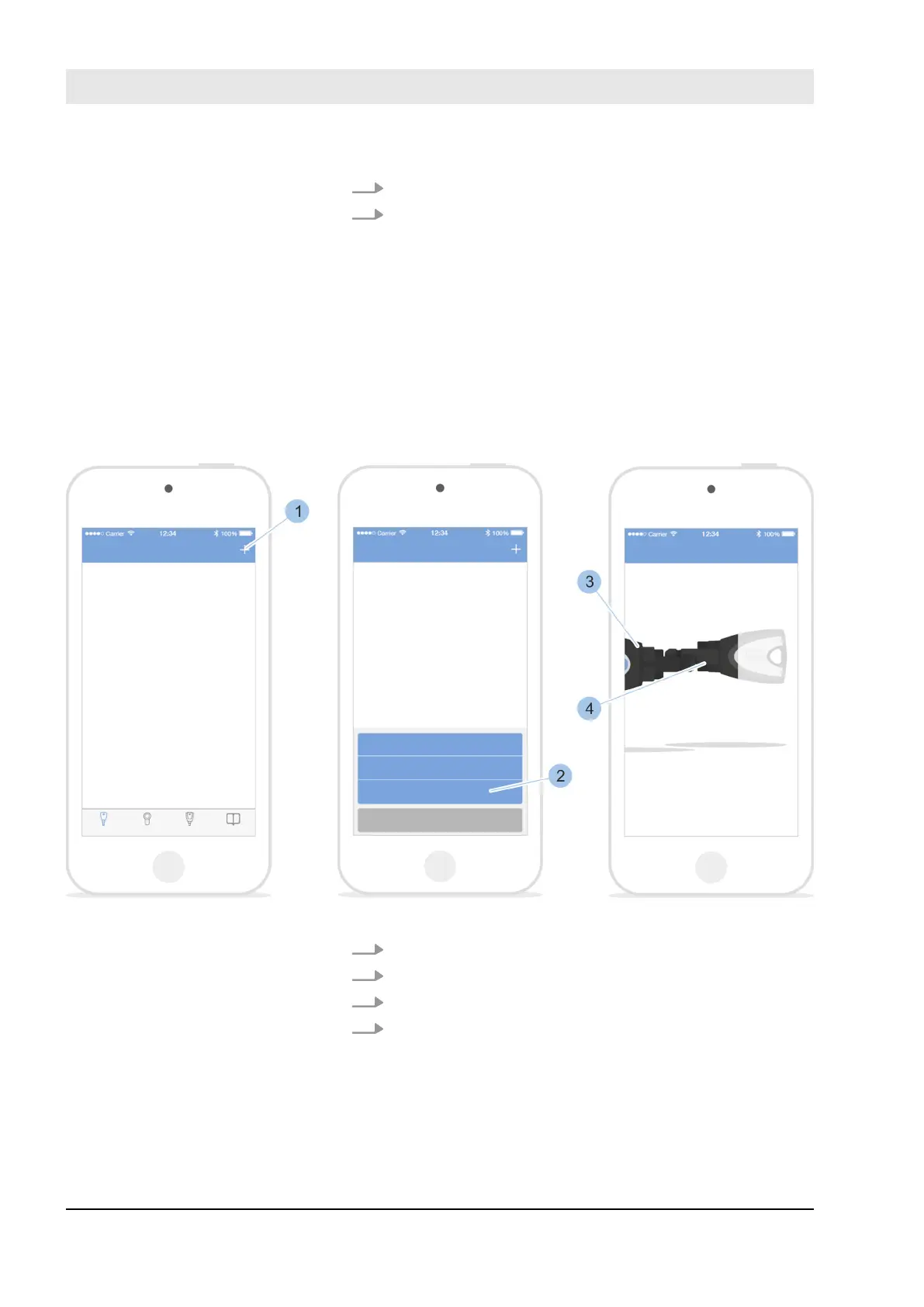
Fig. 53: Identify key
1. Open Key menu.
2. Touch '+' (1) in the Key menu.
3. Touch Identify key (2).
4. Insert Masterkey (3) and key (4) into the adapter.
ð
The key's specifications are shown after the key
has been scanned, such as the battery status.
Display key
Manage locking system
23.05.2018blueCompact Electronics locking system72



 To Next Page