6.2.2 Log in with fingerprint
Prerequisites:
n The smartphone has a fingerprint scanner.
n Touch ID was activated on the smartphone.
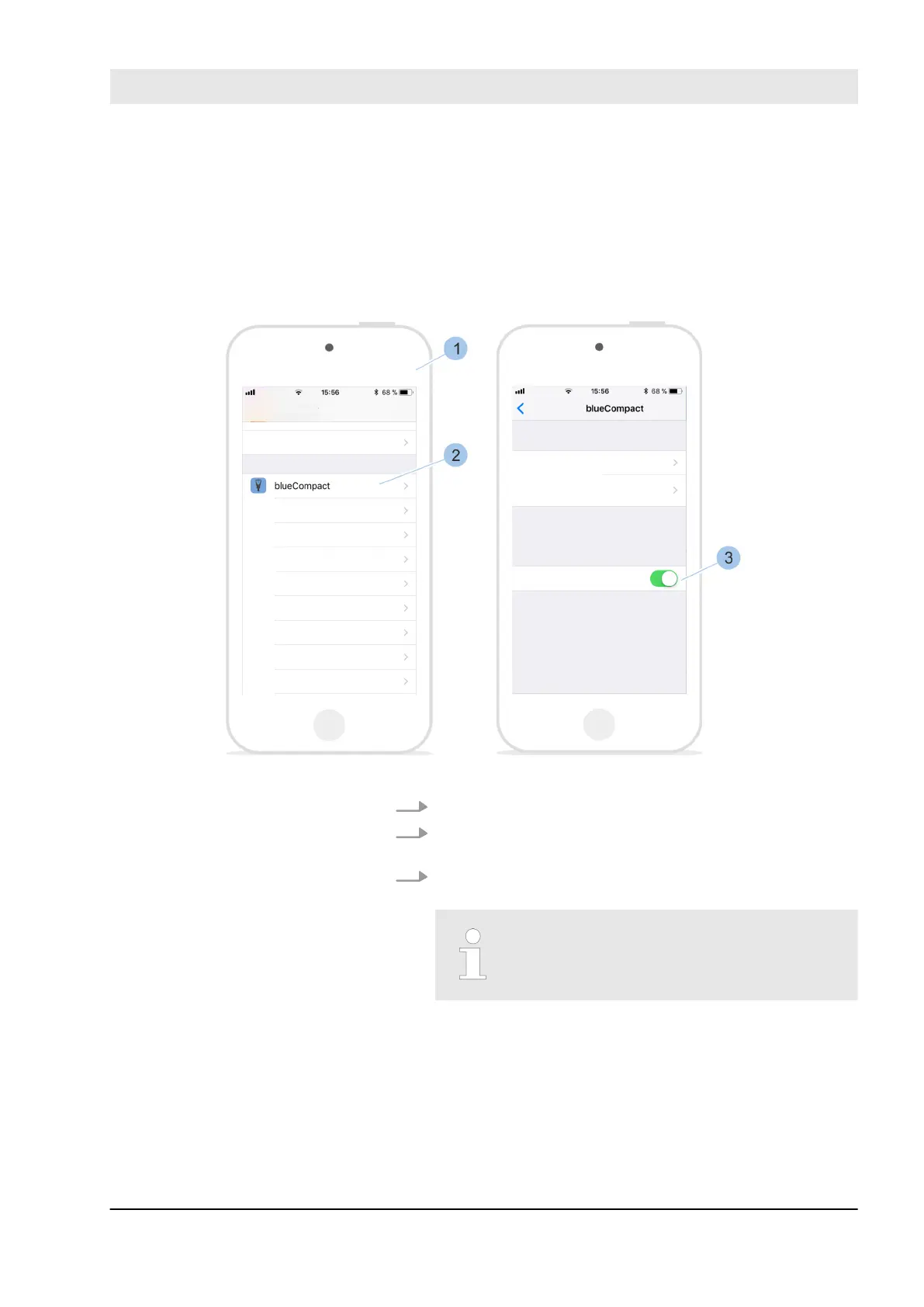
Fig. 48: Enable Touch ID for the app
1. Open the Settings (1) menu on the smartphone.
2. Navigate to the blueCompact App (2) in the Settings
menu.
3. Enable the use of Touch ID for the blueCompact App
(3).
The use of Touch ID is activated as
standard.
Activate the fingerprint scanner
on the smartphone
Manage locking system
23.05.2018 blueCompact Electronics locking system 67



 To Next Page