Prerequisites:
n Smartphone Bluetooth link has been switched on.
n Masterkey has been initialised.
–
Ä
Chapter 6.1 “Initialise Masterkey” on page 63
n The Masterkey and the smartphone were recently con-
nected with each other.
n The smartphone has a fingerprint scanner.
n The fingerprint scanner was activated on the smart-
phone.
n Touch ID has been activated for the blueCompact App.
n A log-in has already taken place with the password.
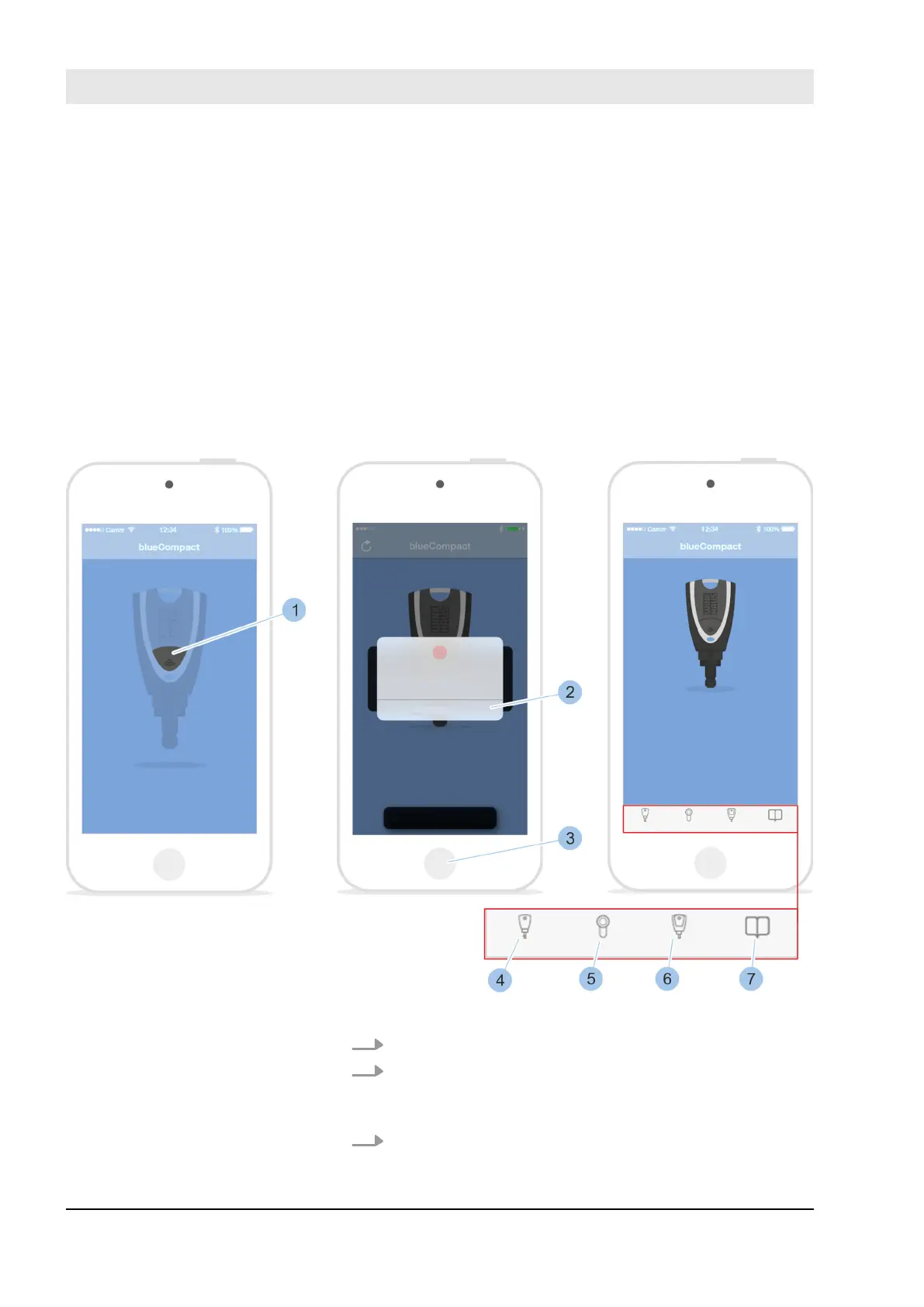
Fig. 49: Register
1. Launch app.
2. Press button (1).
ð
The Masterkey is activated and connected to the
app.
3. To cancel the log-in via Touch ID, touch Cancel (2) and
log in with the password.
Log in with fingerprint
Register Masterkey
Manage locking system
23.05.2018blueCompact Electronics locking system68



 To Next Page