n Deposited key is an active key and belongs to the
system.
n Administrator and recipient both have installed the
Winkhaus blueCompact App and have access to the
Internet on their smartphones.
n The administrator and recipient have an email account.
Additional requirement:
n User is in the Master key menu.
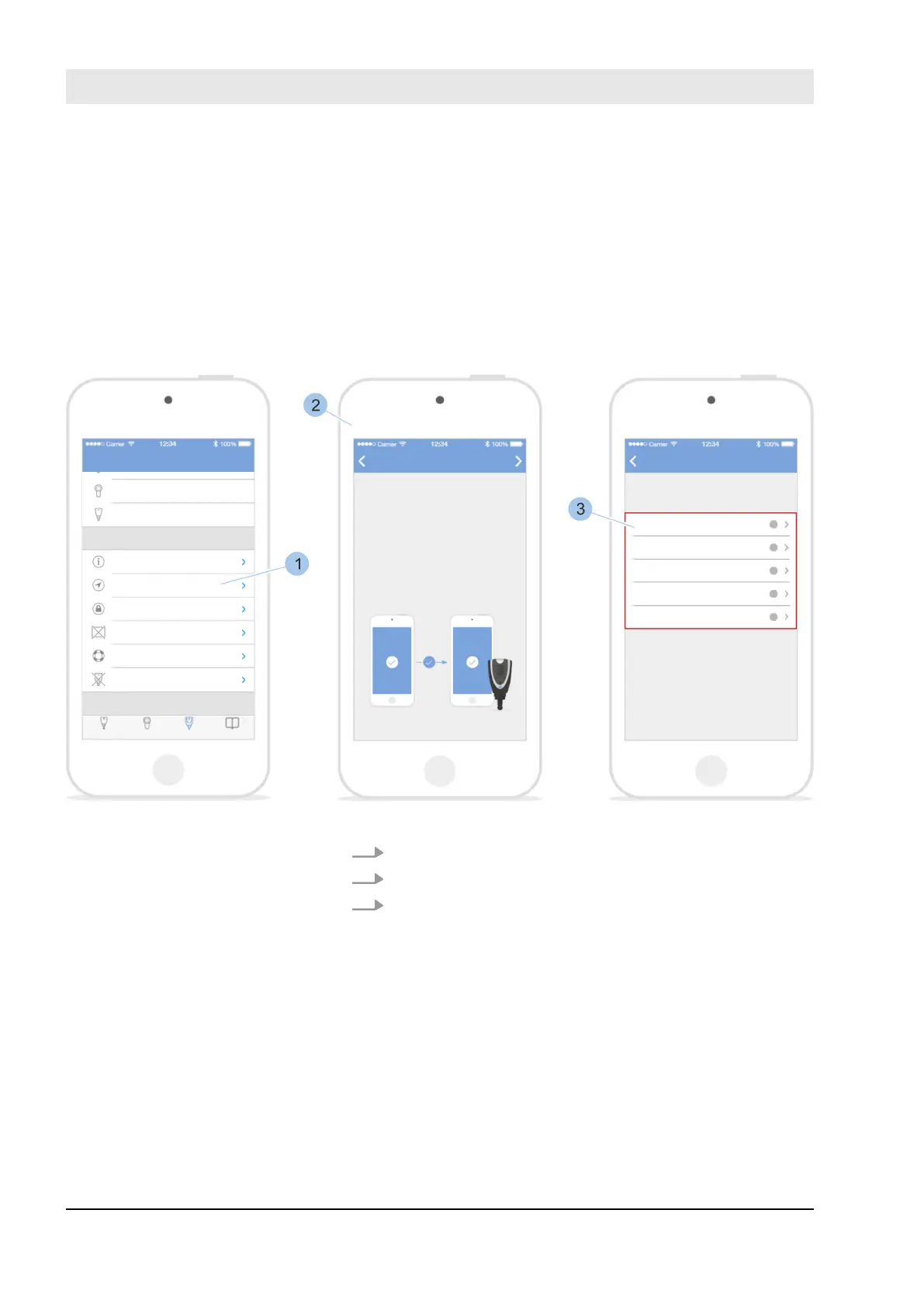
Fig. 79: Select key
1. Touch Remote authorisation (1).
2. Read notifications (2).
3. Select deposited key (3).
Send remote authorisation
Manage locking system
23.05.2018blueCompact Electronics locking system98



 To Next Page